







Astro Framework: What It Is and When to Use It
Astro Framework explained: zero client-side JavaScript by default, Islands for interactivity, the limits against Next.js and what running it costs.

Astro is an open-source framework for content-driven websites: it renders your components to HTML and CSS and ships zero client-side JavaScript by default. Interactivity is requested per building block instead of spread across the whole website. For marketing websites, knowledge sections and multilingual B2B presences that is our default, paired with Sanity as the editing system. This article covers how Astro works, how it holds up against builders, Webflow and Next.js, where it stops being the right answer, and what building and running it actually costs.
The short answer
Astro is an open-source framework for content-driven websites. It renders components to HTML and CSS and sends zero client-side JavaScript to the browser by default. Your visitor receives a finished document instead of a program that assembles the page first. Interactivity is requested deliberately, component by component. The current major version is Astro 7.
For a B2B website that has two consequences. The page is readable immediately, for people and for crawlers, meaning the programs Google and AI systems use to ingest content. And load time depends on your decisions, not on what a platform ships uninvited. Our measurement from 13 September 2026 shows the gap: the homepage of leanwave.com, which we build statically with Astro, loads around 39 KB of JavaScript across three files. One of our Webflow client websites loads around 740 KB across thirteen files at the same point.
The limit is just as clear. When login, user accounts or data pulled fresh from the server on every request sit at the centre of the project, you pick Next.js. Astro can render on the server, but it is not built to carry an interface that changes by the second.
What Astro is, and what it does differently
Most modern frameworks ship a page as a JavaScript application and rebuild it in the browser. Astro turns that around. Your components are rendered before a visitor sees them, and what arrives is HTML with CSS. JavaScript only joins where you ask for it. That sounds like a detail, but it decides how fast the first view appears and how much a crawler can read without a detour. For your Core Web Vitals the connection is direct: less code shipped, less work in the browser before the page becomes usable.
Zero client-side JavaScript by default
Astro renders content either ahead of time, once when the website is built (SSG, static generation), or per request on the server (SSR, server-side rendering). In both cases the page leaves the server as finished HTML. For static content that means 0 KB of JavaScript. So you are not stripping out scripts that a builder or a theme brought along uninvited, you decide per component whether it needs browser code at all.
Two things improve measurably in daily use. First, load time on poor connections and on older company machines, which is exactly what your buyers sit in front of. Second, readability for systems that do not wait for JavaScript to execute. If you want ChatGPT, Perplexity or Google AI Overviews to pick up your content cleanly, finished HTML is the more reliable base. How we approach that systematically is covered in our article on Generative Engine Optimization.
Client Islands and Server Islands
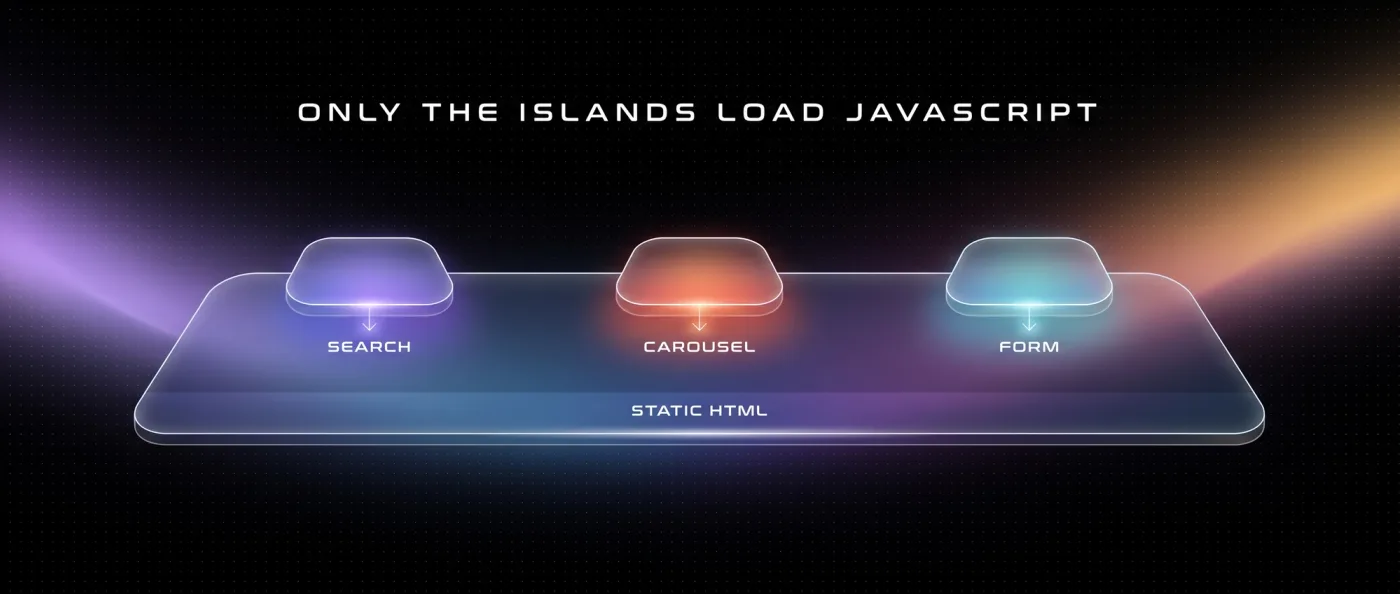
Islands is Astro's term for interactive islands inside an otherwise static page. Instead of bringing the whole page to life with JavaScript, you bring individual blocks to life. Two forms matter in practice:
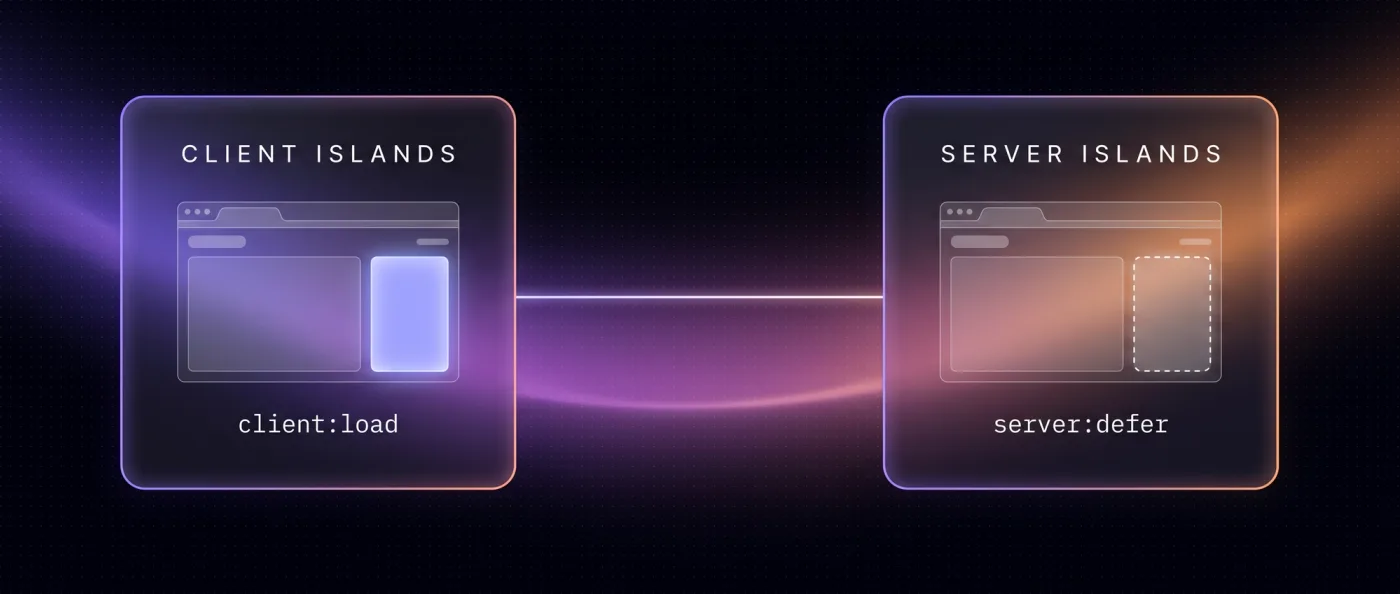
- Client Islands: a component with a
client:*directive loads its JavaScript separately. Only that part gets hydrated, meaning given behaviour in the browser after the fact. The rest of the page stays static HTML. - Server Islands: a component with
server:deferrenders independently afterwards while the main page is delivered immediately. That is the route for dynamic or personalised areas, for example a block with same-day data inside an otherwise static page.
In practice: a product filter gets its JavaScript, a search gets its own, the rest of the page gets none. You pay load time only for features you actually offer.
Astro compared with builders, Webflow and Next.js
The comparison is worth making along the questions that hurt later in operation: who can reach rendering and caching, what does another language cost, and what happens when you want to move in three years. The table places the four usual routes, prices as of 13 September 2026. It does not replace the head-to-head comparison of the two frameworks, that comes in the next section.
| Criterion | Builders (Wix and similar) | Webflow | Astro with Sanity | Next.js with Sanity |
|---|---|---|---|---|
| JavaScript out of the box | platform-dependent, not controllable | platform-dependent, around 740 KB in our measurement | 0 KB for static content | controllable, depends on the build |
| Access to rendering and caching | no | no | yes, at code level | yes, at code level |
| Content model | predefined | collections with limits: 20,000 items, 40 collections | freely modelled in Sanity | freely modelled in Sanity |
| Multilingual setup | limited | add-on from 9 $ per language per month | part of the model, no surcharge per language | part of the model, no surcharge per language |
| Translated URL segments | no | restricted | yes, freely defined | yes, freely defined |
| Programmatic pages | no | bound to template limits | free, one template per content type | free, one template per content type |
| Login and application logic | no | no | limited, via Server Islands | yes, built for it |
| Recurring platform fee | 17-159 $ per month per website | from 25 $ per month plus workspace from 19 $ | Sanity Free 0 $, Vercel Pro 20 $ per seat | Sanity Free 0 $, Vercel Pro 20 $ per seat |
| Export and migration | lock-in, content stays in the system | HTML, CSS and JS, without CMS content and without interactions | your own code, portable at any time | your own code, portable at any time |
| Who edits content | editors in the platform editor | editors in the platform editor | editors in Sanity, with preview | editors in Sanity, with preview |
Two rows deserve an explanation. The Webflow export hands you HTML, CSS and JS, but neither the CMS content nor the interactions. So you take the shell and rebuild the inside, which raises the migration effort considerably. And localisation runs as an add-on at Webflow, 9 $ per language per month on Essential for up to three languages, 29 $ per language on Advanced for up to ten. Whether the main language counts towards that is not stated on the pricing page. Across five languages it adds up every month, while an Astro website carries languages inside the content model.
None of that makes Webflow the wrong route. Up to roughly 30 pages, one or two languages and no programmatic pages planned, Webflow is enough, and as a certified partner we look after clients on it through our Webflow agency. Above that threshold the maths tips over, and we have worked through the alternatives one by one in Webflow alternatives and Webflow vs. Next.js.
When Astro, when Next.js
Both frameworks come from the same toolbox, both work with Sanity in our projects, and both give you full access to the underlying technology. The difference is what sits at the centre: content or application. in-sync.io itself runs on Next.js, leanwave.com on Astro. The detailed comparison lives in Astro vs. Next.js, here is the decision rule in short form.
Choose Astro if
Your website explains, convinces and routes people onward instead of logging them in. Then static delivery is the normal case, and you want as little JavaScript in play as possible.
- Marketing website, knowledge section, service and industry pages are the focus.
- You plan more than one language, ideally with translated URL segments.
- You want programmatic pages generated from structured data, with real substance per page.
- Interactivity stays within filters, search, animation and forms.
- Content changes daily or weekly, not per page view.
Choose Next.js if
Part of your product runs inside the website, not next to it. As soon as users sign in or data is pulled per request, Next.js gives you more than the simplicity you give up.
- There is a login, user accounts or a protected area.
- Prices, availability or account balances come from the server per request.
- Multi-step forms and calculators need server-side logic rather than a single endpoint.
- The interface is heavily interactive and changes state without reloading.
- An existing React team should carry on directly, including the components it already has.
When Astro is the wrong fit
There are projects where we advise against Astro, and that has nothing to do with the framework and everything to do with the shape of the job. Astro is strong as long as the page is essentially a document. The more state the interface holds, the more you work against its defaults.
- Applications with login and user roles: dashboards, customer portals, internal tools.
- Data that has to be pulled fresh per request, such as live prices or stock levels.
- Interfaces with a lot of shared state across many components.
- Teams already maintaining a large React application who do not want to split it in two.
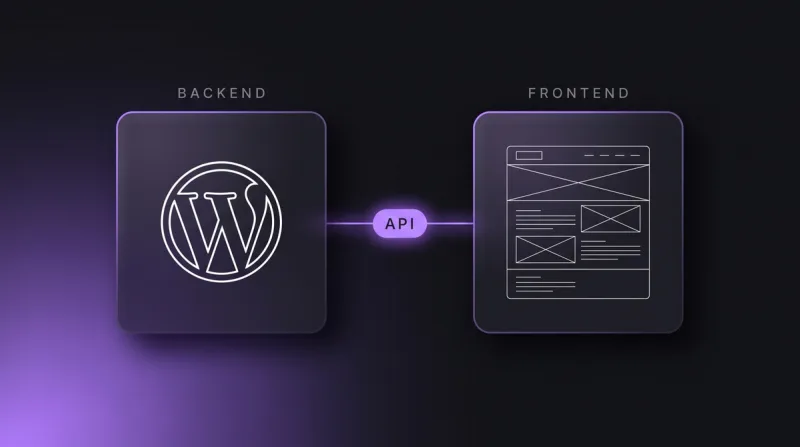
In those cases you take Next.js, and the content still stays where it belongs: in a headless CMS, meaning an editing system without a frontend of its own. Switching the framework then changes nothing about your content model. Mixed setups work as well, for instance the marketing website in Astro and the application on its own address in Next.js. That pays off from the point where different people look after the two parts.
Astro and Sanity: content as a system, not a pile of pages
Astro on its own is a renderer. It gets interesting with a structured content database behind it. We use Sanity for that: content sits as documents with clear fields rather than as finished pages, and Astro fetches it at build time. A webhook, meaning an automatic call on every change, triggers the rebuild so editors do not have to wait for a release date.
The real leverage is that the whole chain is programmable: content model, templates, rendering, structured data, sitemap, internal linking and deployment. AI agents can create and check content through the API, the programming interface, and through an MCP server, a standardised interface for AI tools. To be fair about it: Webflow, Wix, Contentful and Storyblok also offer official MCP servers and APIs. The difference lies elsewhere, namely in item and collection limits, in template limits because a template is tied to one collection, in API rate limits, and in the missing access to rendering, caching, structured data and linking logic at code level.
One warning belongs here, because we paid for it ourselves. Programmatic pages only work with real substance per page. Otherwise Google devalues them as doorway pages, meaning pages that exist only to cover a keyword. On our old website we made exactly that mistake. If you cannot fill a group of pages with its own data, its own examples and its own reason to exist, do not build it. How we set up structure, indexing and markup is covered in technical SEO.
How we do it: LeanWave, Yarowa and two projects alongside
Three projects show what Astro delivers in operation, and where the work actually sits. All three run through our web development, and all three separate content and presentation cleanly.
LeanWave (Otto ID Solutions) sells RFID solutions for textile services and laundries. leanwave.com is built statically with Astro, using Sanity, Tailwind and Vercel. Bilingual, English on the root, German under /de, with translated URL segments: /solutions becomes /de/loesungen. hreflang, the markup that points every language version at its counterparts, is set reciprocally including x-default for the fallback version. The team maintains 64 documents and 86 image assets through Sanity Presentation Mode in day-to-day work, and every change triggers a new build via webhook. The homepage lands at around 39 KB of JavaScript across three files.
At Yarowa we found a five-language B2B website that had originally been built in Webflow. We carried the Webflow export across to Astro unchanged and put it on Vercel: 5 languages, 21 page templates, 163 sections, design untouched. The design stayed unchanged, which is what makes the case interesting, because the gain sat entirely in technology and operation rather than in a new look. The rebuild onto Sanity with Presentation Mode is planned. How such a move runs without losing rankings is covered in website relaunch without SEO losses, and we guide it through our relaunch agency.
Two further projects show the range: Ullsteinhaus runs on Astro, React, Three.js and Sanity, Monteval on Astro, GSAP and Sanity. GSAP is a JavaScript library for animation, and this is exactly where Client Islands earn their keep: the animation gets its script, the rest of the page stays static. How we use motion without wrecking load time is covered in website animation.
What an Astro website costs to build and to run
Running costs for an Astro website stay low because you pay no platform fee per website. Sanity Free costs 0 $ and comes with 20 seats, 10,000 documents, 100 GB of assets and 100 GB of bandwidth per month, including Presentation Mode and Visual Editing. If it grows, Growth sits at 15 $ per seat per month with 25,000 documents. Vercel Pro costs 20 $ per month per developer seat, including 20 $ of usage credit, with no base fee per project. All in, an Astro website with Sanity Free typically runs at 0-20 $ of hosting per month, so with almost no recurring platform fees. Additional languages cost no surcharge per language with us.
The effort sits in the build, which is where it belongs. Migrating a marketing website with 10-30 pages typically takes 3-6 weeks to go-live, plus monitoring afterwards. It is billed as a relaunch project, and those packages begin at 8,000 EUR net. That includes a crawl beforehand with Screaming Frog or Ahrefs, a ranking snapshot, a one-to-one redirect map for every old URL, a launch checklist, submission to Search Console and Bing plus IndexNow. Afterwards, two weeks of monitoring with a 404 report and a ranking comparison.
Run the comparison over three years, not over the first month. A five-language website on a platform with a language add-on keeps paying per language every month, an Astro website does not. What belongs in that calculation is broken down in web development costs.
Frequently asked questions
What is the Astro framework?
Astro is an open-source framework for content-driven websites. It renders components to HTML and CSS and ships zero client-side JavaScript by default. Interactive parts are loaded deliberately as Islands, via client:* in the browser or via server:defer from the server. The current version is Astro 7. Typical uses are marketing websites, knowledge sections and multilingual presences.
When do you use Astro and when Next.js?
Astro fits when content is the core: marketing website, knowledge section, multilingual presences, programmatically generated pages. You pick Next.js as soon as login, user accounts, application logic or per-request data appear. in-sync.io itself runs on Next.js, leanwave.com on Astro. Both use Sanity, so the difference sits in the frontend, not in the content.
Does an Astro website need developers?
Building it and changing templates needs development, day-to-day editing does not. Text, images and new pages run through Sanity, with preview in Presentation Mode. At LeanWave the team maintains 64 documents and 86 image assets itself, and every change triggers a new build via webhook.
How does Astro handle multiple languages?
Through dedicated routes per language, with no surcharge per language. On leanwave.com English sits on the root, German under /de, and the URL segments are translated, so /solutions becomes /de/loesungen. hreflang, the markup pointing language versions at each other, is set reciprocally including x-default. Yarowa runs the same way across 5 languages.
Which CMS fits Astro?
We use Sanity, a structured content database without a frontend of its own. Free costs 0 $ with 20 seats, 10,000 documents and 100 GB of assets, Growth 15 $ per seat per month with 25,000 documents. Astro fetches the content at build time, and a webhook triggers the rebuild. Details are in our Sanity article.
How long does moving to Astro take?
For a marketing website with 10-30 pages we typically plan 3-6 weeks to go-live, followed by two weeks of monitoring with a 404 report and a ranking comparison. It is billed as a relaunch project, and our relaunch packages start at 8,000 € net. A crawl and a one-to-one redirect map always come first.
Next step
Send us the address of your website and we will tell you in one call whether Astro is the right route and what the move would mean for you.