







What Is a Headless CMS? A Guide for B2B Companies
Headless CMS explained for B2B websites: how it works, headless vs WordPress vs Webflow, benefits, vendors, 2026 costs, and when a classic CMS is enough.

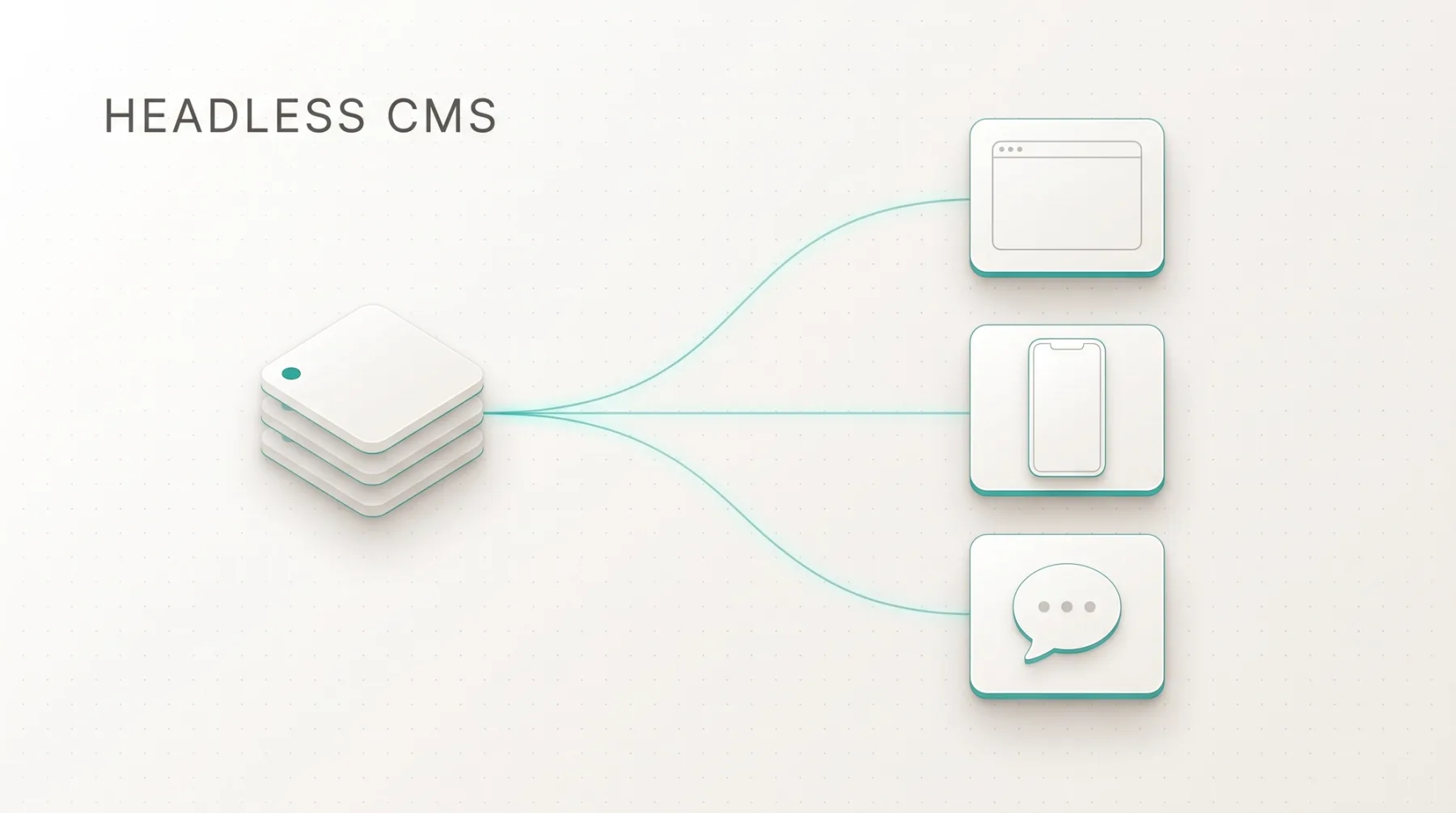
A headless CMS is a content management system that stores and manages content but does not display it: it delivers content through an interface (API) to any frontend, whether website, app, newsletter, or AI agent. In WordPress or Wix, content and presentation are one piece of software; in a headless setup they are two. That separation decides whether your website can handle more languages, a grown knowledge section, and AI-assisted maintenance in three years, or whether a rebuild is due. in-sync.io and our new Astro and Next.js projects run on Sanity. This article explains how a headless CMS works, compares it with WordPress and Webflow, covers benefits, drawbacks, vendors, and costs, and tells you when you need one and when you do not.
The short answer
A headless CMS is a content management system without its own presentation layer. It stores content in a structured way (headline, body, image, language, references) and delivers it through an API to any frontend. The "head" is the website the visitor sees. You attach that head yourself: a website in Next.js or Astro, an app, an AI agent.
For B2B companies one reason counts: content becomes a system instead of a page. A product description exists once and appears on the product page, in the data sheet, and in the German version. Multiple languages, hundreds of pages from one template, and AI automation are the base architecture, not the exception.
The price: without developers there is no website. For ten pages and a contact form that is too much effort; for a website that should grow for years, it saves the rebuild.
How a headless CMS works
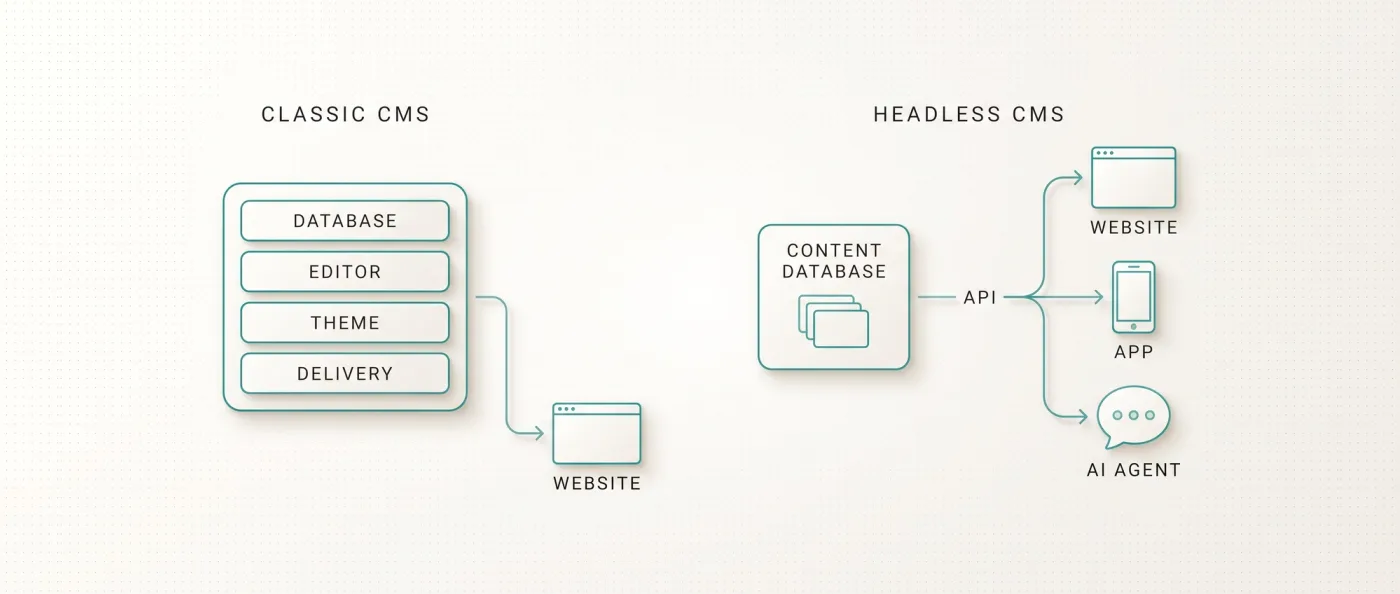
A classic CMS like WordPress is a monolith: database, editing interface, theme, and delivery are one piece of software on one server. A plugin update can break the homepage. Wix is the same monolith, just rented.
A headless CMS splits this in two. Part one is the content database with an editing interface; at Sanity it is called the Studio, where your marketing team creates articles, picks images, maintains translations. Part two is the frontend: code that fetches content through the API and turns it into HTML. You swap the frontend without touching a single piece of content, and you feed the same content to an app or an AI agent.
Two ways to turn that into pages: static site generation (SSG) creates all pages once at build time as finished HTML, which is how we build with Astro. Server-side rendering (SSR) generates the page on every request, which is how in-sync.io runs on Next.js. Both deliver complete HTML to Google and AI crawlers.
Headless CMS vs classic CMS vs builder CMS
WordPress stands for the classic CMS, Webflow and Wix for builder CMS platforms (design editor and CMS in one product), Sanity for headless.
| Criterion | Headless CMS (Sanity) | Classic CMS (WordPress) | Builder CMS (Webflow, Wix) |
|---|---|---|---|
| Content and presentation | Separated, frontend freely chosen | One system, the theme defines presentation | One system, the editor defines presentation |
| Editor for marketing | Studio plus Presentation Mode (click in the preview opens the field) | Gutenberg, layout depends on theme | Visual editor, layout and content mixed |
| Content model | Freely defined, any references (Free: 10,000 documents) | Posts, pages, custom post types via plugins | Webflow Premium: 40 collections, 20,000 items |
| Multilingual | One document per language, translated URLs, hreflang in code, no surcharge | Plugin (WPML, Polylang) | Webflow: $9-29 per language per month; Wix: copy of the website |
| Performance | Astro: 0 KB JavaScript for static content; Next.js: server rendering | Depends on theme, plugins, hosting | Platform scripts always load, no access to caching |
| Security and maintenance | No backend on the frontend, no plugin updates | Core, theme, plugin updates, frequent attack target | Platform maintains, you have no influence |
| Multichannel (website, app, AI) | Core principle | Retrofit via REST API or WPGraphQL | API and MCP server with rate limits |
| Programmatic pages | Base architecture, sitemap and linking in code | Possible, gets messy with plugins | Workaround within item limits |
| Running costs (2026) | Sanity Free $0, hosting $0-20 per month | Software $0, hosting plus plugin licenses | Webflow Premium $25, Wix $17-159 per month per website |
| Export and lock-in | Code in your own Git repository, content as export | WXR export, theme stays tied to WordPress | Webflow: HTML/CSS without CMS content; Wix: no export |
Head to head: Webflow vs WordPress. All three tiers placed for your company: Website builder, Webflow or Next.js.
Benefits of a headless CMS for B2B websites
Six benefits you can measure in day-to-day project work, not six promises.
Multilingual without surcharge
At LeanWave (RFID for textile services and laundries), English sits on the root and German under /de. Every document exists per language, URL segments are translated (/solutions becomes /de/loesungen), and hreflang comes from code. A third language is another language branch, not an add-on. In Webflow the same structure costs $9 per language per month up to three languages, $29 up to ten.
Performance without a ceiling
Because the frontend is code, you decide what loads. Astro ships 0 KB of JavaScript for static content by default; only interactive parts ("islands") load scripts. In numbers: leanwave.com, which we build statically with Astro, loads about 39 KB of JavaScript in three files on its home page. One of our Webflow sites loads about 740 KB in thirteen files at the same place (our own measurement, 13 September 2026). What the metrics mean: Core Web Vitals.
Security
The frontend has no admin login and no database an attacker could reach. With a static Astro website only HTML sits on the server; editing runs separately at the CMS vendor. WordPress needs core, theme, and plugin updates, and every plugin is a potential hole.
Content reuse
A testimonial lives once in Sanity and appears on the homepage, the service page, and the case study. Change the contact person and it changes everywhere. At in-sync.io, 49 knowledge articles, 10 service pages, and 17 city pages come from one database.
Programmatic pages
Structured data turns into hundreds of pages from one template: industries times services, glossaries, comparison pages. Define upfront which combination actually deserves its own page. Google demotes thin mass pages as doorway pages (pages that exist only to cover a keyword), and we saw that on our own old website.
AI integration via API and MCP
With Sanity as a structured content database you control the whole chain programmatically: content model, templates, content, linking, schema, sitemap, deploy. AI agents create, check, and maintain content through the Sanity API and the Sanity MCP server (MCP: an open interface through which AI models work directly with tools such as a CMS).
One clarification so the term is not misread: MCP is not a property of headless systems. Webflow and Wix have official MCP servers and APIs too, so an AI agent can create content there as well. What a headless CMS in a code system adds is four things: a content model without a builder's item and collection ceilings, templates that may combine several data sources, access to rendering, caching, schema, and sitemap logic, and with that programmatic pages as the normal case rather than a workaround. How content ends up in AI answers: Generative Engine Optimization.
Drawbacks: when a headless CMS is not worth it
A headless CMS is a trade: more control for more responsibility. Three cases where it is a bad one.
Small websites. Ten pages, one contact form, two changes a year. Headless CMS plus frontend development costs more here than the website will ever bring in.
No developer budget. Someone has to build and maintain the frontend: an agency or your own team. If nobody with code access is around after launch, you are stuck at the first layout change.
The team wants WYSIWYG without a preview. With first-generation headless systems the objection was justified: editors typed into forms and saw the result only after deploy. Today the answer is Presentation Mode: your team sees the live website in a preview, clicks a headline, and the field holding that text opens on the right. At LeanWave the editorial team works this way day to day. What marketing cannot do there: rebuild sections or invent page types. That limits freedom and keeps the design clean over years.
On top of that: CMS, frontend, and hosting are three contracts instead of one. If you do not want that looked after, stay on a platform.
Headless CMS vendors at a glance (2026)
Seven systems that regularly make the shortlist in B2B projects. Prices as they stood on the vendor pages on 13 September 2026.
Sanity
Sanity (sanity.io) is a hosted headless CMS with an editing interface, the Studio, that is fully customizable as an open-source React application. Content is stored as structured documents in the Content Lake, queried through the GROQ query language or GraphQL. Real-time collaboration, Presentation Mode for live preview, and an official MCP server are included. Our choice; reasoning below.
Contentful
Contentful (contentful.com) is one of the earliest vendors in the market and strong in the enterprise segment: large editorial teams, many markets, many channels. Content is delivered through REST and GraphQL APIs, extensions run through an app framework. The free plan covers 10 users, 2 locales and 10,000 entries; the next step (Lite) starts at $300 per month.
Storyblok
Storyblok (storyblok.com) is a headless CMS from Austria whose core feature is the visual editor: editors work on content in a preview of the website, and content is assembled from components ("bloks") that developers define. For marketing teams coming from WordPress or a builder, the entry feels familiar. The Starter plan is free with one seat, 2 locales and 20,000 stories; Growth starts at $99 per month with 5 seats and unlimited locales.
Payload
Payload (payloadcms.com) is an open-source CMS in TypeScript where the content model is configured as code and which can be embedded directly into a Next.js application. You host it yourself or with the vendor. For teams with in-house developers who want CMS and frontend in one repository, a short path.
Strapi
Strapi (strapi.io) is an open-source headless CMS built on Node.js with an admin panel, REST and GraphQL APIs, and a plugin system. You run it on your own infrastructure or on Strapi Cloud. The advantage is full data ownership; the price is operating it and applying updates yourself. Common among IT companies that run servers anyway.
Hygraph
Hygraph (hygraph.com), formerly GraphCMS, is a GraphQL-native headless CMS from Berlin. One feature is content federation: data from external sources such as PIM or shop systems can be merged with CMS content in a single query. Interesting for companies whose product data already lives in other systems and who do not want a second data silo.
WordPress headless
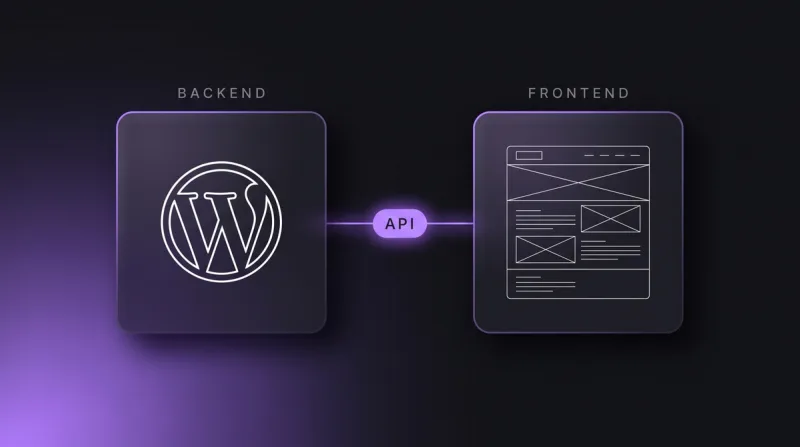
WordPress (wordpress.org) can run headless: the backend stays, and content reaches a Next.js or Astro frontend through the REST API (developer.wordpress.org/rest-api) or WPGraphQL. Sensible when a team knows Gutenberg and does not want to migrate thousands of posts. Plugin maintenance and backend hosting remain; only the frontend becomes fast and secure.
Why we build with Sanity. Not because it outranks the others, but because it fits how we work: content model as code in the repository, Studio customized per client, Presentation Mode in the free plan, MCP server for AI agents. The full view, limits included: Sanity CMS: what it does and where it fits.
What a headless CMS costs (2026)
The license is rarely the cost block. Sanity Free costs $0 with 20 seats, 10,000 documents, 100 GB of assets, 100 GB of bandwidth per month, and Presentation and Visual Editing. Growth costs $15 per seat per month with 25,000 documents (sanity.io/pricing, retrieved 13 September 2026). Contentful and Storyblok also offer free entry plans; after the free tier Contentful starts at $300 per month and Storyblok at $99. Strapi or Payload cost no license, but server and maintenance time.
Then there is hosting. Vercel Pro costs $20 per developer seat per month including $20 of usage credit, with no base fee per project; Netlify, Cloudflare Pages, or your own server work just as well. An Astro or Next.js website with Sanity Free therefore typically runs at $0-20 of hosting per month, with almost no recurring platform fees and no surcharge per language. Webflow Premium with one additional language: $34 per month per website.
The real cost block is development: content model, templates, Studio customization, migration. Where that lands: Web development cost. What a project with us includes: web development agency.
Headless CMS with Next.js or Astro: how we build it
Sanity holds the content, the frontend turns it into pages, and on every change in the Studio a webhook (an automatic call from Sanity to the hosting) sends the signal to rebuild.
in-sync.io, our own website. The content model is the interesting part here: knowledge articles, service pages, and city pages are three document types in one Sanity database, producing 49, 10, and 17 pages, each bilingual with hreflang. Built on Next.js with server rendering, plus llms.txt, IndexNow, and FAQPage schema. Before that the website ran on Wix and ranked for practically nothing.
LeanWave. Astro static, Sanity, Tailwind, Vercel. 64 documents, 86 image assets, bilingual EN/DE. The build bakes all content into HTML, with a rebuild per webhook on every change. Presentation Mode runs on a separate preview deployment; the public website stays pure HTML.
Yarowa. An international B2B client with a five-language website, built in Webflow, export ported 1:1 to Astro: 5 languages, 21 page templates, 163 sections, design unchanged. Connecting Sanity is in planning.
Astro or Next.js? Currently Astro by preference, because marketing websites need no per-request logic. Next.js for login, real-time data, and app features. Comparison with Webflow: Webflow vs Next.js; migration path: Migrate Webflow to Next.js.
When headless, when not
The decision hangs on three things: how much the content grows, whether there is a developer budget, and who builds the layouts.
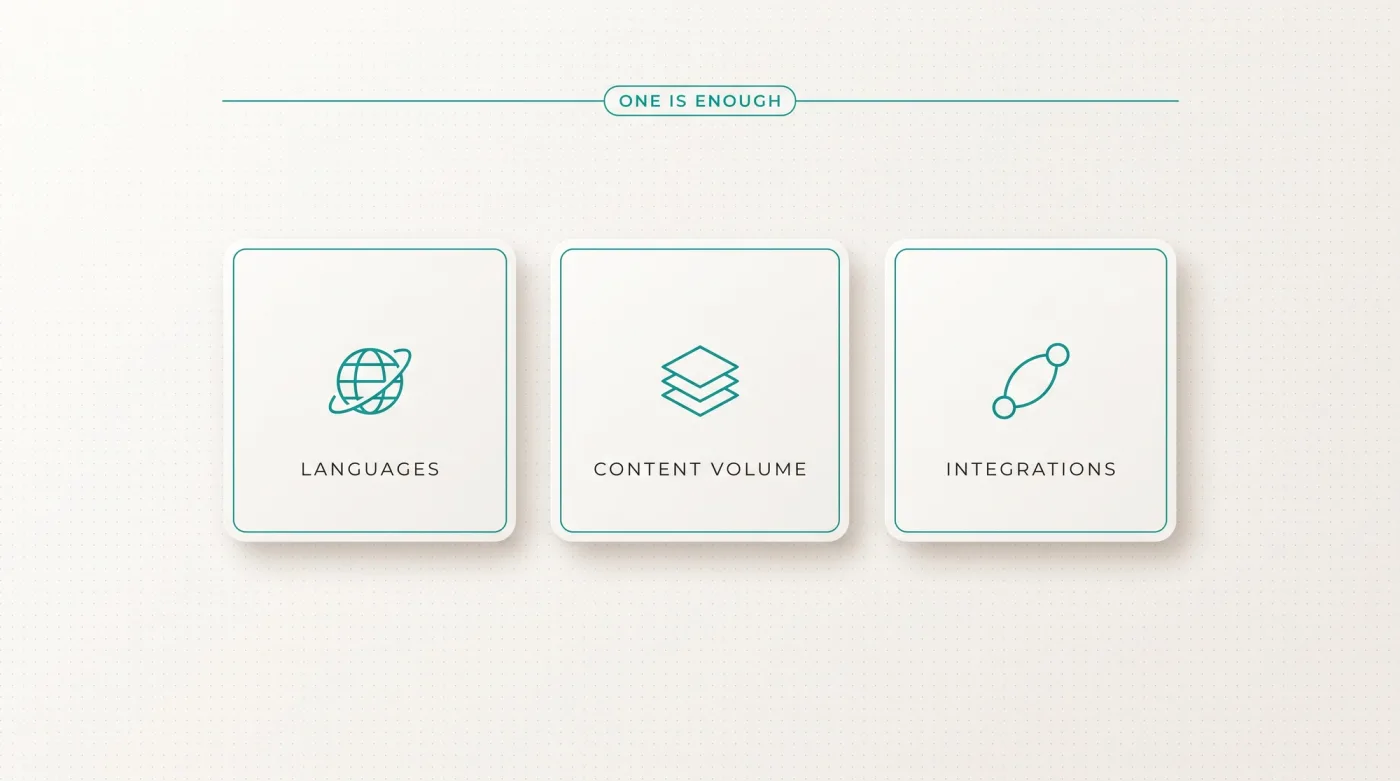
Choose a headless CMS if
One criterion is enough if it holds long term.
- the website should run in two or more languages
- a knowledge section, glossary, or industry pages grow the page count substantially
- content appears in several channels: website, app, data sheets, AI agents
- product data, CRM, or other systems are to be connected
- code and content should belong to you, independent of platform and agency.
Stay with a classic CMS or Webflow if
One point is enough if it holds long term.
- the website has up to around 30 pages, one or two languages, and no programmatic pages planned
- there is no budget for development after launch
- your marketing team wants to build layouts itself, not just maintain content
- speed to launch and design are the deciding factors: then Webflow, and our Webflow agency builds it
- a WordPress with thousands of posts runs well: then WordPress as a headless backend instead of a full move.
When moving, one rule always applies: a 1:1 redirect map for every old URL, a pre-migration crawl, a ranking snapshot. Details: Website relaunch without losing SEO and our website relaunch agency.
Frequently asked questions
What is a headless CMS?
A content management system that stores and manages content but does not display it. Content goes through an API to a separate frontend, for example a website in Next.js or Astro, an app, or an AI agent. In WordPress or Wix, content and presentation are one system; in a headless setup they are two.
What is the difference between a headless CMS and WordPress?
WordPress delivers backend, theme, and rendering as one package on one server. A headless CMS delivers only data; the frontend is your own code: no plugin updates on the frontend, free choice of technology, one piece of content for many channels. WordPress itself can run headless via the REST API or WPGraphQL; then only the frontend is replaced.
What are the benefits of a headless CMS for B2B websites?
Four that translate into money: multilingual without a surcharge per language (Webflow: $9-29 per language per month), performance without a platform ceiling (Astro: 0 KB JavaScript for static content), content reuse across website, app, and data sheets, and programmatic pages plus AI maintenance through API and MCP server.
Can my marketing team use a headless CMS without developers?
Content yes, layouts no. Text, images, articles, and translations are maintained by the team in the Studio, with Presentation Mode by clicking in the live preview. At LeanWave that runs day to day with 64 documents. New page types or section rebuilds need developers, and exactly that keeps the design clean for years.
How much does a headless CMS cost?
Sanity Free costs $0 with 20 seats, 10,000 documents, and Presentation Mode; Growth is $15 per seat per month. Add hosting, typically $0-20 per month (Vercel Pro, one seat). Contentful and Storyblok also have entry plans; prices are on their pricing pages. The cost block is developing the frontend, not the license.
Which headless CMS is the right one?
It depends on team and data. Sanity if content model and Studio should live as code in the project and AI integration is planned. Storyblok if the visual editor decides. Strapi or Payload if in-house developers self-host. Hygraph if product data from PIM or shop systems flows together. WordPress headless if thousands of posts should stay.
Next step
Send us the link to your website and we will tell you in a first call whether a headless CMS makes sense for you, even if the answer is Webflow. Button: "Book a first call" → /kontakt