







Migrate Webflow to Next.js Without Losing Rankings
Webflow to Next.js migration without losing rankings: 6 phases, redirect map, CMS import into Sanity, timeline and cost. How we run the switch in 2026.

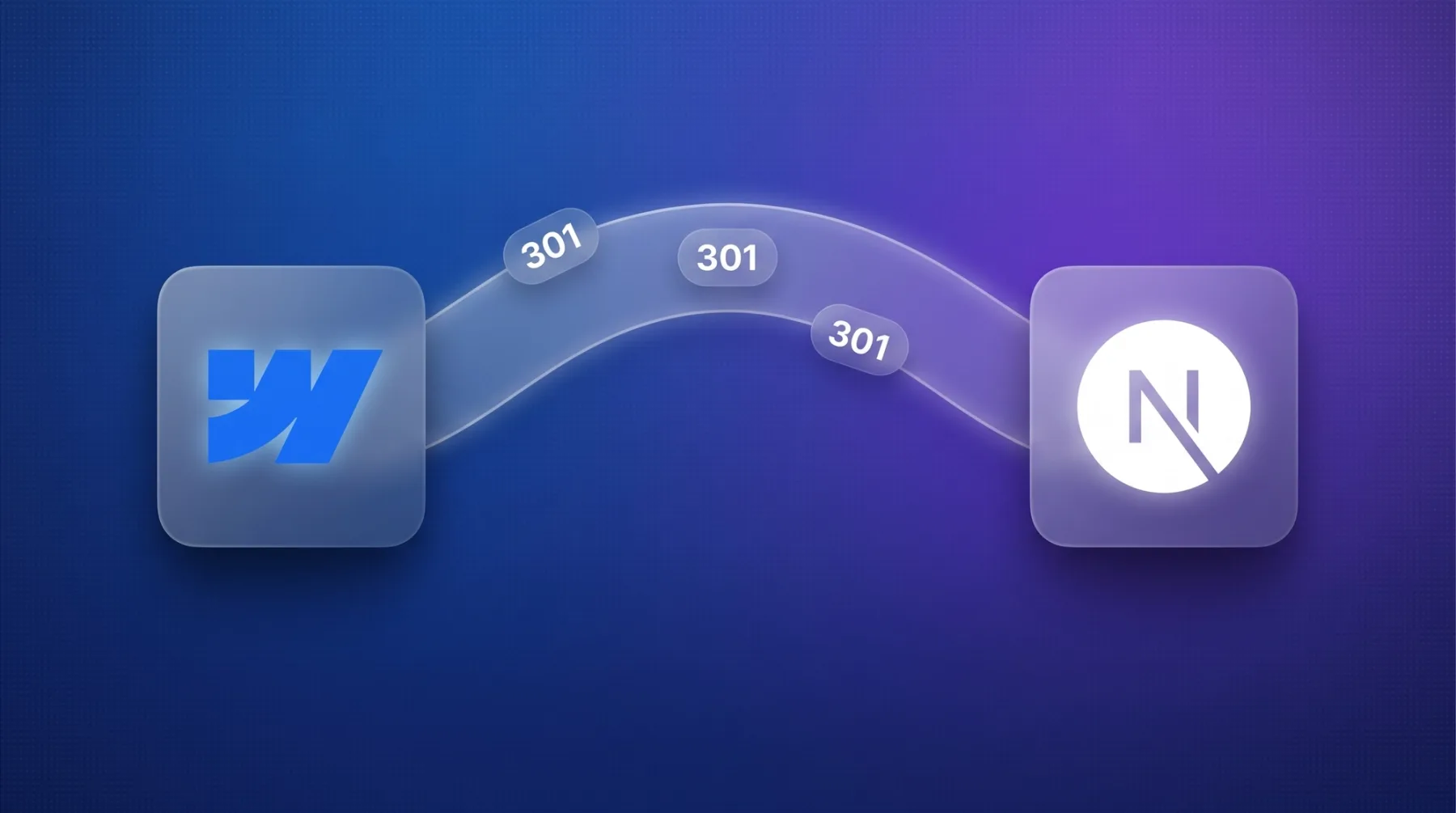
A Webflow website can be migrated to Next.js without losing rankings: content moves from the Webflow CMS into Sanity via CSV or API, the design is rebuilt as components, and every old URL gets a 301 redirect before the new website goes live. For a marketing website with 10-30 pages this typically takes 3-6 weeks. The switch pays off when you have hit Webflow's CMS limits, localization costs or performance ceiling. It does not pay off when the website stays small and your team likes working in the Designer. The article covers seven triggers for switching, the six-phase process, what carries over from Webflow, the risks we contain, cost and timeline, and the Yarowa reference case.
The short answer
A Webflow to Next.js migration pays off when your website hits a Webflow limit: 20,000 CMS items or 40 collections on the Premium plan, localization at $9-29 per language per month, application logic that only works through custom code, or a performance ceiling because the interactions runtime (webflow.js) loads on every page and you cannot control caching or the image pipeline. If you feel one of those limits, you replace the technical base. If you do not, you stay on Webflow.
In this article Next.js stands for the code system as a whole: without app logic, logins, or per-request server data we take the same route with Astro, and the six phases are identical. The migration runs in six phases: audit and redirect map, content model in Sanity, content migration, frontend build, SEO parity with a launch checklist, post-launch monitoring. For a marketing website with 10-30 pages we plan 3-6 weeks. Rankings hold because every old URL has a target before launch and titles, metas, schema and hreflang (the tag that tells search engines which language version serves which country) are carried over 1:1.
Project cost depends on page count, languages and interactions; the ranges are on our website relaunch page and under web development. In operation, the new website typically runs at $0-20 per month, with no surcharge per language.
When the switch pays off, and when it does not
We are a certified Webflow partner and check before any migration whether it is needed at all. Seven triggers say yes, three say no.
Switch to Next.js or Astro if …
These seven triggers are the ones we see most often in projects. One is enough if it holds long term.
- 1
You have reached the CMS limits
Webflow Premium allows 20,000 items and 40 collections per website, plus 40 collection lists per page and 100 items per list without pagination. The collection ceiling usually hits before the item ceiling: every new content type, from a glossary to case studies to job postings, takes one of the 40.
- 2
Multilingual is getting expensive or unwieldy
Webflow localization costs $9 per language per month (up to 3 languages) or $29 (up to 10). From the fourth language the higher tier applies, and languages then sit as their own line item next to the site plan Webflow does not state whether the primary language counts. In Sanity an additional language costs nothing extra.
- 3
You want programmatic pages or an AI content system
Hundreds of pages from one template and structured data (industries × services × cities, glossaries), maintained by AI agents through the Sanity API and the Sanity MCP server. Webflow also has an API and an MCP server. The difference: item limits, rate limits, template constraints, and no access to rendering, schema, sitemap and internal linking at code level. In a code-based system that is the base architecture. Condition: real substance on every page, otherwise Google demotes them as doorway pages. We have experienced that ourselves.
- 4
You have hit the performance ceiling
webflow.js loads on every page, caching headers and the image pipeline sit outside your control. In numbers: leanwave.com, which we build statically with Astro, loads about 39 KB of JavaScript in three files on its home page. One of our Webflow sites loads about 740 KB in thirteen files at the same place (our own measurement, 13 September 2026). What that means for rankings is in our article on Core Web Vitals.
- 5
You need integrations or app logic
Login areas, configurators, live data from your ERP. In Webflow that is custom code on a platform not built for it. In Next.js it is the normal case.
- 6
Hosting fees per website add up
Webflow bills per website: Premium at $25 per month, plus a workspace plan and localization. Vercel Pro costs $20 per developer seat with no base fee per project.
- 7
The lock-in risk is too high for you
The Webflow export contains HTML, CSS and JavaScript, but no CMS content and no working interactions. With Next.js or Astro plus Sanity, code and content live in your repository and your Sanity project, and hosting is replaceable.
Stay on Webflow if …
Three situations in which we advise against the move.
- The website has up to around 30 pages, one or two languages, and no programmatic pages planned.
- Your marketing team likes building landing pages in the Designer and needs that freedom.
- There are no scaling plans: no knowledge section, no programmatic pages, no integrations.
Then Webflow is the right tier, and we help you there as a Webflow agency. The placement of all three tiers is in the hub Builder, Webflow or Next.js, the direct comparison under Webflow vs. Next.js.
The process in six phases
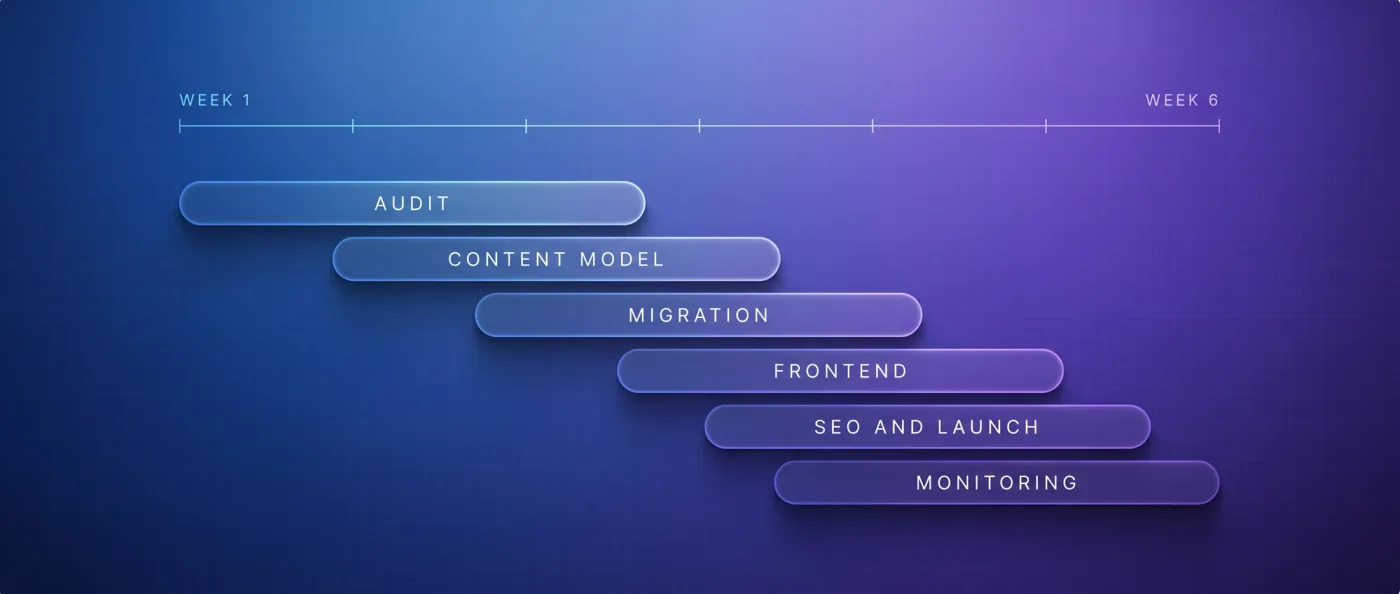
Phases 1 and 2 have to be done before the frontend; the rest overlaps. Week values are guide values within the 3-6 weeks to go-live, with monitoring running on top.
- 1
Audit and redirect map
We crawl the website with Screaming Frog or Ahrefs, export all URLs including collection pages, take a ranking snapshot, and define the target URL structure. Every old URL gets a target: identical, new, or the closest page by topic. Nothing gets dumped on the homepage. Duration: week 1. Deliverable: redirect map as a table (old URL, new URL, status), ranking snapshot, target sitemap.
- 2
Content model in Sanity
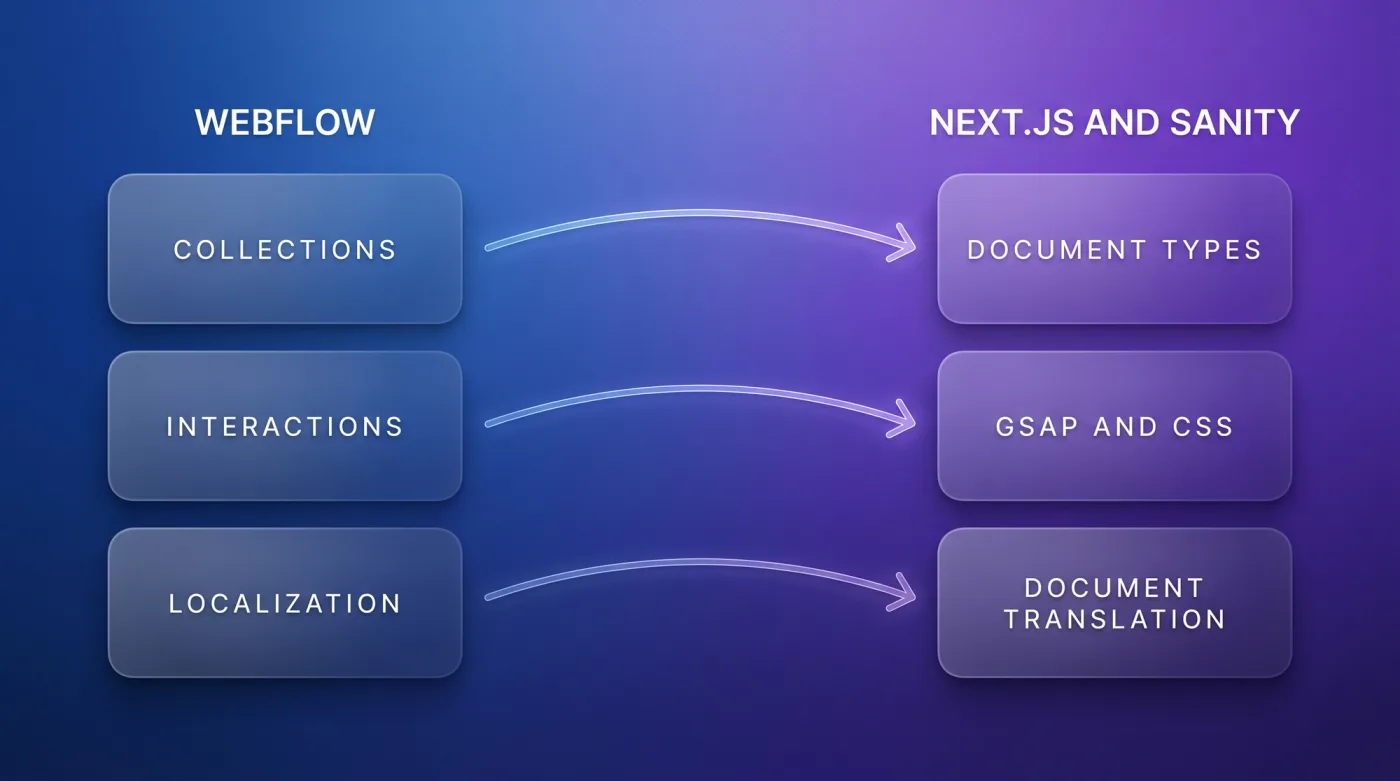
Every Webflow collection becomes a Sanity document type, every field a schema field, every reference field a real reference. Languages are set up as document translations, as at LeanWave (English on the root, German under /de). Sanity is a headless CMS: it only stores content and serves it through an API, the frontend decides how it looks. More under headless CMS and Sanity CMS. Duration: weeks 1-2. Deliverable: schema in the repository, Studio with Presentation Mode as a shell.
- 3
Content migration
Webflow delivers CMS content as a CSV per collection or via API. A script transforms it into NDJSON (one document per line) and imports it with
sanity dataset import. Rich text becomes Portable Text, references are resolved via the old slugs, images are downloaded and re-uploaded. Duration: weeks 2-3. Deliverable: all content in Sanity, spot-check log per collection. - 4
Frontend build
Components come from Figma or from the Webflow export. We rebuild interactions with GSAP or CSS, not with the Webflow runtime. Presentation Mode gets wired up: clicking a text in the live preview opens the Sanity field, every change triggers a rebuild via webhook. More in our article on website animations. Duration: weeks 2-5. Deliverable: preview deployment on Vercel with all templates.
- 5
SEO parity and launch checklist
We compare old and new page by page: title, meta description, H1, canonical (the tag naming the main version of a URL), hreflang, schema, alt texts. Then sitemap, 301 redirects from the map, robots.txt without leftover staging noindex, Core Web Vitals comparison old versus new, submission to Google Search Console and Bing, IndexNow ping for all URLs. The full checklist: website relaunch without losing SEO. Duration: weeks 5-6. Deliverable: ticked launch checklist, go-live.
- 6
After launch
Two weeks of monitoring: 404 report from Search Console and Vercel logs, missing redirects added immediately, ranking comparison against the snapshot from phase 1. Duration: two weeks after go-live, on top of the 3-6 weeks. Deliverable: closing report with rankings before and after.
What carries over from Webflow, and how
Element by element: what comes across directly, what gets transformed, and what has to be rebuilt.
| Element in Webflow | Target in the new system | Effort |
|---|---|---|
| Static pages (home, services, about) | Page templates plus one Sanity document per page | medium, per template |
| CMS collections and fields | Sanity document types, import via NDJSON | low to medium, mostly scripted |
| Reference and multi-reference fields | Sanity references, resolved via old slugs | low |
| Rich-text fields | Portable Text (structured text instead of an HTML blob) | medium, converter plus spot checks |
| Images, files, videos | Sanity assets with automatic image optimization | low, automated |
| Design, classes, styles | Components with Tailwind or CSS, from Figma or export | high, the largest block |
| Interactions and animations | GSAP or CSS animations, only where needed | medium to high, by count |
| Forms | Own API route, connected to CRM or email | medium |
| Localization | Sanity Document Internationalization, hreflang, translated slugs | medium, no surcharge per language |
| SEO fields, redirects, custom code | Sanity SEO object, redirect config, components | low |
The Webflow export does not replace the frontend. It is the reference for layout and styles from which components are built. For a redesign you take Figma as the source instead.
Risks and how we contain them
Ranking loss. The cause is almost always missing redirects, changed titles, or noindex left over from staging. Containment: redirect map before the frontend build, parity check page by page, two weeks of monitoring against the ranking snapshot.
Design drift. A rebuild from components drifts slightly from the original: spacing, font weights, hover states. Containment: decide before phase 4 whether this is a 1:1 port or a redesign, then sign off each template visually against a screenshot of the old page. At Yarowa we deliberately chose the 1:1 port of the export so the design stayed untouched.
Lost interactions. The Webflow runtime does not come along. Containment: inventory of all interactions in phase 1, a decision per interaction (rebuild, simplify, drop), rebuild with GSAP or CSS.
Forms and integrations. Webflow forms, Zapier hooks and embeds hang on the platform. Containment: list of all endpoints in phase 1, rebuild as API routes, test of every submission.
Redirect chains. Old Webflow redirects point at URLs that are now moving again. Containment: pull all existing redirects into the map and resolve them to the final target. Every chain becomes a single 301.
Cost and timeline
Migrating a marketing website with 10-30 pages typically takes us 3-6 weeks. Drivers: page count, languages, interactions, and whether the design stays 1:1.
Project cost: we run a migration as a relaunch project, and our relaunch packages start at 8,000 € net. Ranges are on the relaunch page and under web development; how web development costs break down is in our article on web development cost.
Running costs afterwards: Sanity Free (20 seats, 10,000 documents, Presentation Mode included) plus Vercel Pro at $20 per developer seat, so $0-20 per month. Webflow Premium: $25 plus $9-29 per language, per website.
Webflow to Astro instead of Next.js?
For marketing websites without login, live data or per-request server logic we prefer to build with Astro: pages are generated as finished HTML at build time, only interactive parts load JavaScript (Astro Islands). We use Next.js when app logic comes into play. The process is identical in both cases, only the frontend framework changes. Yarowa is the proof: Webflow export ported 1:1 to Astro, 5 languages, 21 page templates, design intact.
Our reference case
Yarowa (yarowa.com): The website of an international B2B client was built in Webflow. We ported the export 1:1 to Astro and hosted it on Vercel: 5 languages, 21 page templates, 163 sections. The next step is the move to Sanity with Presentation Mode: instead of rebuilding the markup, we bind every text to Sanity through a field path so it becomes editable in the live preview without touching the design.
in-sync.io (our own website): The second case is a move out of a builder. Our website ran on Wix until 2026; today 49 knowledge articles, 10 service pages, and 17 city pages run bilingually from one Sanity database on Next.js. The migration followed exactly the six phases above, redirect map and ranking snapshot included. The details on rendering, schema, and crawling are in technical SEO and GEO.
Frequently asked questions
Can you migrate a Webflow website to Next.js?
Yes. CMS content comes out via CSV or the Webflow API and is imported into Sanity as NDJSON, the design is built as components, interactions are rebuilt with GSAP or CSS. For 10-30 pages that takes 3-6 weeks. Rankings hold when every old URL has a 301 redirect before launch.
What does Webflow export, and what does it not?
The code export contains HTML, CSS, JavaScript and assets of the static pages. Not included: CMS content as a working system, interactions as standalone logic, form processing. You pull CMS content separately as a CSV per collection or via API. So plan two export paths: design and content.
Will I lose rankings when switching?
Not if three things are right: every old URL has a 301 to a matching target, titles and metas are carried over 1:1, and the staging noindex is removed before launch. We check that page by page and watch the 404 report and rankings against the launch snapshot for two weeks.
Can my marketing team still edit texts afterwards?
Yes, through Sanity Presentation Mode: clicking a text in the live preview opens the field, save, the website rebuilds via webhook. At LeanWave this runs with 64 documents and 86 image assets. The layout stays protected; content changes, structure does not.
What happens to Webflow interactions and animations?
They do not come along because they are tied to the Webflow runtime. We inventory them in phase 1 and decide per interaction: rebuild with GSAP or CSS, simplify, or drop. In practice only a part survives, namely the motion that does something for the visitor.
Webflow to Next.js or to Astro?
Astro if the website shows content and is not an application: statically built, 0 KB JavaScript for static content, PageSpeed scores close to 100 in our projects. Next.js if login, live data or per-request server logic come into play. Yarowa runs on Astro, in-sync.io on Next.js.
Next step
Send us the URL of your Webflow website and we will tell you in a first call whether the switch pays off and what it costs for you. Button: "Discuss your migration" → /kontakt