







301 Redirects: A Practical Guide for Relaunches
301 redirects done right: how they differ from 302, the redirect map for a relaunch, how to implement them and the mistakes that cost rankings.

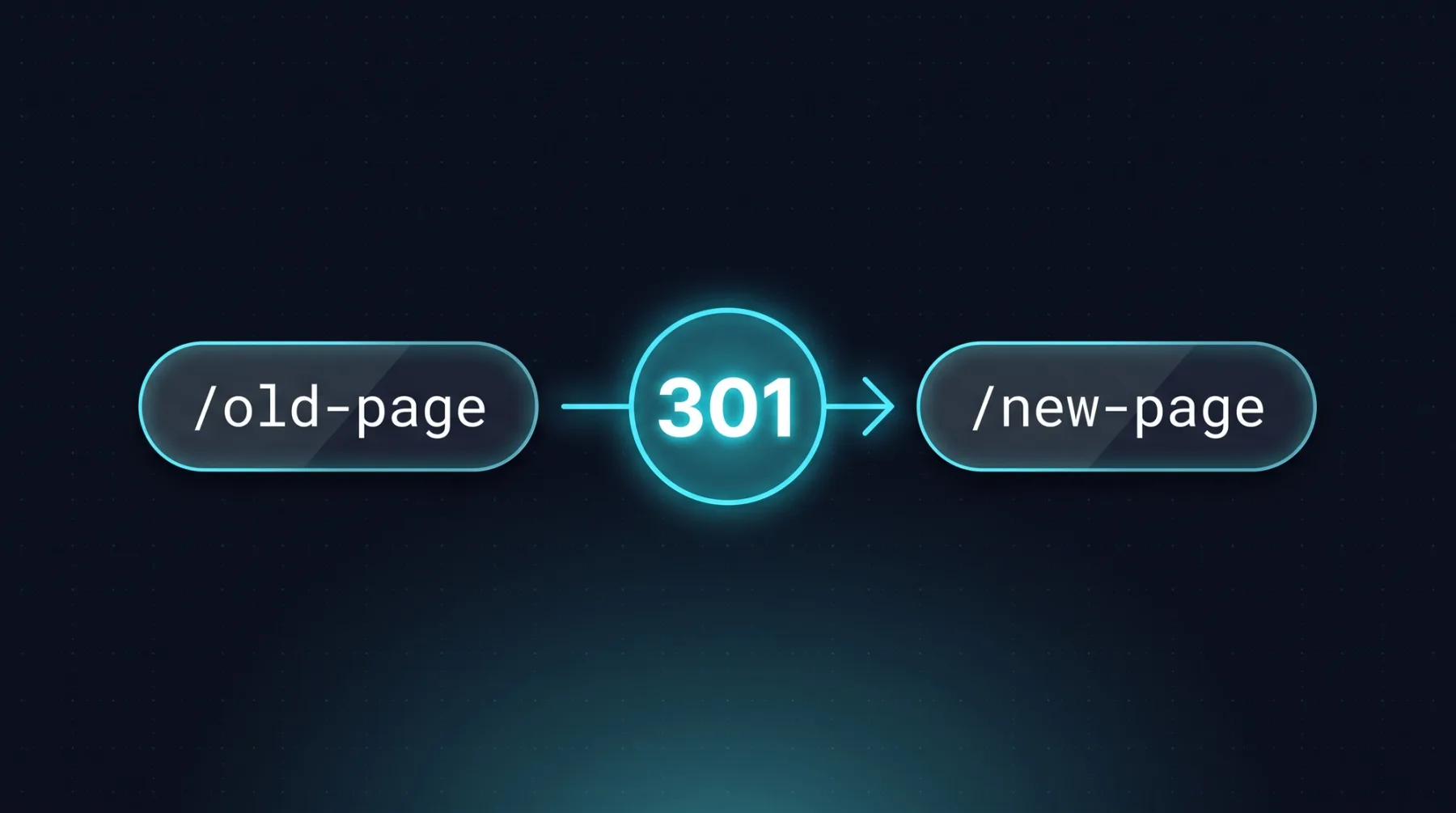
A 301 redirect sends an old URL permanently to a new address, and Google treats it as a signal that the target should be the canonical URL, meaning the address the index keeps as the original of that page. That is why the redirect map decides how a relaunch ends: anything you fail to redirect properly loses its position. This article sorts out permanent versus temporary codes, shows the order of methods Google documents, and walks you through the redirect map we build for every move.
The short answer
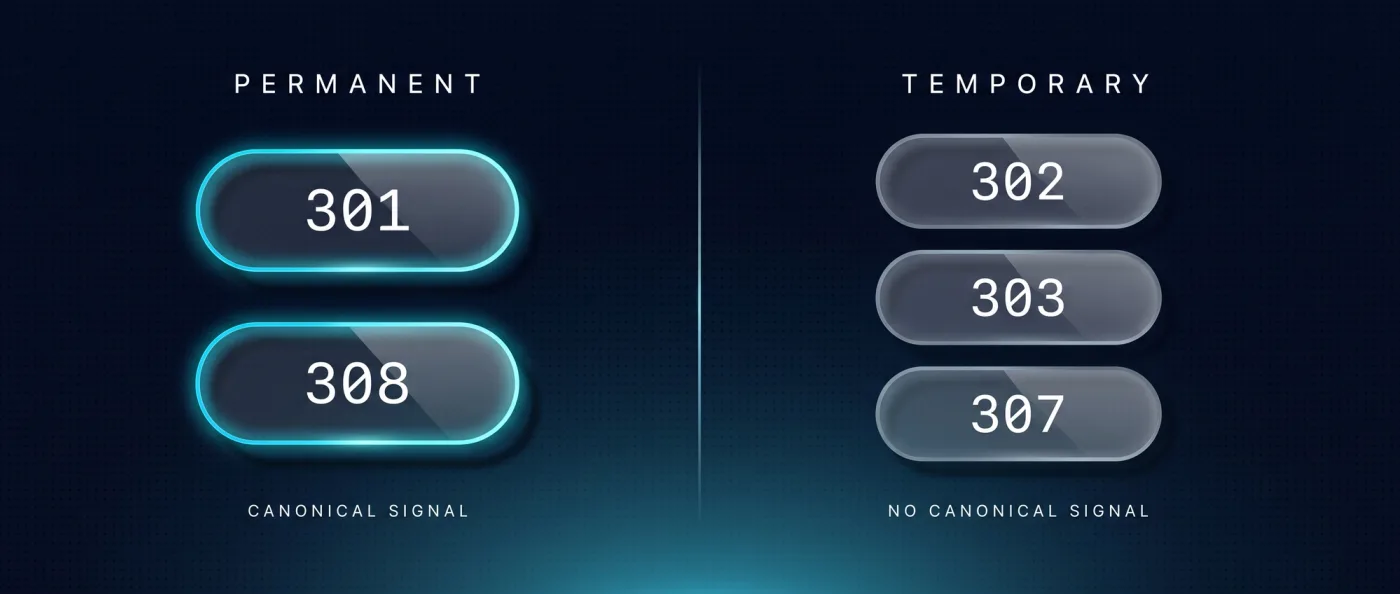
A 301 redirect tells browsers and crawlers: this address no longer applies, the target is the new one. Googlebot follows it, and indexing uses the redirect as a signal that the target should be the canonical URL. 308 works the same way as a permanent code. 302, 303 and 307 are temporary: Google follows them too, but does not treat them as a canonicalisation signal, and the old URL can stay in the index.
That leads to a rule that ends most debates. Use a permanent code only when the redirect will not be reversed. Anything that might look different in four weeks gets a temporary code.
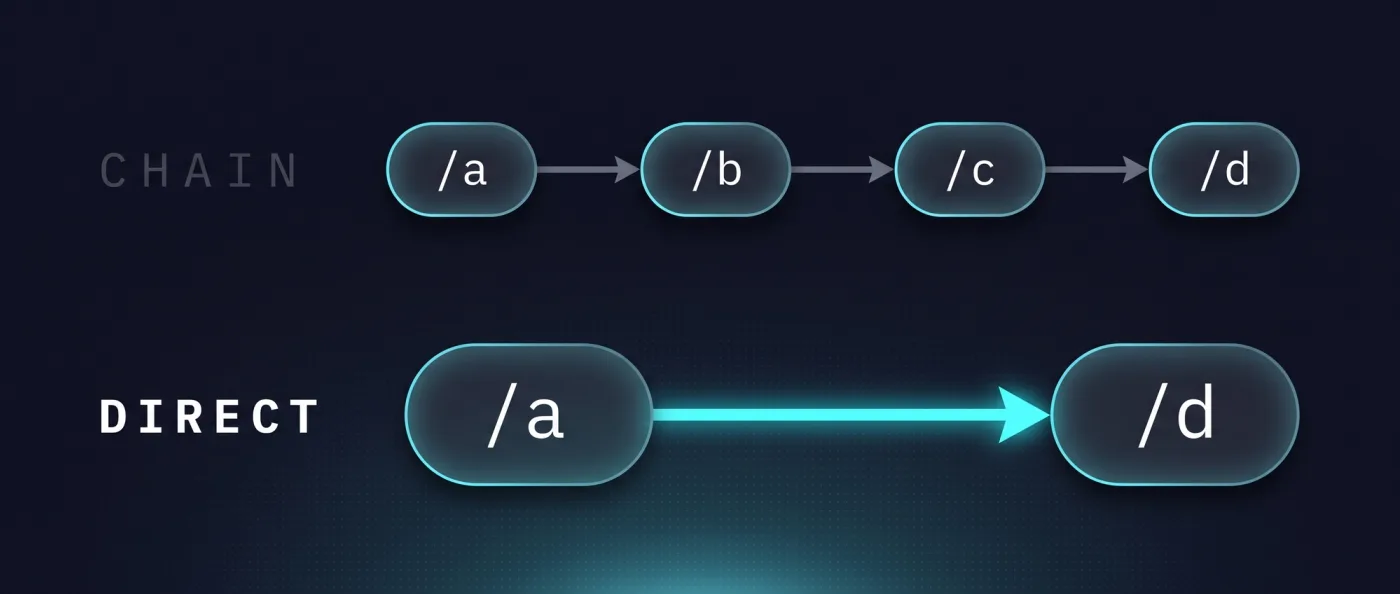
For a relaunch, completeness is what matters next. Every old URL with rankings, inbound links or traffic gets its own target that matches what the old page did. Resolve chains and point straight at the final destination. The full process is in website relaunch without losing SEO.
Methods and status codes at a glance
The choice is smaller than it looks. Five status codes and three methods cover everything a web project runs into. We keep this table next to every redirect map.
| Method | Type | How Google documents it | When you use it |
|---|---|---|---|
| 301 | Permanent | Googlebot follows it, counts as a canonical signal | The old URL is permanently replaced |
| 308 | Permanent | Permanent, same as 301 | Permanent move where the request method is preserved |
| 302 | Temporary | Google follows it, no canonical signal | The page sits at another address for a short while |
| 303 | Temporary | Google follows it, no canonical signal | Response to a submitted request, such as a form |
| 307 | Temporary | Google follows it, no canonical signal | Short term, request method preserved |
| Server-side redirect | Method | Listed by Google first | Default for any redirect you can plan |
meta refresh | Method | Listed after the server-side option | When you cannot reach the server configuration |
| JavaScript redirect | Method | Listed as a last resort | When the other two options are unavailable |
The first five rows decide what happens to your index. The last three decide how reliably the redirect arrives at all.
What Google infers from permanent and temporary
A permanent code is a vote. You tell the search engine that the target is the canonical URL from now on, and indexing uses that signal. A temporary code says the opposite: follow it, but do not change who the original is. That is why an old URL can keep showing up in the index after a 302, long after the content moved.
The expensive mistake almost always runs the same way: the move is permanent, but the redirect goes out as a 302 because the hosting panel defaults to it. Check the status code that is actually served, not the label in the interface.
Two numbers circulate about redirect chains that you will not find backed up anywhere: how many hops Googlebot follows, and how much link equity each hop costs. Neither is in the documentation. The practical consequence is clear regardless: resolve chains and point straight at the final target. The rest of the crawlability picture is in technical SEO.
Server-side, meta refresh or JavaScript
Google lists the three methods in an order, and that order is not a matter of taste. Server-side comes first because the answer arrives with the status code and no rendering is required. Stick to the order and you save yourself the debugging later.
- Server-side. The server answers directly with 301, 308 or a temporary code. First choice for anything you can plan.
- `meta refresh`. An instruction in the HTML head that moves the browser on after a short delay. Usable when the server configuration is out of reach.
- JavaScript redirect. Executed in the browser, so it depends on the script running. Google calls this the last resort.
If your hosting gives you no access to server-side redirects, that says something about the platform, not about the method. On projects with their own front end, the configuration lives in the project itself, see Webflow gegen Next.js.
When 301, when 302
The decision hangs on one question: is the old address coming back? If not, permanent. If yes or maybe, temporary. Everything else follows from that.
Choose 301 when
The old URL disappears and nobody plans to bring it back. That is the standard case for any move to a new URL structure.
- You move to a new URL structure, for example in a relaunch with a new content model.
- You merge two pages with overlapping content into one.
- You change domain, protocol or subdomain and the old path does not survive.
- You introduce translated URL segments, such as
/solutionsbecoming/de/loesungen, and the old paths go away.
Choose 302 when
The old address is meant to come back. In that case the search engine should not change its assignment, or you will be undoing it later.
- A page sits at a different address for a short time during maintenance or a rebuild.
- You are testing a variant and want to revert without side effects.
- A time-limited campaign page takes the slot of a permanent page.
- You are not yet sure the target will stay.
The redirect map: how we build it
A redirect map is a list with two columns: old URL, new target. It is written before the relaunch, not after, and it is the part we never shorten. This is the process.
- 1
Crawl first
We run Screaming Frog or Ahrefs across the old website, a tool that walks every reachable URL, and take a ranking snapshot alongside it. Without those two lists you cannot tell after launch what went missing.
- 2
Match targets 1:1
Every old URL gets exactly one target page that serves the same need. Where there is no counterpart, that is an editorial decision, not a technical one.
- 3
Check chains and loops
Historic redirects come along and get rewired straight to the new final target. Systems with their own redirect manager often hand you a long backlog, see TYPO3 zu Next.js migrieren.
- 4
Launch checklist
Redirects live, sitemap updated, internal links pointing at the new targets rather than at the redirects.
- 5
Submit
Search Console and Bing get the new sitemap, and IndexNow pushes changed URLs to the search engines instead of waiting for the next crawl.
- 6
Two weeks of monitoring
A 404 report and a ranking comparison, daily in the first week. Every 404 in the report becomes a new row in the map.
We run the same process regardless of platform: for Webflow, for WordPress and for Wix. What differs is how content is exported, not the redirect map.
Implementing redirects: project or platform
Redirects belong where they are versioned and reviewable. On a website with its own front end that is the redirect configuration in the project; for static output the hosting platform takes over. Either way it is configuration, not a development project.
- Next.js. The framework ships its own redirect configuration: source, target, permanent yes or no. Patterns with placeholders catch entire groups of paths.
- Astro. Statically served pages resolve redirects through the project configuration or through the hosting platform. More on the framework in Astro Framework.
- Hosting platform. On Vercel the configuration sits with the project, not with individual pages. Vercel Pro costs 20 $ per month per developer seat, with no base fee per project.
- Large volumes. Past a few hundred rows, generate the configuration from the redirect map instead of maintaining it by hand. The map stays the source, not the config file.
Keep all redirects in one place. Spread across framework, platform and leftover server rules, you will not work out six months later why a URL hops twice.
Mistakes that cost rankings during a move
The same mistakes repeat across projects, and all of them are testable before launch. These five show up most often when we take over an existing website.
- Blanket redirect to the homepage. Every old URL lands on
/. Google does not treat that as a substitute for a matching target, and neither do your visitors. - Temporary instead of permanent. The move is permanent but a 302 is served. The old URL stays in the index and the new one does not take over.
- Chains and loops. Old redirect pointing at old redirect, in the worst case in a circle. Point at the final target instead.
- Only the main language covered. On bilingual websites both language trees need a complete map, otherwise the hreflang annotations break, meaning the mutual markup between language versions.
- Internal links left untouched. The redirect saves the visitor, but your own links still point at dead paths. That belongs on the launch checklist, see Website relaunch.
How we do it
Our own website moved from Wix to Next.js, Sanity and Vercel in 2026: 49 knowledge articles, 10 service pages and 17 city pages, all from one Sanity database, bilingual with hreflang, server rendering, llms.txt, IndexNow and FAQPage schema. Every old Wix URL is in the redirect map, including the ones with barely any traffic. To be straight about it: the old Wix website had almost no rankings to lose, the new one has been building them since June 2026. The map was still mandatory, because external links do not disappear when the platform does.
For client projects we bill a migration as a relaunch project. A marketing website with 10-30 pages typically takes 3-6 weeks to go live, with monitoring on top, and our relaunch packages start at 8.000 € net. If a move is coming up, we can run it end to end as your relaunch agency, including ongoing SEO support after launch.
Frequently asked questions
What is a 301 redirect?
A 301 redirect is a permanent redirect from an old URL to a new one. Googlebot follows it, and indexing uses it as a signal that the target should be the canonical URL. Alongside 301 there is a second permanent code, 308. Use it only when the redirect is going to stay in place.
What is the difference between 301 and 302?
301 is permanent, 302 is temporary. Google follows both, but treats only the permanent codes 301 and 308 as a canonicalisation signal. With 302, 303 and 307 the old URL can remain in the index. Rule of thumb: if the old address is coming back, go temporary, otherwise permanent.
How long does a 301 redirect need to stay in place?
Permanently. Permanent means you do not take it back, which is why we plan redirects as a fixed part of the project rather than a stopgap. Our active monitoring after launch runs for two weeks with a 404 report, and the redirects themselves stay live well beyond that.
What is the difference between 301 and 308?
Both are permanent redirects and Google treats both as a canonical signal. The difference is how the request method is handled: 308 preserves it. For a marketing website with ordinary page views this makes no practical difference, and 301 remains the usual choice.
Do redirect chains cause damage?
Google's documentation gives no verified number for hops or lost link equity, and we do not quote one either. In practice the rule still holds: resolve chains and point at the final target. On every project, step 3 of the redirect map checks whether historic redirects still route through intermediate targets.
How do I redirect without server access?
Server-side is Google's first choice, followed by meta refresh, with JavaScript as a last resort. Without server access, meta refresh in the HTML head is what remains. On a project with its own front end the redirect configuration lives in the project anyway, so no server access is needed.
Next step
If a relaunch is coming and you do not want to leave the redirect map to chance, talk to us about the process.