






Migrating from TYPO3 to Next.js
TYPO3 relaunch to Next.js: the process, exporting pages and tt_content, language overlays, redirect maps, 3-6 weeks to launch, cost from 8,000 euros.

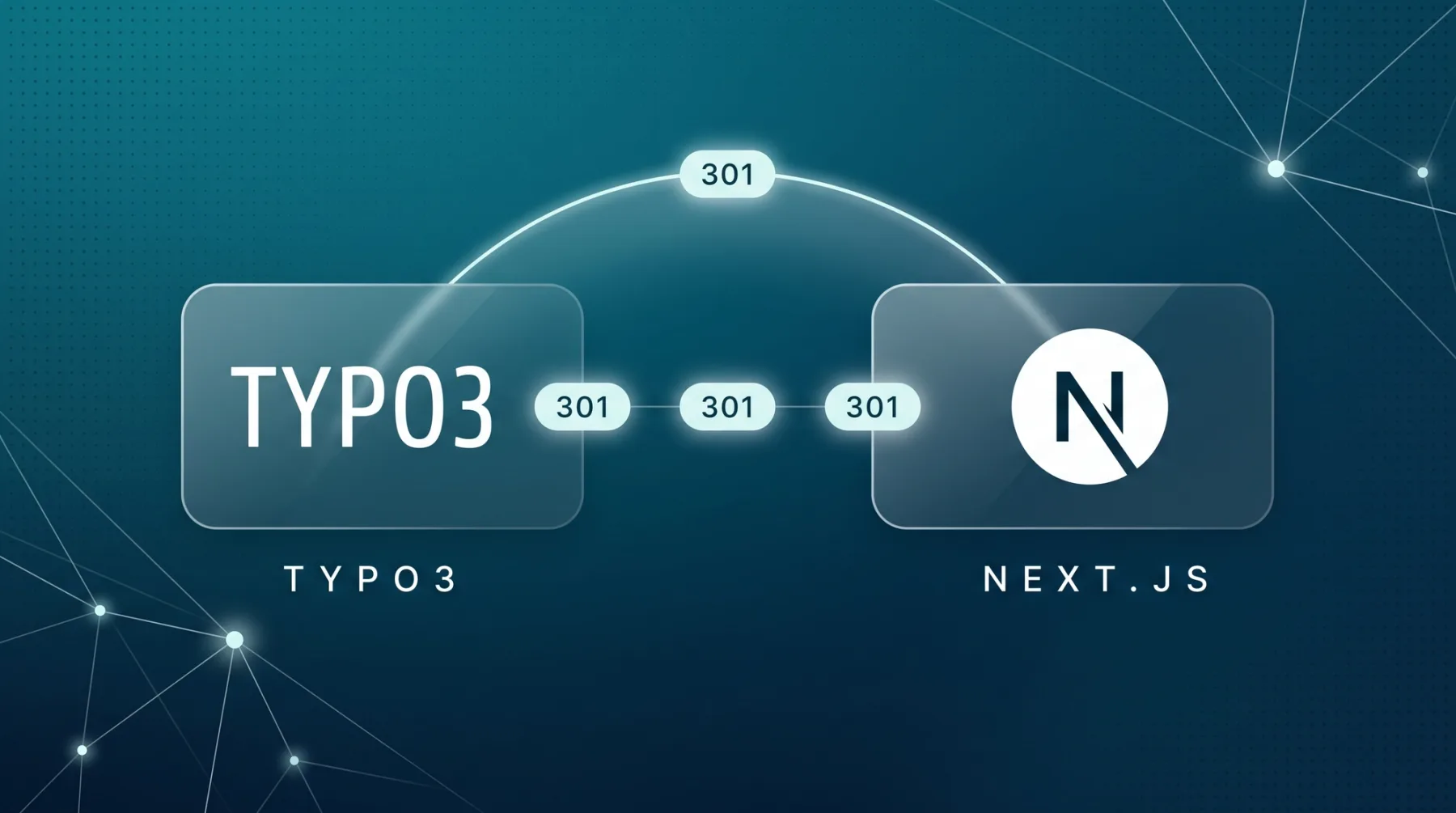
A TYPO3 relaunch on Next.js usually takes 3-6 weeks to go live for a marketing website with 10-30 pages, and the work sits in the content export, not in the design. TYPO3 keeps pages and content elements in a relational database, images hang off references through the File Abstraction Layer, and translations live beside the originals as language overlays. There is no export button. This article shows you how to get the content out, how to map languages and URLs cleanly, when to stay on TYPO3, and what the move costs.
The short answer
A TYPO3 relaunch on Next.js means this: pull the content out of the TYPO3 database, move it into a structured content model in Sanity, and rebuild the frontend in Next.js. TYPO3 does not stay behind as a backend, it goes offline. For a marketing website with 10-30 pages, expect 3-6 weeks to go live, followed by two weeks of monitoring.
The trigger is usually the support cycle. TYPO3 v11 dropped out of free community support in October 2024, v12 in April 2026. If that is where you are, you either pay for ELTS, the paid extended support programme, or you run without security updates. Either way the question is on the table: upgrade to v13 or v14, or move. We sorted the candidate systems in our overview of TYPO3 alternatives.
The effort sits in the export, not in the design. TYPO3 does not hand you a finished content package at the press of a button. You need database access or a custom extension, and you need someone who can reassemble the typed content elements correctly in the new model.
Why a TYPO3 export is never one click
TYPO3 stores content relationally. The page tree lives in the pages table, the content in tt_content, and every content element has a type: text with image, text media, bullet list, a plugin element from an extension. Images do not hang directly off the page but through the File Abstraction Layer (FAL), a layer that separates file and reference. Cleanly built, but it makes the move a transformation rather than a copy.
pagesgives you the page tree, titles, slugs and language,tt_contentthe individual content elements per page and column.- Content elements are typed. Every type needs a counterpart in the new model, otherwise the meaning is lost on import.
- Images sit behind FAL references. File, reference and caption have to be joined before you upload them again.
- Translations are language overlays, separate records pointing at the original, not standalone pages.
Once you have sorted those four points, you have essentially designed the content model for a headless CMS, a system that holds content in a structured way and leaves the frontend open. TypoScript, TYPO3's own configuration language, does not come along for the ride. Code replaces it.
The six phases, and where TYPO3 differs
The basic sequence is the same for every migration: pre-crawl and ranking snapshot, content model, data transfer, frontend build, redirect map and launch, then monitoring. We walked through it phase by phase for WordPress and for Webflow, and the same logic applies here. Three points behave differently on TYPO3.
- Data transfer starts with database access or a custom extension, not with an export dialogue in the backend.
- The language logic has to be settled before the import, otherwise overlays land as duplicates in the new system.
- TYPO3's built-in redirect module is itself a data source. Its entries move across with everything else.
So pull the data transfer forward and budget more time for it than you would for a website builder migration. Design and frontend depend on it, not the other way round.
Moving content from TYPO3 into Sanity
The path runs through four steps, and three of them happen before a single line of frontend code exists. Expect to throw the first model away and cut a new one once you see the real content elements.
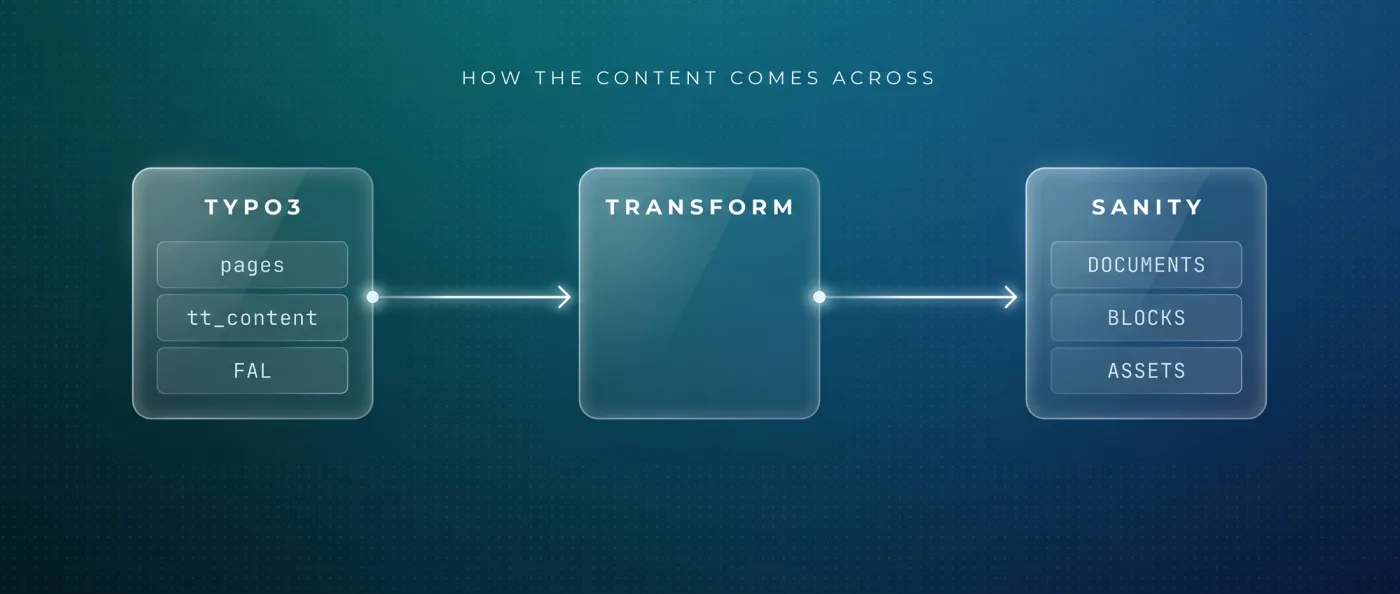
- 1
Pull the inventory
Get the page tree, content elements, files and references out of the database, either through an SQL dump or through a custom extension that outputs the data as JSON.
- 2
Cut the model
Every TYPO3 element type gets a counterpart as a schema in Sanity: text block, media block, teaser, table. Anything that was only a layout trick gets dropped.
- 3
Transform and import
Convert the data to NDJSON, a line-based format for bulk imports, and load it with
sanity dataset import. Assets are uploaded again and re-referenced in the process. - 4
Check it back
Compare page count, element count and image count against the pre-crawl. The frontend build only starts once those numbers line up.
Sanity is our pick here because the content model lives in code and is versioned together with the frontend. The free plan covers 20 seats and 10,000 documents, which is normally plenty for a marketing website coming out of TYPO3. How Sanity holds up against other vendors is in our comparison with Contentful.
Multilingual: mapping language overlays properly
In TYPO3 a translation is an overlay on the original record. In the new model you pick one of two routes: one document per language with a reference to the translation group, or one document with fields per language. For marketing websites we take the first, because it lets you set URL segments, navigation and metadata differently per language.
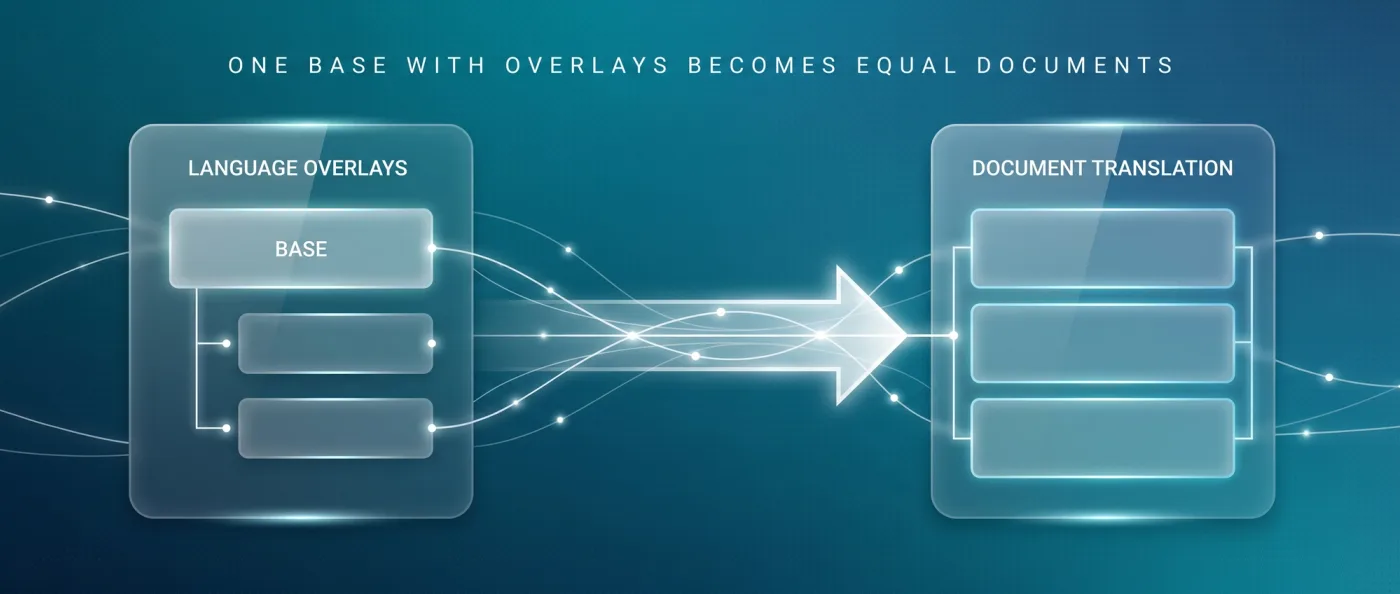
- Translated URL segments instead of language parameters: on LeanWave, /solutions becomes /de/loesungen in German.
- hreflang in both directions and with x-default. hreflang is the markup in the source that tells search engines which language version applies to which region.
- Pages without a translation do not get an empty shell, they simply drop out of that language version.
LeanWave runs statically on Astro with Sanity, English on the root, German under /de, 64 documents and 86 image assets. Every edit triggers a fresh build through a webhook, an automatic call that Sanity fires on save. Extra languages cost no per-language surcharge with us, unlike platforms that sell localisation as an add-on.
Carrying URLs and redirects over from TYPO3
The old speaking URLs come out of the routing setup, not out of a single field. So before any rebuild, take a full crawl with Screaming Frog or Ahrefs plus a ranking snapshot. Every old URL then gets exactly one target, one to one, with no catch-all redirect to the homepage.
- 301 and 308 are permanent. Google follows them and uses them as a signal that the target should be the canonical URL, the address that belongs in the index.
- 302, 303 and 307 are temporary. Google follows them too, but does not treat them as a canonicalisation signal. The old address can stay in the index.
- A server-side redirect is the most reliable option according to Google. After that comes
meta refresh, and a JavaScript redirect is the last resort. - Resolve chains and point straight at the final target, especially when entries from the TYPO3 redirect module come along.
Only use permanent codes when the redirect is going to stay. The details sit in our article on 301 redirects, and the full launch sequence is in relaunch without SEO losses. After go-live we submit to Search Console and Bing, ping IndexNow, and run two weeks of monitoring with a 404 report and a ranking comparison.
TYPO3 versus Next.js with Sanity
The two systems solve different jobs. TYPO3 is built for large editorial teams and complex permissions, Next.js with Sanity for a marketing website that stays programmatically controllable. These nine criteria decide it in practice.
| Criterion | TYPO3 | Next.js with Sanity |
|---|---|---|
| Content model | relational in pages and tt_content | schemas in code, versioned with the frontend |
| Editorial | permissions, workflows and approvals built in | roles per plan, live preview via Presentation Mode |
| Multilingual | language overlays per record | one document per language, translated URL segments |
| Frontend | templates and TypoScript | React components, server rendering per request available |
| Major version change | a project with real effort, not a click | rolling package updates, no fixed end of support per website |
| Support cycle | v14 LTS since 21.04.2026 until 2029, v12 free only until April 2026 | not tied to an LTS deadline |
| Running fees | hosting, plus ELTS depending on the version | Sanity Free from 0 dollars, Vercel Pro 20 dollars per developer seat |
| Specialists | TypoScript skills, a small and expensive market | React and TypeScript, a broad market |
| Programmatic pages | through extensions | straight from the content database, rendering and schema in code |
The row that decides it most often is the editorial one. If that column is heavy on your side, read the next section carefully.
When you stay on TYPO3
TYPO3 is a serious enterprise CMS, and there are cases where moving is simply the wrong maths. Open source, written in PHP, widely used across the German-speaking market in the public sector, at universities and in larger mid-sized companies: that is not an accident. Three constellations argue clearly for staying.
- Several editorial teams with different permissions, approval workflows and separate working areas. Rebuilding that costs more than the rest of the migration combined.
- Business applications running as extensions: multi-step forms with logic, event management, a connection to a specialist system.
- Operational requirements already aligned with TYPO3, for instance around hosting, role concepts and approval processes.
In those cases the upgrade is the cheaper decision. v14 LTS was released on 21.04.2026 and is supported until 2029, v13 since 15.10.2024 until 2027. Free support for v12 ran out in April 2026, for v10 back in April 2023. ELTS extends that against payment, for v12 until April 2030, for v11 until October 2028 and for v10 until April 2027. TYPO3 speaks of up to seven years of official support per major version.
When Next.js, when Astro with Sanity
Next.js is not automatically the answer when a marketing website moves. We build with Astro and Sanity by default and switch to Next.js as soon as application logic, logins or per-request server-side data enter the picture. The head-to-head comparison sits in Astro vs. Next.js.
Choose Astro with Sanity if
Your TYPO3 installation is essentially an editorial base for marketing content, and the interactive parts are limited.
- The website consists of pages, articles, case studies and landing pages.
- You want to ship very little JavaScript. Astro ships 0 KB of JavaScript for static content by default, and only interactive areas load scripts.
- Multilingual with translated URL segments is on the roadmap.
Choose Next.js if
The old installation carries more than editorial content, or the new website is meant to be part of an application.
- There are login areas, customer portals or multi-step forms with real logic.
- Data has to be fetched server-side per request, such as prices, stock levels or availability.
- Personalised areas need to differ per user.
Cost, timeline and how we run the move
We bill a migration as a relaunch project. Our relaunch packages start at 8,000 euros net, a marketing website with 10-30 pages is typically live after 3-6 weeks, and monitoring comes on top. Which items feed into a price like that is broken down in web development costs.
- Before the rebuild: a crawl with Screaming Frog or Ahrefs, a ranking snapshot, an inventory of content element types.
- At launch: a one to one redirect map for every old URL, a launch checklist, submission to Search Console and Bing, IndexNow.
- After launch: two weeks of monitoring with a 404 report and a ranking comparison.
Our own website moved from Wix to Next.js, Sanity and Vercel in 2026: 49 knowledge articles, 10 service pages and 17 city pages out of one Sanity database, bilingual with hreflang, server rendering, llms.txt, IndexNow and FAQPage schema. Straight talk: the old Wix website had barely any rankings, the new one has been live since June 2026 and is building them up. For Yarowa we moved a five-language website with 21 page templates and 163 sections to Astro, and the design stayed exactly as it was. The same team handles the ongoing web development afterwards.
Frequently asked questions
How does a TYPO3 relaunch on Next.js work?
In six phases: pre-crawl and ranking snapshot, content model, data transfer out of pages and tt_content, frontend build, redirect map and launch, then two weeks of monitoring. For a marketing website with 10-30 pages, expect 3-6 weeks to go live. The largest block is the data transfer, not the design.
How do I get content out of TYPO3?
Through the database or a custom extension, because there is no export dialogue that produces a complete content package. You pull the page tree and content elements from pages and tt_content, resolve the image references through the File Abstraction Layer, transform everything to NDJSON and import it with sanity dataset import.
What does a TYPO3 migration cost?
We bill it as a relaunch project, and our relaunch packages start at 8,000 euros net. The price depends mostly on the number of content element types, on the languages involved, and on whether the design is rebuilt or carried over. After that there are almost no running platform fees.
What happens to my old URLs and rankings?
Every old speaking URL gets a permanent 301 or 308 redirect to exactly one target, including the entries from the TYPO3 redirect module. Temporary codes such as 302 or 307 are not treated by Google as a canonicalisation signal. After launch we check the 404 report and rankings against the pre-launch snapshot for two weeks.
Should I just upgrade to TYPO3 v14 instead?
If your editorial team actively uses permissions, workflows and approvals, or if business applications run as extensions: yes. v14 LTS was released on 21.04.2026 and is supported until 2029. If the installation is essentially a marketing website, the upgrade makes you pay for capabilities you will never use.
When is Astro a better fit than Next.js?
When the website consists of pages, articles and landing pages with little application logic. For static content, Astro sends no client-side JavaScript at all by default. LeanWave runs that way with 64 documents and 86 image assets. We reach for Next.js as soon as logins, personalisation or per-request server-side data come into play.
Next step
Send us the URL of your TYPO3 website and we will look at page count, languages and content element types, then tell you what a move realistically involves.