







TYPO3 Alternatives: Upgrade, Switch or Stay
Looking for TYPO3 alternatives? If you run v11 or v12, free support has ended. When Webflow is enough and when a headless CMS is the better fit.

A TYPO3 alternative makes sense as soon as your website mainly does marketing work: showing content, collecting leads, getting found in several languages. For that job TYPO3 is oversized, because every change to templates and configuration needs specialists. The trigger is rarely frustration. It sits in the calendar: if you run v11 or v12, free security updates have stopped, and you either pay for the extended support programme ELTS or run without. That is when the decision lands, upgrade or switch. This article covers the support deadlines, the real drawbacks, the cost drivers, why WordPress is not the answer, and which alternative fits which size.
The short answer
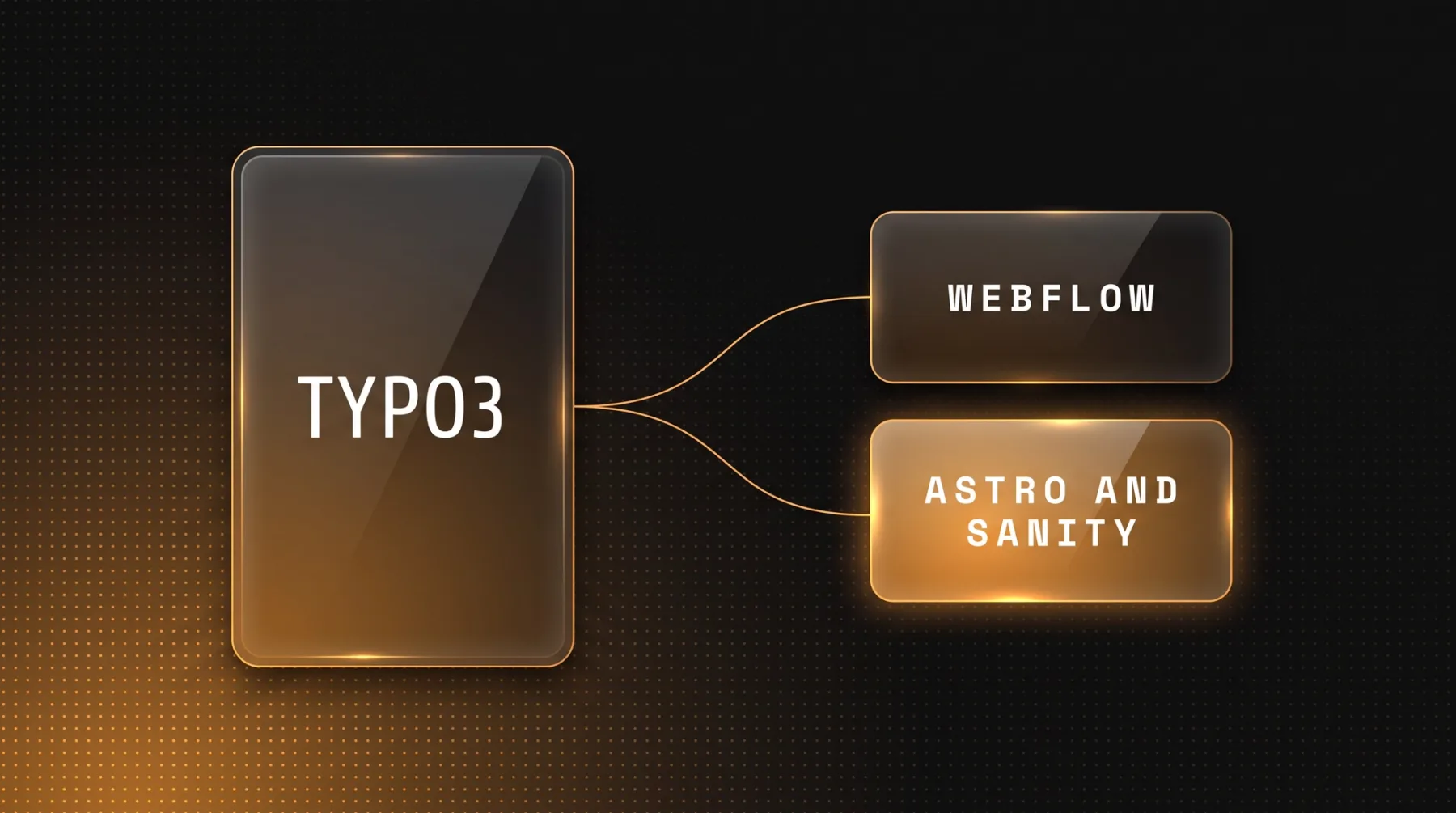
If your TYPO3 installation runs a marketing website, there are two sensible destinations. Up to roughly 30 pages, one or two languages and no programmatic pages planned, Webflow is enough: strong design tooling, a usable editor, a fast start. Beyond that, or once you want to run content as a database, a headless CMS, meaning an editorial system with no output layer of its own that serves content through an interface, plus your own front end carries more weight. Our recommendation for that is Sanity together with Astro or Next.js.
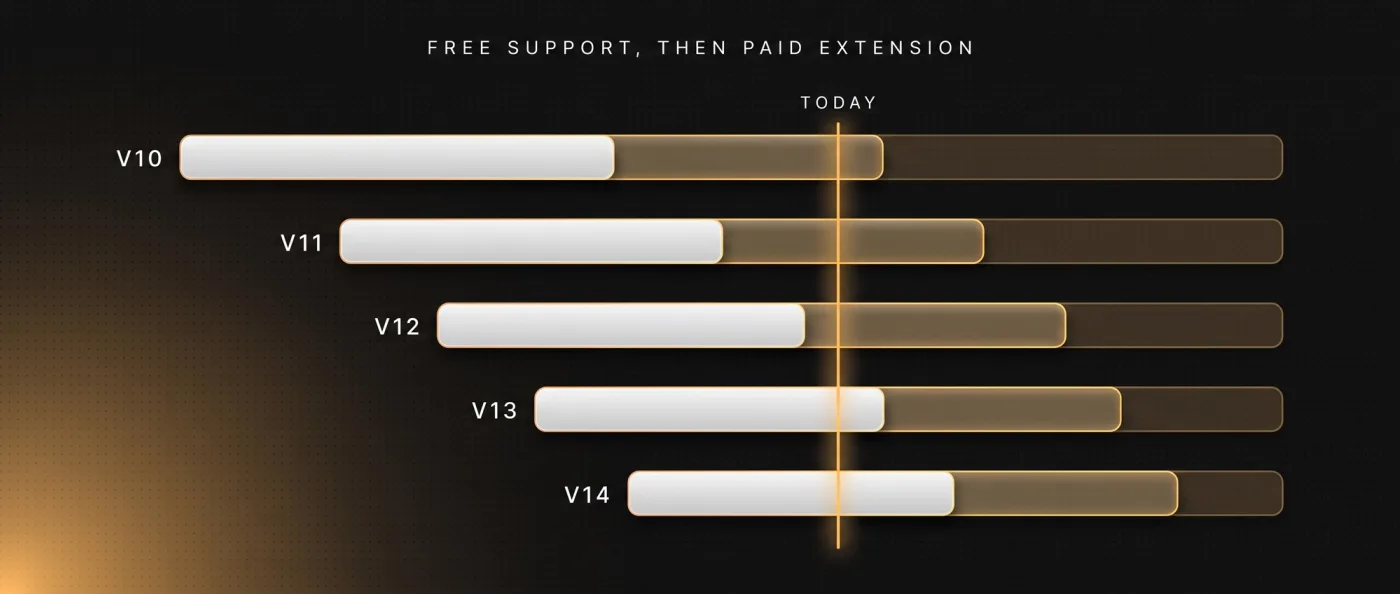
The reason the question comes up is almost always the support cycle. TYPO3 gives each major version a free community support window and then a paid extension programme called ELTS. For v11 the free part ran out in October 2024, for v12 in April 2026. If that is where you sit, you pay for ELTS, run without security updates, or do the upgrade. And once a project is on the table anyway, it is fair to ask whether the destination has to be TYPO3 again.
Switching to WordPress does not fix the underlying problem. You trade TypoScript and a heavy backend for plugin dependencies, update cycles and attack surface. When a company leaves a PHP editorial system, we go straight to a structured content database with its own front end. The concrete route is described in migrating TYPO3 to Next.js.
The support calendar: why the question lands now
TYPO3 ships major versions as LTS, meaning long term support with a long maintenance commitment. v14 LTS was released on 21.04.2026, v13 LTS on 15.10.2024, v12 LTS on 25.04.2023. Every version has two phases: free community support, then ELTS, which providers extend for a fee. TYPO3 speaks of up to seven years of official support per major version, meaning up to three additional years after the free window. A fourth year is reserved for official TYPO3 partners.
| Version | Free community support | ELTS until |
|---|---|---|
| v14 LTS | until 2029 | not an issue yet |
| v13 LTS | until 2027 | not an issue yet |
| v12 LTS | ended in April 2026 | April 2030 |
| v11 LTS | ended in October 2024 | October 2028 |
| v10 LTS | ended in April 2023 | April 2027 |
Check which version you are running first. On v13 or v14 you have time and can decide calmly. On v10, v11 or v12 the clock is running: book ELTS, plan the upgrade, or change the system. We deliberately do not quote ELTS prices here, they are not published on the pricing page and we do not guess. Get the number from the provider and weigh it against the cost of a relaunch.
TYPO3 disadvantages for a marketing website
TYPO3 is open source, written in PHP, and widely used across German-speaking public sector bodies, universities and larger mid-market companies. The system can do a lot. That is exactly the point: for a website that explains services, shows case studies and generates enquiries, you carry machinery you will never use. The drawback is not "bad", it is oversized.
- Configuration runs through TypoScript, a configuration language of its own. Without it you cannot change a template.
- The freelance and agency market for TYPO3 is small. A small market means a longer search and a weaker negotiating position if your provider drops out.
- Moving to a new major version is a project with real effort, not a one-click update. Extensions have to follow, otherwise you stay on the old version.
- The backend is built for editorial teams with roles and approvals. For a marketing team of two people that is friction without payoff.
- Changes to the brand presence almost always need developer time, even small ones like a new section type on a landing page.
You feel the result day to day: the website gets updated more slowly than marketing wants to work. If you want to run content as a system, with consistent building blocks across every page, a corporate website approach built on structured data takes you further.
TYPO3 costs: where they actually come from
The software itself is free. Costs appear in four places: hosting, developer time for changes, the upgrade to each new major version, and after the free support window ends, the ELTS extension. The first three sit with your provider, the fourth TYPO3 does not publish. That is why we quote no figures for it, neither for ELTS nor for agency hours.
The alternatives are easier to calculate here, because the platform prices are public:
| Cost item | TYPO3 | Webflow | Astro or Next.js with Sanity |
|---|---|---|---|
| Software licence | free, open source | included in the plan | free, open source |
| Platform fee per month | hosting, depends on provider | Premium 25 $ per website | Vercel Pro 20 $ per developer seat |
| Editorial system | part of the system | included in the plan | Sanity Free 0 $, Growth 15 $ per seat |
| Content limits | technically open | 20,000 CMS items, 40 collections | Free 10,000 documents, Growth 25,000 |
| Second language | part of the system | 9 $ per language and month | no surcharge per language |
| Tenth language | part of the system | 29 $ per language and month | no surcharge per language |
| Major version change | project with real effort | not applicable | ongoing package maintenance |
| Support after the deadline | ELTS, price not public | not applicable | not applicable |
| Changing a template | developer time with TypoScript | in the designer yourself | developer time in code |
| Leaving with your content | database export | export without CMS content | content belongs to you as data |
An Astro or Next.js website on Sanity Free therefore runs at roughly 0-20 $ hosting per month, meaning almost no recurring platform fees. What the rebuild costs once depends on page count, languages and design. We bill a migration as a relaunch project, and our packages start at 8,000 € net. A rough breakdown by project size sits in what a B2B website costs.
TYPO3 vs WordPress: why the swap does not fix it
Plenty of marketing leads think of WordPress first when TYPO3 gets uncomfortable: simpler, cheaper, everyone knows it. The comparison holds on one point and misleads on the more important one. It is true that daily editorial work is easier in WordPress and that you will find people who can handle it. It is not true that you end up with less system maintenance.
You trade TypoScript and a heavy backend for plugin dependencies, update cycles and attack surface. The website then hangs on a chain of third-party extensions, any one of which can break, turn insecure or get discontinued. For a marketing website that is the same cost in different packaging. This is why we do not work with WordPress, and why we do not offer headless WordPress either: converting to headless costs the full relaunch effort and still leaves the WordPress installation standing with its updates, extensions and attack surface. After that you run two systems instead of one.
If you still want to see every option, we sorted the list in WordPress alternatives. The short version: leaving TYPO3 sensibly does not lead to the next PHP editorial system, it leads to structured content with your own front end.
The alternatives compared
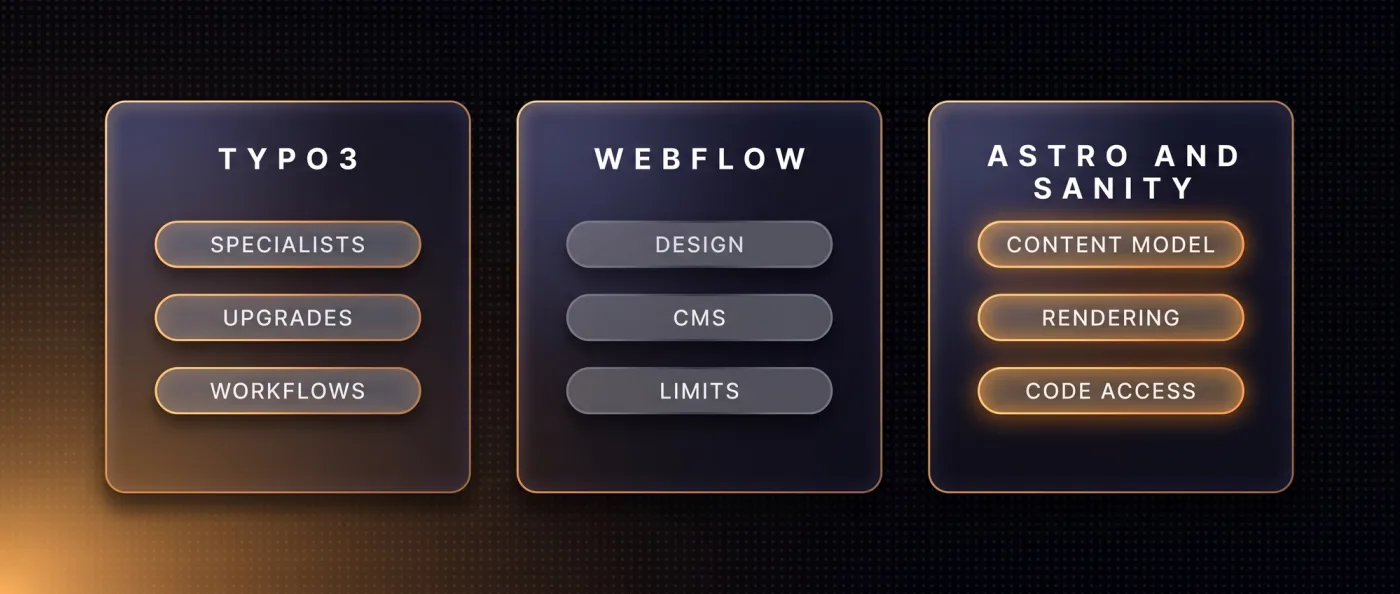
For marketing leads in mid-market companies, universities and the public sector, three directions are realistic. Website builders drop out almost immediately, Webflow covers smaller presences, and a headless CMS with its own front end carries everything above that. The table below compares the criteria that actually hurt in day-to-day operation.
| Criterion | TYPO3 | Webflow | Astro or Next.js with Sanity |
|---|---|---|---|
| Editing content without a developer | possible after training | yes | yes, through Sanity |
| Creating a new template | TypoScript and developer time | in the designer, one template per collection | in code, freely modelled |
| Multilingual setup | language overlays in the system | add-on per language and month | in the data model, no surcharge |
| Recurring platform fee | hosting, depends on provider | from 25 $ per month and website | 0-20 $ per month |
| Major version change | project with real effort | not applicable | package maintenance in code |
| Permissions and approval workflows | deeply built out | kept simple | configurable through Sanity |
| JavaScript in the browser | depends on extensions | framework plus interactions | Astro ships 0 KB when static |
| Programmatic pages | possible through extensions | limited by template and item caps | generated freely from data |
| Security updates | free until the deadline, then ELTS | handled by the provider | hosting and packages |
| Taking your content with you | database export | export without CMS content | the data sits with you |
Website builders: not a serious option here
Wix, Squarespace, Jimdo or IONOS solve a different problem: a small website without a service provider. For a demanding B2B presence the foundation is rented, the technical base is out of reach, the fee applies per website, and the export leaves you stuck. Coming from TYPO3, you carry structural and multilingual requirements that break there first.
Webflow: the solid middle ground
Webflow is genuinely strong on design, editing and speed, and for a typical mid-market presence it is often enough. The limits are known and plannable: 20,000 CMS items and 40 collections on the Premium plan, one template tied to one collection, localisation at 9 $ per language and month up to three languages or 29 $ up to ten. The export gives you HTML, CSS and JavaScript, but not the CMS content and not the interactions. We are a certified Webflow partner and look after existing clients on it, which is why we place it rather than talk it down. The direct comparison with a custom front end sits in Webflow vs. Next.js, and the build work runs through our Webflow agency.
Sanity with your own front end: our recommendation
Sanity is a structured content database. Your texts, images and relationships live as data rather than finished pages, and your own front end renders the website from them. Our standard for that is Astro, a framework that ships static content with no client-side JavaScript and loads scripts only for individual interactive building blocks, called islands. We reach for Next.js once app logic, logins or per-request server data enter the picture. Where the line between the two runs is covered in Astro vs. Next.js.
The practical difference shows at delivery time. Our own measurement from 13.09.2026: leanwave.com, which we build statically with Astro, loads around 39 KB of JavaScript in three files on its home page. By way of comparison, a Webflow client site of ours sits at around 740 KB in thirteen files there. On top of that comes access to the whole chain: content model, templates, rendering, schema markup, sitemap, internal linking and deployment are all programmable, and AI agents can create and check content through the interface and an MCP server, a standardised docking point for agents. One correction worth making: Webflow, Wix, Contentful and Storyblok all run official MCP servers and interfaces too. The difference lies in item and collection caps, in one template being bound to one collection, in interface rate limits, and in the missing access to rendering, caching, schema and sitemap logic at code level.
When Webflow, when Sanity with your own front end
We use the same threshold everywhere so the advice does not depend on the day. It has three factors: page count, languages and programmatic pages. If you sit below the line on all three, Webflow is the faster and cheaper answer. If one goes above, the maths flips.
Choose Webflow if
Your presence is manageable and meant to stay that way. You want to rearrange sections yourself after launch without calling a developer every time.
- Up to roughly 30 pages, one or two languages, no programmatic pages planned.
- The marketing team wants to change layouts, not just swap text.
- A fixed monthly amount from 25 $ suits you better than one larger project.
- You do not need granular editorial permissions, two or three people maintain the content.
Choose Sanity with your own front end if
Your content is a system, not a pile of pages. You want to model it once and publish it in many places.
- More than 30 pages, three or more languages, or translated URL segments are a requirement.
- You plan pages generated from data, per service, industry or location, each with real substance. Without unique content Google devalues them as doorway pages, meaning pages that exist only to cover a keyword. We ran into that on our own old website.
- Load time and technical cleanliness are a selling point towards your customers.
- You want no per-language fee and no ceiling on collections and templates.
When you stay on TYPO3
There are cases where switching burns money. TYPO3 is a serious enterprise system, and its strengths are not a marketing claim. If the points below describe you, plan the upgrade rather than the move.
- A larger editorial team works with tiered permissions, approvals and workflows. Rebuilding that in a new system costs more than the upgrade does.
- Business logic hangs off the installation that cannot be replaced quickly: form processes tied to official procedures, an ERP connection, an events or degree-programme module.
- You run many websites in one installation, faculties or locations for instance, sharing templates and permissions.
- Procurement rules, accessibility requirements or internal IT policies prescribe the system or on-premise operation.
- You sit on v13 or v14 and have free support until 2027 or 2029 respectively. Then the right moment to decide is later, not now.
A middle path exists: TYPO3 stays for the specialist processes, and the marketing website moves to its own front end. You then need clear boundaries between the two areas and a clean redirect structure so old addresses do not run into nothing. What that looks like technically is covered in 301 redirects.
How we do it
We treat every switch as a relaunch project rather than a data move, because straight copying kills rankings. Before we start we crawl the old website with Screaming Frog or Ahrefs and take a ranking snapshot. From that we build a 1:1 redirect map for every old address. Permanent redirects are 301 and 308: Googlebot follows them and treats the target as the canonical address, meaning the authoritative version of a page. Temporary codes such as 302 are followed too, but they do not count as a canonicalisation signal, and the old address may stay in the index. We resolve chains and point straight at the final destination.
What that looks like in practice shows at LeanWave (Otto ID Solutions), RFID for textile services and laundries. The website runs statically on Astro, Sanity, Tailwind and Vercel: bilingual, English at the root, German under /de, with translated address segments, so /solutions becomes /de/loesungen. hreflang, the markup that tells search engines which language version belongs to which, is set reciprocally including x-default. 64 documents and 86 image assets live in Sanity, and every change triggers a new build through a webhook, an automatic ping to the hosting platform. The editors work in Presentation Mode and see changes directly in the page preview.
That larger language matrices hold up is shown by Yarowa: five languages, 21 page templates, 163 sections, originally built in Webflow and ported 1:1 to Astro by us, hosted on Vercel. Our own website is the third example: moved from Wix to Next.js, Sanity and Vercel in 2026, with 49 knowledge articles, 10 service pages and 17 city pages out of one database, bilingual with hreflang and FAQPage schema. To be straight about it: the old version was barely visible in Google, the new one has been live since June 2026 and is only now building its rankings.
On timing, a marketing website with 10-30 pages typically takes us 3-6 weeks to go live, followed by two weeks of monitoring with a 404 report and a ranking comparison. The process and the tooling behind it are described on our relaunch agency page, and the front-end build runs through our web development team.
Frequently asked questions
Which TYPO3 alternative fits a marketing website?
Up to roughly 30 pages, one or two languages and no programmatic pages, Webflow is enough, with Premium at 25 $ per month. Above that we recommend Sanity as a content database with your own front end in Astro or Next.js. There you pay no per-language fee and land at roughly 0-20 $ hosting per month.
What does TYPO3 cost to run?
The software is open source and free. Costs come from hosting, developer time for changes to TypoScript and templates, the upgrade to each new major version, and after the free support window ends, from ELTS. TYPO3 does not publish ELTS prices, so request the figure directly from the provider.
How long will my TYPO3 version get security updates?
v14 LTS has free community support until 2029 and v13 LTS until 2027. For v12 it ended in April 2026, for v11 in October 2024, for v10 in April 2023. Those three have ELTS available until April 2030, October 2028 and April 2027 respectively. After that it stops.
Is WordPress a sensible TYPO3 alternative?
For a marketing website the swap does not fix the underlying problem. You replace TypoScript and a heavy backend with plugin dependencies, update cycles and attack surface. We work with neither WordPress nor headless WordPress, because you end up running two systems instead of one. The direct route to structured content with your own front end makes more sense.
How long does moving away from TYPO3 take?
For a marketing website with 10-30 pages we typically plan 3-6 weeks to go live, followed by two weeks of monitoring with a 404 report and a ranking comparison. It takes longer when many languages, complex content elements or connections to specialist systems are involved. Our relaunch packages start at 8,000 € net.
What happens to my old URLs and rankings?
Every old address gets a 301 redirect to its new target, built from a crawl taken before the move. Google treats 301 and 308 as permanent and as a signal for the canonical address, while 302 and 307 do not count. After launch we submit the website to Search Console, Bing and through IndexNow.
Next step
Send us your TYPO3 version and your page count, and we will tell you in one call whether upgrading or switching adds up for you.