







WordPress Alternatives for B2B Companies
WordPress alternatives for B2B: site builders, Webflow, Framer and Sanity compared, with costs, timelines and when staying put is right.

For B2B, the workable WordPress alternative is usually one of two options: Webflow up to roughly 30 pages and one or two languages, or a code system built on Astro or Next.js with Sanity once content, languages and templates need to run as a system. WordPress is not the problem here. It was built for blogs and plugin breadth, not for structured content models across several languages. This article covers the concrete triggers for switching, compares four routes across ten criteria, gives cost and timeline, and tells you when to stay.
The short answer
No single alternative replaces WordPress in every case. There are three routes, and page count, languages and whether your content should follow a fixed model decide which one fits. Site builders like Wix or Squarespace suit small websites a marketing team maintains alone. Webflow suits marketing websites up to roughly 30 pages, one or two languages and no programmatic pages planned. A code system built on Astro or Next.js with a headless CMS, meaning an editorial system that serves content through an interface and ships no frontend of its own, fits from the point where the same content has to appear in many variants.
WordPress is not badly built. It was built for a different job: an open platform that adds almost any feature through plugins, operated by people who assemble individual pages in an editor. That openness creates exactly the cost companies complain about later. Every plugin is a dependency. Every update can break another component. And load time depends on the combination of theme, plugins and hosting, not on one setting.
So a switch rarely pays off through technology. It pays off through operations. If your team spends time every week on updates, plugin conflicts and layout repairs, saved maintenance funds the alternative. If your website runs quietly and the team copes, switching is activity without return.
Why companies want to leave WordPress
The triggers repeat in almost every first conversation. They rarely arrive alone, and they almost never arrive as a technical question. They arrive as a bill: time lost in marketing, content that misses its publication date, and a website nobody in sales enjoys showing.
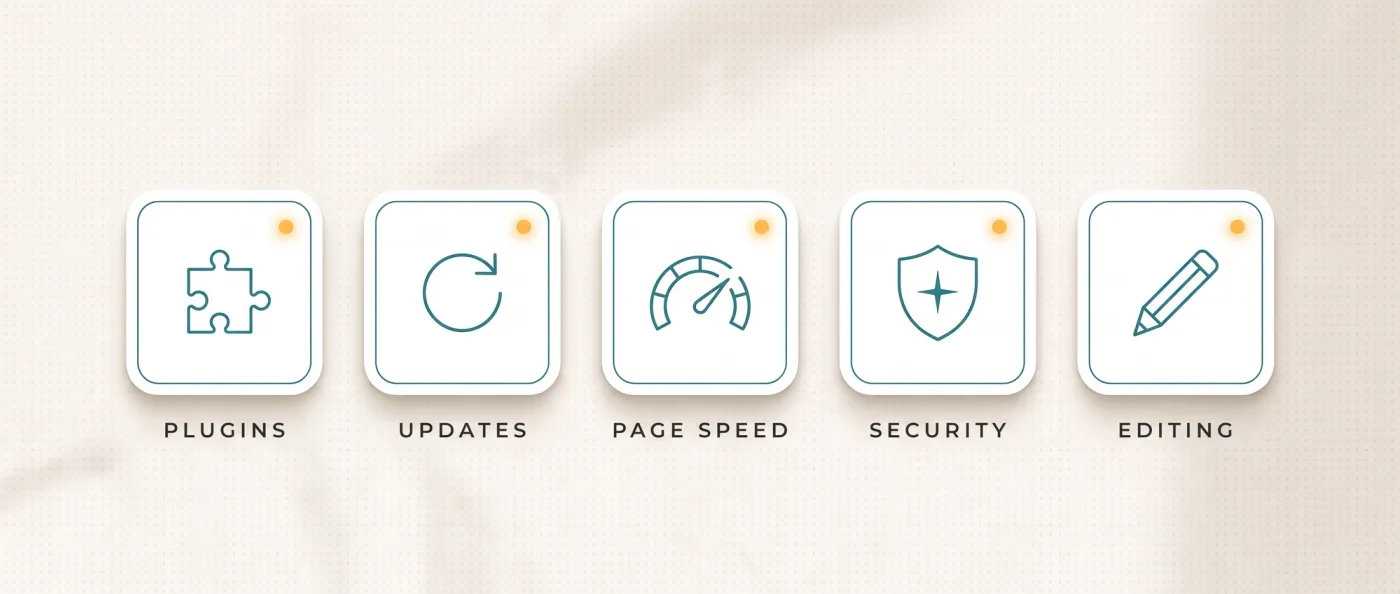
- Plugin dependency and the update chain. Multilingual content, forms, caching, SEO fields, page builders: each of these comes from its own plugin by its own vendor. When one of them misses an update or gets discontinued, part of your website hangs on it.
- Security and maintenance effort. Core, theme and plugins need constant updates, and every public login is an attack surface. That is not a disaster, but it is work somebody has to own, every month.
- Performance depends on three things at once. Theme, plugin choice and hosting jointly determine load time. A single fix rarely moves much, and Core Web Vitals stay sluggish even with a caching plugin already running.
- Multilingual content through plugins. Almost any plugin handles two languages. With five languages, translated URL segments and clean hreflang, the markup that tells search engines which language version belongs to which market, it turns into permanent repair work.
- Editors break layouts. Page builders give everyone access to spacing, font sizes and columns. After a year every page looks slightly different, and nobody dares change anything.
- No clean content model. Content sits as text blocks inside pages, not as fields in a database. Changing one product detail in twenty places means opening twenty pages.
None of these points makes WordPress unusable. Together they produce a website that cannot be developed on a plan. If you want these triggers side by side, see our comparison of Webflow and WordPress.
WordPress, site builders, Webflow and code with Sanity compared
Four routes, ten criteria, one question: what does operating it cost you, and what can you control yourself. Prices come from the vendor pages as of 13 September 2026.
| Criterion | WordPress | Site builder (Wix, Squarespace) | Webflow | Astro or Next.js with Sanity |
|---|---|---|---|---|
| Recurring platform fee | hosting plus theme and plugin licences | Wix 17 to 159 $ per month per website | Premium 25 $ per month, workspace from 19 $ | Sanity Free from 0 $, Vercel Pro 20 $ per seat |
| Multilingual content | via plugins, quality varies | included in the plan, structure fixed | add-on 9 $ or 29 $ per language per month | solved in the project, no surcharge per language |
| Content model | posts and pages, fields via plugins | fixed by the platform | collections with fields, 40 to 100 collections | freely defined, versioned in code |
| Performance control | depends on theme, plugins and hosting | set by the platform | good control, delivery stays with Webflow | complete, Astro ships 0 KB JavaScript statically |
| Maintenance and updates | core, theme and plugins ongoing | platform handles it | platform handles it | dependencies in code, bundled and plannable |
| Security | attack surface via plugins and login | platform owns it | platform owns it | static delivery, no public login |
| Programmatic pages | via templates and plugins, laborious | not supported | one template ties to one collection | free, any template built from data |
| Technical SEO and schema | controllable via plugins | limited | largely controllable | controllable at code level |
| Export and switching | WXR export, REST API or WPGraphQL | tied to the platform, export incomplete | HTML, CSS and JS without CMS content or interactions | content and code stay with you |
| Skills needed in the team | editorial plus maintenance | editorial | editorial plus Webflow skills | editorial plus development |
Read the last row first. It decides the right route more often than any feature list. The full side-by-side of the three platform routes sits in our comparison of Webflow, Wix Studio and Next.js.
The alternatives to WordPress at a glance
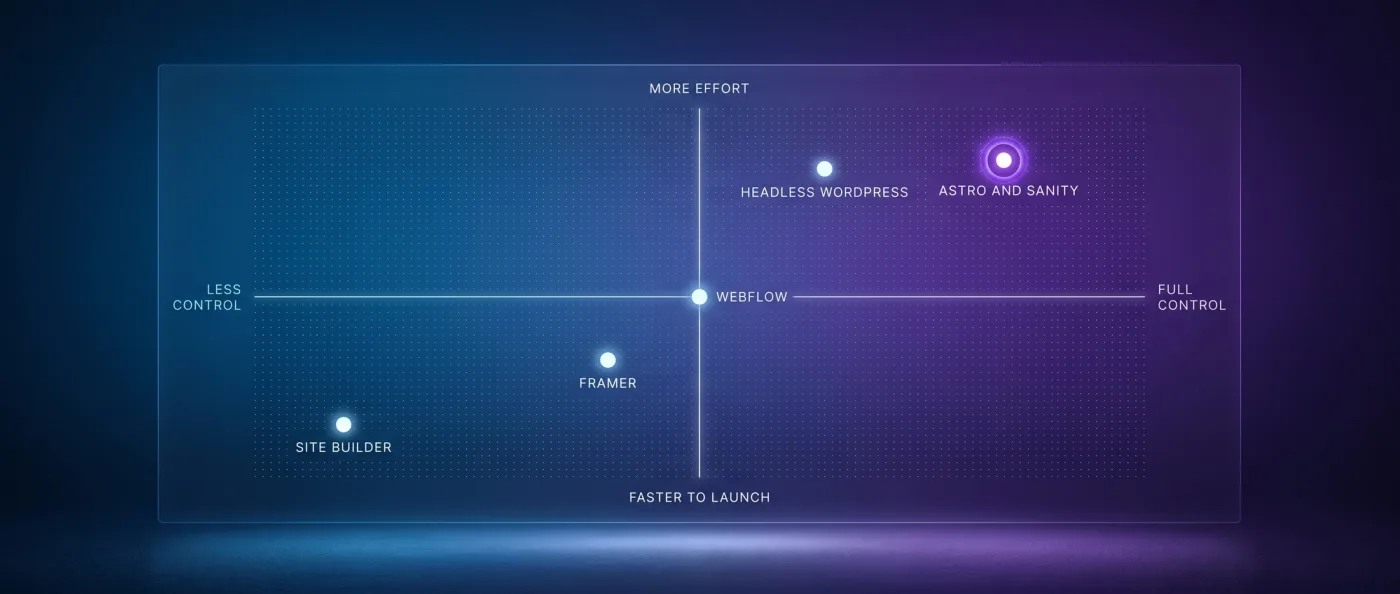
Six routes matter in practice, plus our recommendation. Each has a case where it is the right call, and one where it slows you down.
Site builders: Wix and Squarespace
Site builders bundle hosting, editor, templates and maintenance into one subscription. You need nobody for operations, and a website is live within days. Wix costs between 17 $ for Light and 159 $ for Business Elite per month per website. The limits show up in structure and speed: the content model and delivery are set for you, and when you leave, your content only comes out in fragments. For a five-page calling card that is fine. For B2B with ambition it is not.
Webflow
Webflow is a visual editor with a real CMS underneath and remains the strongest middle route. Design and interactions happen in the tool, editors work in clear fields, and the path from idea to published page is short. Premium costs 25 $ per month and covers 20,000 CMS items and 40 collections. The limits: one template ties to one collection, multilingual content costs 9 $ or 29 $ per language per month, and the export delivers HTML, CSS and JS but neither CMS content nor interactions. We are a certified Webflow partner and support existing clients on it.
Framer
Framer comes from the design side and is fast when a page mainly needs to look good and go live quickly. Marketing teams build landing pages in it without a development loop, and animation is built in rather than bolted on. For a campaign page or a focused startup website that is a good call. As soon as editorial structure, many languages or custom logic enter, you hit the same kind of limit as with Webflow. The direct comparison sits in Webflow versus Framer.
Headless CMS with your own frontend: Sanity, Contentful, Storyblok
Headless means the editorial system only manages content and serves it through an API, a technical interface between two systems. You build the frontend separately. Sanity is usable on its Free plan with 20 seats, 10,000 documents and 100 GB of assets, Growth costs 15 $ per seat per month. Contentful is free for 10 users, 2 languages and 10,000 entries, Lite starts at 300 $ per month. Storyblok Starter covers 1 seat, 2 languages and 20,000 entries, Growth begins at 99 $ per month.
Headless WordPress: the halfway house we do not recommend
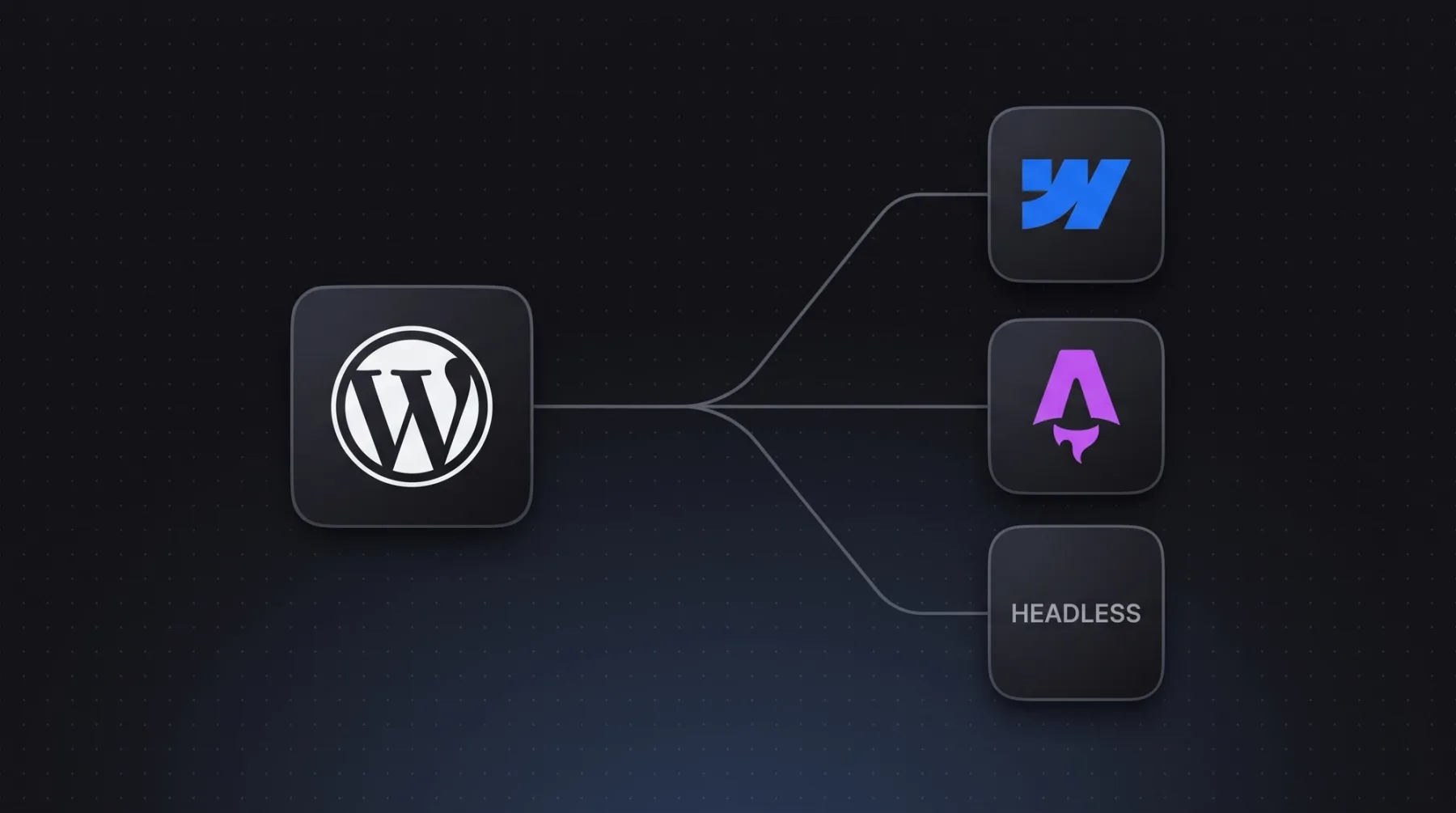
You keep WordPress as the editing surface and swap only the frontend for Astro or Next.js. Content comes through the REST API or WPGraphQL and is served statically or rendered on the server. That solves load time and layout discipline, and your team does not have to learn a new editor. It does not solve the update chain or the missing content model, because both stay inside WordPress. On balance you pay for a full relaunch and then run two systems instead of one. We do not build it. Why, and the single case that is the exception, is covered in headless WordPress.
Strapi or Payload as a self-hosted option
Strapi and Payload are open-source editorial systems you run on your own infrastructure. You pay no licence per seat, and the data sits where you want it. In exchange you own servers, updates, backups and uptime yourself, or you buy that in. It makes sense when internal policy requires your own hosting or an infrastructure team already exists. Without that team you trade WordPress maintenance for server maintenance.
Our recommendation: Astro or Next.js with Sanity
Our default is Astro with Sanity, and Next.js as soon as login, app logic or server-side data per request are needed. Astro ships 0 KB of JavaScript for static content by default, and only interactive parts, called islands, load scripts. Sanity as a structured content database lets you drive the whole chain programmatically: content model, templates, rendering, schema, sitemap, internal linking and deploy. AI agents create content through the API and an MCP server, a standardised interface for agents. Webflow, Wix, Contentful and Storyblok also run official MCP servers, so the difference lies in item and template limits and in access to rendering and schema. Honestly: this route does not work without developers. The choice between the two frameworks is explained in Astro versus Next.js.
What the switch costs and how long it takes
A migration is a relaunch, not a one-click move. Content gets exported, transformed and imported into a new model, the design is rebuilt as components, and every old URL needs a destination.
For a marketing website of 10-30 pages, migration typically takes us 3-6 weeks to go-live, with monitoring on top. We bill it as a relaunch project, and our relaunch packages start at 8,000 € net. What sits inside that range and what drives it is covered in what a B2B website costs.
Technically, two routes lead out of WordPress. Either you export content as a WXR file or pull it through the REST API or WPGraphQL, transform it and import it as NDJSON, a line-based data format, into Sanity using sanity dataset import. Or you keep WordPress as the backend and swap only the frontend. We describe the first route step by step in migrating WordPress to Next.js, and our relaunch team runs it with you.
Running costs go down afterwards, not up. An Astro or Next.js website with Sanity Free typically runs on 0 to 20 $ of hosting per month, so almost no recurring platform fees. Multiple languages cost no surcharge per language with us.
When WordPress, when an alternative
The decision rests on three numbers: how many pages you have, how many languages, and who maintains the thing day to day. Everything else is secondary.
Choose WordPress if
There are good reasons to stay, and they are not an excuse. A system that runs and is operated by a practised team is worth real money.
- Your website has few pages, one language and changes rarely.
- Your editorial team has worked with WordPress for years and delivers reliably.
- You need a feature that exists as a proven plugin, a shop or a member portal for example.
- Somebody owns updates and security for real, in house or under a maintenance contract.
- Load time is fine and rankings develop the way they should.
Choose an alternative if
Switch when the website blocks your growth. The following points are triggers where, in our experience, a rebuild pays for itself.
- You need more than two languages with translated URL segments and reciprocal hreflang.
- You are planning programmatic pages, templates that generate many pages from data, with real substance on each one.
- Load time stays sluggish even though caching and image optimisation already run.
- Every campaign page needs developer help because the layout breaks otherwise.
- Marketing wants to publish content in several places and maintain it only once.
How we do it
In 2026 we moved our own website off Wix to Next.js, Sanity and Vercel. in-sync.io today runs 49 knowledge articles, 10 service pages and 17 city pages out of a single Sanity database, bilingual with hreflang, server rendering, llms.txt, IndexNow and FAQPage schema. Honestly: the old Wix website ranked for practically nothing, and the new one has been live since June 2026 and is building its rankings now.
LeanWave by Otto ID Solutions shows the route for a mid-sized company. We build the website for RFID in textile services statically with Astro, Sanity, Tailwind and Vercel: bilingual with English on the root and German under /de, translated URL segments such as /solutions becoming /de/loesungen, reciprocal hreflang including x-default. 64 documents and 86 image assets, with a rebuild triggered by a webhook on every change, meaning an automatic call that rebuilds the website. Editors work in Sanity Presentation Mode and see changes directly in the preview. Measured on 13 September 2026, leanwave.com loads roughly 39 KB of JavaScript in three files on its homepage, while one of our Webflow client sites loads roughly 740 KB in thirteen files in the same place.
Every migration follows the same programme: a crawl beforehand with Screaming Frog or Ahrefs, a ranking snapshot, a 1:1 redirect map for every old URL, a launch checklist, submission to Search Console and Bing, IndexNow. Then two weeks of monitoring with a 404 report and a ranking comparison. Why this sequence decides between success and lost rankings is covered in relaunch without SEO losses. Our web development team builds it, and we scope it in a first call.
Frequently asked questions
What is the right alternative to WordPress?
There is no single right alternative, and the choice depends on page count, languages and team. Up to roughly 30 pages and two languages with no programmatic pages, Webflow at 25 $ per month is the obvious pick. Beyond that, Astro or Next.js with Sanity makes sense because content model, rendering and linking live in code.
What are the drawbacks of WordPress for B2B companies?
The common drawbacks are plugin dependency, ongoing update and security effort, and load time that hangs on theme, plugins and hosting at the same time. Add missing structure: content sits as blocks inside pages instead of fields in a database. Multilingual content through plugins turns into permanent repair work past three languages.
Which WordPress alternatives work for several languages?
For two languages Webflow with its localisation add-on from 9 $ per language per month is enough. From three to five languages, your own frontend with Sanity gets cheaper and more flexible, because multilingual content is solved in the project and costs no surcharge per language. LeanWave runs bilingually this way with translated URL segments.
Can I keep WordPress as a backend?
Yes. You keep WordPress as the editing surface, pull content through the REST API or WPGraphQL and build the frontend with Astro or Next.js. That improves load time and layout discipline, but leaves the update chain and the missing content model untouched. As an interim step before a full migration it works well.
How long does moving off WordPress take?
A marketing website with 10-30 pages typically takes us 3-6 weeks to go-live, followed by two weeks of monitoring with a 404 report and a ranking comparison. Content leaves as a WXR export or through the REST API and enters Sanity as NDJSON. Effort scales with the number of templates, not the number of pages.
Will I lose my Google rankings when switching?
Not if the redirects are right. Before every move we run a crawl and a ranking snapshot and set a 1:1 redirect for every old URL. After launch come submission to Search Console and Bing, IndexNow and two weeks of monitoring with a 404 report. Skip those steps and you will lose rankings.
Next step
Send us your WordPress website and we will tell you in one call whether a switch pays off for you or not.