







WordPress vs Next.js for B2B in 2026
WordPress vs Next.js: where WordPress still holds up for B2B, where Next.js with Sanity wins. Ten criteria, real costs and a clear recommendation.

WordPress and Next.js are not two flavours of the same thing. WordPress is a finished editorial system that bundles output, database and extensions into one installation. Next.js is a development framework for the output layer that pulls its content from a separate content system. For a B2B company building or replacing a website in 2026, the decision rests on four things: who maintains the content, how much technical capacity sits in house, what the website has to deliver in load time and structure, and what it may cost over the years. This article compares both systems across ten criteria, works through the numbers and ends with a clear call.
The short answer
For a B2B website built or replaced in 2026, Next.js with a headless CMS holds up longer as soon as load time, multiple languages, security and structured content need to stay predictable for years. Headless means the content system has no output layer of its own, it serves content only through an API, a programming interface, that a frontend of your choice connects to. WordPress stays the right call when several authors publish regularly, nobody in house writes code and the budget sits below the level of a relaunch project.
The difference is not a speed contest, it is a question of control. In WordPress, theme and plugins decide what arrives in the browser, and every update can shift that. With Next.js you decide yourself: rendering, caching, structured data, sitemap logic and internal linking all sit in code. That is a gain when somebody maintains that code. It is a problem when nobody does.
One position up front, so you know where we stand: we do not work with WordPress and we do not offer headless WordPress either. Going headless costs the full relaunch effort, and the WordPress installation still stays in place with its updates, plugin dependencies and attack surface. You run two systems instead of one. The single exception: business logic hangs off that installation and cannot be replaced quickly, think WooCommerce, a membership system or an ERP connection. Then headless WordPress is a bridge with an end date, not a permanent state. If you want every option side by side, read our overview of WordPress alternatives. This article stays with the direct duel.
What separates the two systems day to day
WordPress assembles each page at the moment it is requested: the server pulls content from the database, the theme pours it into HTML, active plugins attach their own files. That is why a WordPress website gets heavier over the years without anyone doing anything wrong. Every added feature brings its own code with it.
Next.js reverses the order. Pages are either generated ahead of time during the build and then served as finished files from a CDN, a globally distributed delivery network, or rendered on the server per request when the data has to be fresh. Generating ahead of time is called SSG (static site generation), rendering per request is SSR (server-side rendering). The content does not come from the framework itself but from a content database such as Sanity.
For most B2B marketing websites Astro is our standard because it ships less JavaScript for static content. We use Next.js as soon as login, application logic or server-side data per request come into play. Where exactly that line runs is covered in Astro vs Next.js. For the duel with WordPress it changes little: both belong to the same class, you build the frontend yourself and the content sits apart from it.
WordPress vs Next.js: ten criteria compared
The table below takes the ten points where decisions in our projects actually tip. The right column describes Next.js with Sanity, because Next.js on its own brings no editorial system and the comparison would otherwise be lopsided.
| Criterion | WordPress | Next.js with Sanity |
|---|---|---|
| Editing | Familiar editor, many authors, roles and approvals out of the box | Sanity Studio with Presentation Mode, live preview of the real page while typing, 20 seats on the free plan |
| Content model | Pages and posts, anything beyond that through custom field plugins | Document types defined freely in code, versioned, identical across languages |
| Load time and shipped JavaScript | Theme and every active plugin bring their own CSS and JavaScript | Only the code you ship yourself; static pages get by with almost no JavaScript |
| Security and maintenance | Core, theme and plugins need constant updates, the login sits publicly on the domain | No editorial login on the website, content sits separately in Sanity |
| Multiple languages | Handled by a plugin, hreflang and URL structure depend on its implementation | Built into the content model and the routing, reciprocal hreflang, no surcharge per language |
| Cost year one and ongoing | Software free, then hosting plus theme and plugin licences, usually annual | Relaunch project from 8,000 € net, then Sanity Free at 0 $ and Vercel Pro at 20 $ per developer seat |
| SEO and GEO levers | Driven by plugins, rendering and caching only partly reachable | Rendering, schema, sitemap logic, internal linking and llms.txt at code level |
| Extensibility | Very large plugin market, quality and update discipline vary by vendor | Every feature is built rather than installed, so no third-party code rides along in delivery |
| Developer dependency | Content, pages and many features editable without a developer | Content without a developer, new templates and logic only with one |
| Exit | Export as a WXR file or through the REST API, content comes along in full | Content as NDJSON out of Sanity, line-by-line structured data, and the frontend code is yours |
Editing, content model and languages
WordPress wins the first impression in the newsroom, and that is no small thing. A new working student already knows the editor, roles and approvals are there, and there is a plugin for almost any request. The price shows up later: anything beyond pages and posts gets retrofitted through custom field plugins, and the content model grows on the surface instead of in the structure.
On the other side you define document types in code before the first piece of text exists. A reference project: LeanWave by Otto ID Solutions, RFID for textile services and laundries. 64 documents and 86 image assets sit in a Sanity database, the team works in Presentation Mode and sees the real page while writing, and every change triggers a new build through a webhook, an automatic call fired on every save.
Languages separate the two systems most clearly. On LeanWave, English sits at the root, German under /de, the URL segments are translated (/solutions becomes /de/loesungen), and hreflang points both ways including x-default. Hreflang is the markup that tells Google which language version belongs to which page. On Yarowa, five languages run across 21 page templates and 163 sections. Structures like that are possible in WordPress, but they hang on a plugin, on its release cycle and on how it handles URLs.
Load time and shipped JavaScript
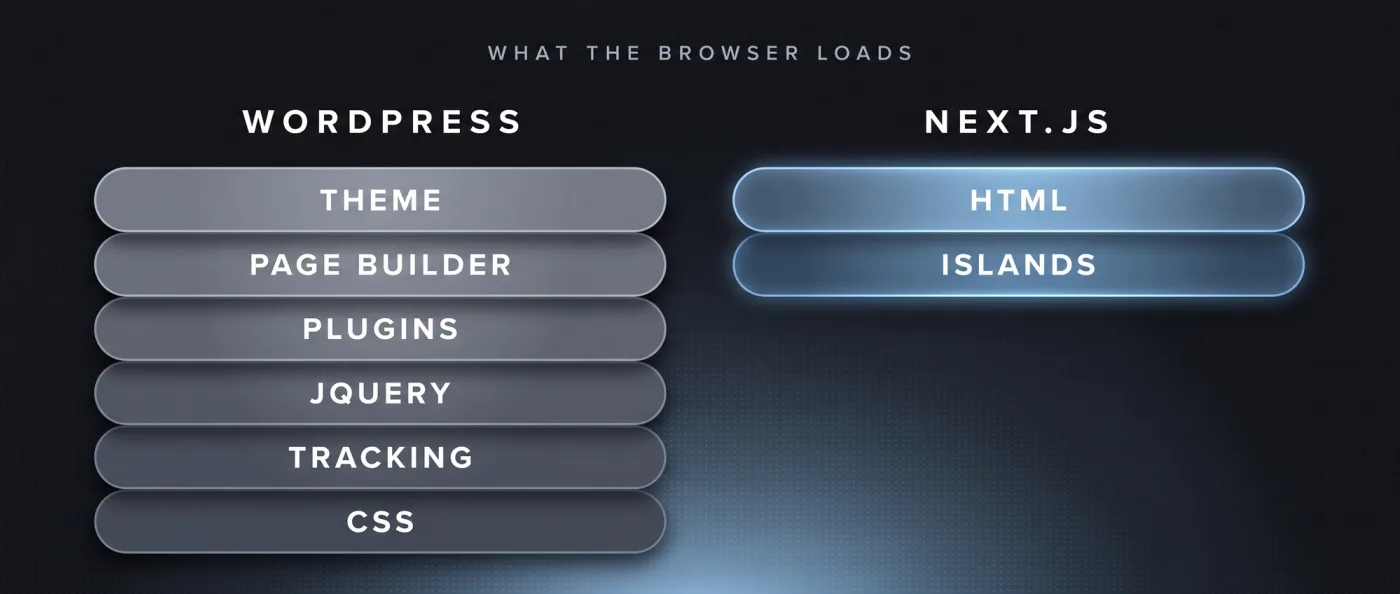
Load time is rarely the result of sloppy work, it is the result of addition. A theme brings its own CSS and JavaScript, every plugin attaches its files, and nobody removes them again because it is unclear which feature depends on them. That is the structural difference: a frontend you built yourself has no such addition, because nothing ships that you did not put there.
Numbers from our own measurement on 13 September 2026: leanwave.com, which we build statically with Astro, loads around 39 KB of JavaScript in three files on its homepage. For comparison, a Webflow client site of ours reaches around 740 KB at the same point, spread over thirteen files. For WordPress we have no measurement of our own to quote here, so we quote no number. The mechanism is the same either way: what ships is decided by the system, not by you.
Astro serves 0 KB of JavaScript for static content by default, only interactive parts load scripts afterwards. Those parts are called islands, single areas of a page that become interactive on their own. Next.js sits above that but gives you the same control over what loads and when. What this means for the metrics Google actually measures is covered in our article on Core Web Vitals.
Security, maintenance and developer dependency
A WordPress installation is an ongoing operation. Core, theme and plugins need updates, and every update can break another extension, which is why updates get postponed. The editorial login sits publicly on the domain and gets probed automatically. None of that is an argument against WordPress as such, it is an operational job that somebody has to own, permanently and with budget.
With a frontend of your own, that job shifts. There is no editorial login on the website itself, the content lives in Sanity and is fetched through the API. Updates touch libraries in the code, not an installation that keeps changing under load. In exchange you take on a different dependency, and we will not talk around it: without someone who touches the code, no new templates and no new logic get built.
This limit is the most honest point in the whole comparison. Editors maintain content themselves, every day, with no developer involved. A new page type, a new section, a change to the output logic all need a developer or an agency, either in house or as a web development partner. If you do not want that or cannot fund it long term, WordPress is the better home. That is not politeness, that is the arithmetic.
Cost in year one and ongoing
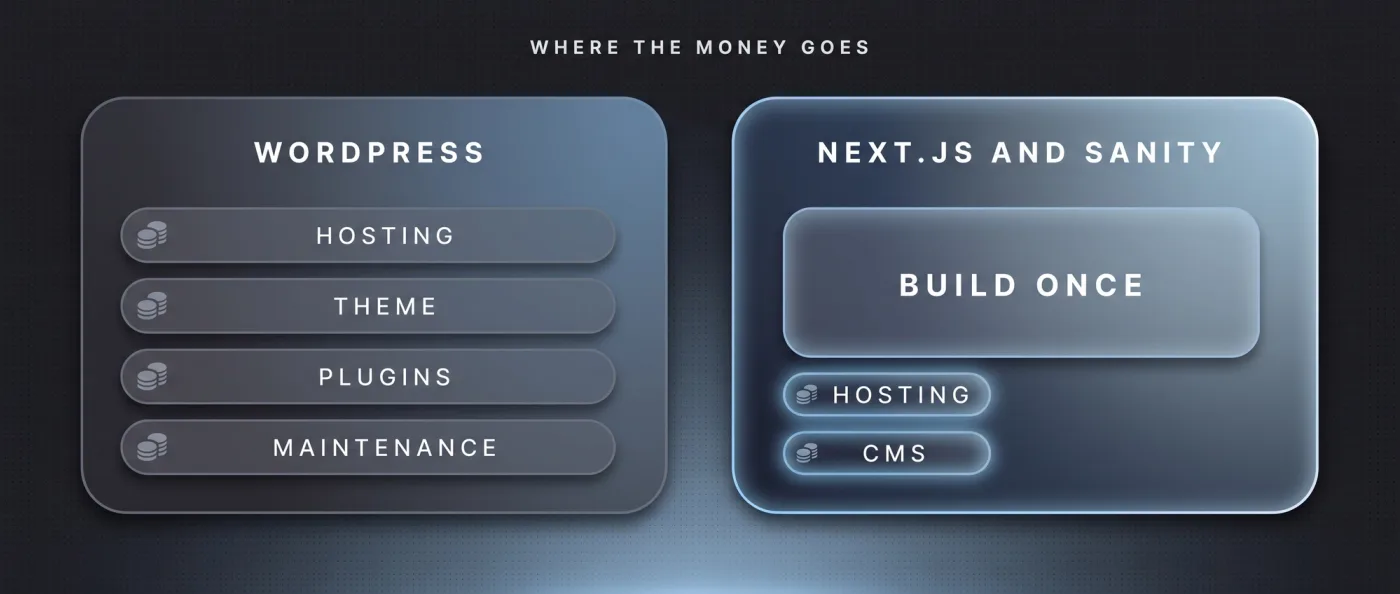
WordPress is free as software, and that is exactly what makes the comparison murky. The cost appears elsewhere: hosting, theme licence, plugin licences, plus the hours spent on updates and troubleshooting. We quote no specific hosting or plugin prices here because we have not verified them ourselves. For your own quote, check which licences renew annually and how many maintenance hours are actually included.
On the other side, year one costs more and the following years do not. Sanity Free costs 0 $ and includes 20 seats, 10,000 documents, 100 GB of assets and 100 GB of bandwidth per month, with Presentation Mode and visual editing included; Growth is 15 $ per seat per month with 25,000 documents. Vercel Pro costs 20 $ per developer seat per month, including 20 $ of usage credit and with no base fee per project. Added up, a website like this typically runs on 0-20 $ of hosting per month, which means almost no ongoing platform fees. Additional languages carry no surcharge.
Year one we bill as a relaunch project, and our relaunch packages start at 8,000 € net. A marketing website with 10-30 pages typically takes 3-6 weeks to go live, with monitoring on top. How that sum breaks down is covered in web development cost and in what a B2B website costs.
SEO and GEO levers: what you control yourself
Both systems have an API. WordPress offers the REST API and WPGraphQL, Sanity serves its content through an API and an MCP server as well, a server through which AI agents run defined actions inside a system. The difference is not access to the content. It is how deep you can reach into the output: rendering, caching, structured data, sitemap logic and internal linking sit in code with your own frontend, not behind a plugin's settings screen.
In practice that means you can generate and verify content and pages programmatically instead of creating them one by one. On in-sync.io, 49 knowledge articles, 10 service pages and 17 city pages run out of a single Sanity database, bilingual with hreflang, plus server rendering, llms.txt, IndexNow and FAQPage schema. These are the same levers that count in technical SEO and in generative engine optimization when ChatGPT, Perplexity or Google AI Overviews decide which source to cite.
One warning we paid for ourselves: programmatically generated pages only work with real substance on each page. Otherwise Google downgrades them as doorway pages, pages that exist only to cover a keyword. That is exactly what happened to us on our old website. The technology makes the lever longer, it does not replace the content.
When WordPress, when Next.js
The decision is not made at the system level but across three questions: who maintains the content, who maintains the technology, and how long the website has to last. The two lists below are the short version of what we ask in a first conversation.
Pick WordPress when
WordPress is the right call when the editorial team sets the pace and nobody in house touches code. That is more common than agencies like to admit.
- Publishing is the core: many authors, high frequency, a blog or magazine rather than a pure marketing website.
- There is no developer in house and no standing budget planned for an agency.
- The budget sits below relaunch level, meaning below the 8,000 € net where our relaunch packages start.
- Your processes, forms and integrations already run on WordPress and they work.
Pick Next.js when
Next.js pays off as soon as the website is meant to be a system rather than a pile of pages. From that point on, the higher entry cost earns itself back over the years.
- Login, application logic or server-side data per request are part of the product, otherwise we build with Astro.
- Several languages are planned, with translated URL segments and reciprocal hreflang.
- Content needs to be structured and usable programmatically, for example for pages driven from a database.
- Load time, security and control over the output are requirements, not wishes.
If the call goes to Next.js and a WordPress installation is already running, the route there is a topic of its own. The sequence with a pre-launch crawl, redirect map and monitoring is covered in migrating WordPress to Next.js.
Our verdict: how we build it
We build B2B websites with Astro and Sanity as the standard and switch to Next.js as soon as login, application logic or server-side data per request are needed. in-sync.io itself runs on Next.js, Sanity and Vercel, following the move off Wix in 2026. All content, 49 knowledge articles, 10 service pages and 17 city pages, comes out of one database, bilingual, with server rendering, hreflang, llms.txt, IndexNow and FAQPage schema.
The uncomfortable half belongs in here too: our old Wix website picked up hardly any rankings at all, the new one has been live since June 2026 and is still working its way up. A system change does not deliver rankings, it delivers the conditions for them. What happens after that depends on content, links and time.
If you are coming from WordPress, we move straight to Sanity with a frontend of our own rather than an interim step. The sequence is always the same on our side: a pre-launch crawl with Screaming Frog or Ahrefs, a ranking snapshot, a 1:1 redirect map for every old URL, a launch checklist, submission to Search Console and Bing, IndexNow, then two weeks of monitoring with a 404 report and a ranking comparison. How we set that up as a project is described on our relaunch page.
Frequently asked questions
WordPress vs Next.js: what should B2B companies choose in 2026?
If you are building a marketing website from scratch and load time, languages and structure matter, Next.js with a headless CMS carries further. If the website stays an editorially driven blog with no developer in house, WordPress remains the sensible call. The line runs along the budget: our relaunch packages start at 8,000 € net.
Is Next.js faster than WordPress?
Not automatically, but you decide on every kilobyte. In WordPress the theme and the plugins ship their own files; with a frontend of your own, only what you built ships. Our measurement from 13 September 2026: leanwave.com loads around 39 KB of JavaScript in three files on its homepage. For WordPress we have no measurement of our own.
What does a Next.js website cost compared to WordPress?
Year one costs more, the following years cost less. Our relaunch packages start at 8,000 € net, after which Sanity Free runs at 0 $ and Vercel Pro at 20 $ per developer seat per month. WordPress is free as software but keeps generating hosting, licence and maintenance hours.
Do you need a developer for Next.js?
Not for content, yes for structure. Text, images and new posts are maintained by the editorial team in Sanity Studio, on the free plan with 20 seats and Presentation Mode. New page types, new sections or changes to the output logic need someone who writes code, in house or at an agency.
How do multiple languages work in WordPress and in Next.js?
In WordPress a plugin handles the language versions, and URL structure plus hreflang depend on its implementation. With your own frontend both sit in the content model and the routing. On LeanWave, English sits at the root, German under /de, the URL segments are translated and hreflang points both ways including x-default.
Do you offer headless WordPress?
No. The rebuild costs the full relaunch effort, and the WordPress installation still stays in place with updates, plugin dependencies and attack surface: two systems instead of one. We make an exception when business logic hangs off it that cannot be replaced quickly, such as WooCommerce or an ERP connection. Then a fixed end date applies.
Next step
If you are weighing a WordPress relaunch against a frontend of your own, we will cost out both routes against your page count: tell us briefly what it is about.