







Webflow Alternatives: When to Leave, and Where
Webflow alternatives compared: Webflow carries you to about 30 pages and two languages. After that, Sanity with Astro or Next.js costs less.

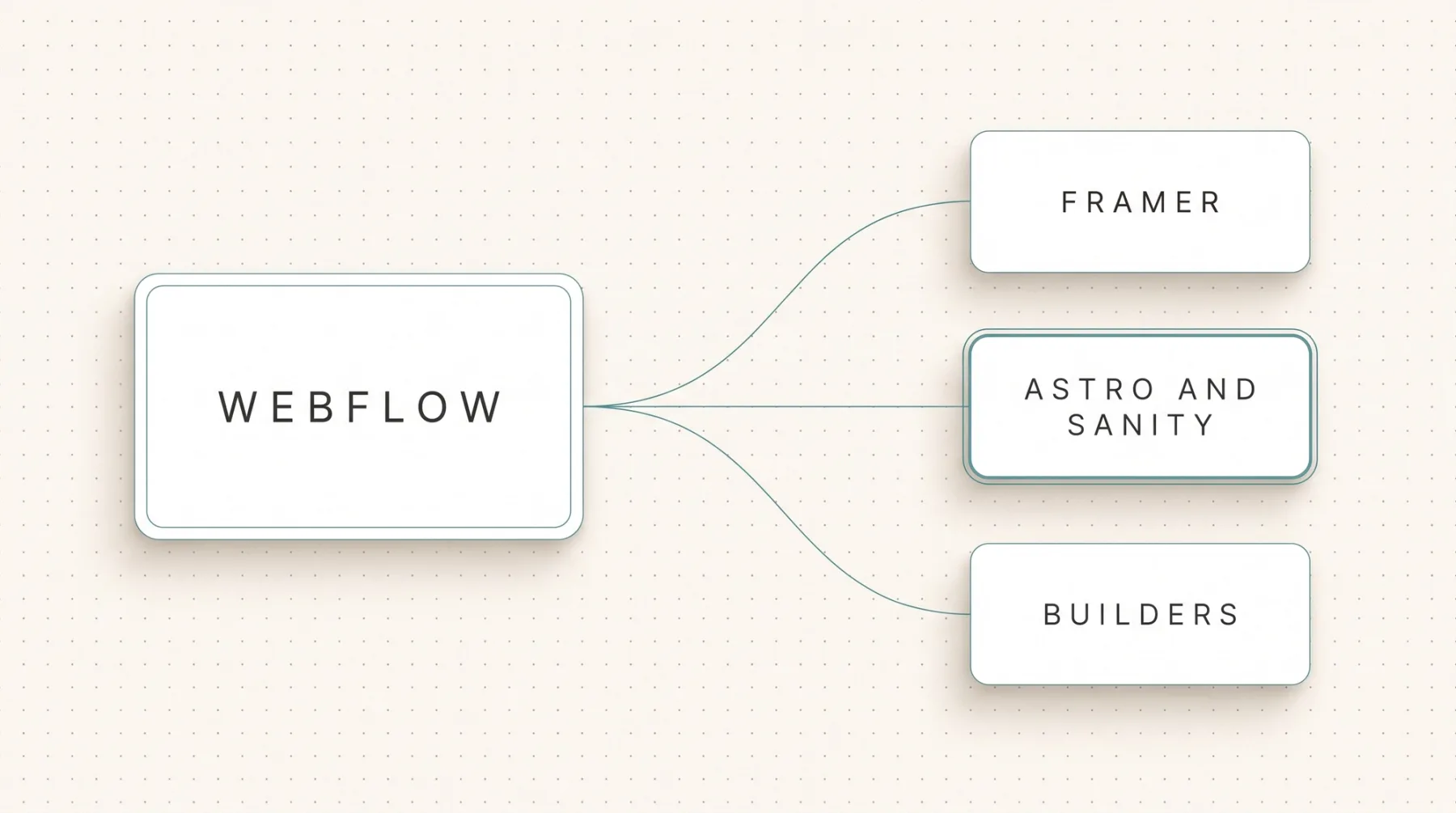
There are three serious Webflow alternatives: Framer for design-led websites in the same class, a headless CMS like Sanity with a custom front end in Astro or Next.js for companies that run content as a system, and Webflow itself, as long as your website stays under roughly 30 pages and two languages. We are a certified Webflow partner and we look after existing clients on it. So this is not a takedown, it is a list of the points where the platform costs more than switching. We start with the reasons to stay, then the limits, then Webflow next to a custom front end, and close with process, timeline and price.
The short answer
Webflow stays the right call as long as your website sits under roughly 30 pages, serves one or two languages and has no programmatically generated page sets planned. Inside that frame you get design control, an editor marketing can use without a developer, and hosting nobody has to think about. Premium is 25 $ per month per website and covers 20,000 CMS items across 40 collections. For a company website that is plenty of room.
Webflow gets expensive elsewhere. Localisation is an add-on at 9 $ per language per month up to three languages or 29 $ per language up to ten, and the pricing page does not say whether the primary language counts toward that. The hosting fee applies per website, so once more for the subsidiary brand and once more for the campaign website. One template is tied to exactly one collection. And the export hands back HTML, CSS and JavaScript, but not the CMS content and not the interactions.
Past that line we recommend a headless CMS, a content database without a front end of its own, plus a front end in Astro or Next.js. We build with Astro and Sanity by default and reach for Next.js once login, app logic or server-generated per-request data enter the picture. Which of the two fits you is laid out in Astro versus Next.js. Sanity Free covers 10,000 documents and 20 seats, Vercel Pro is 20 $ per month per developer seat including 20 $ of usage credit, with no base fee per project. That leaves you with close to no platform fees per language or per website.
When to stay on Webflow
Stay on Webflow if marketing has to change the website without a developer and the requirements stay inside the frame. That is not a consolation prize. Webflow solves design control, editing and hosting in one product, and you do not trade that bundle away lightly for a setup that stalls without developer time.
- Your team edits copy, images and page blocks itself. The editor needs no deployment and no sign-off from engineering.
- The website sits at up to 30 pages, one or two languages, with no programmatic page sets planned.
- Animations happen in the interface. What you click together in Webflow in an hour takes several in code with GSAP, a JavaScript animation library.
- You need no deployment pipeline of your own. Hosting, CDN (the global delivery network for your files) and certificates are included in the price.
- AI-assisted editing works here. Webflow ships an official MCP server, an interface AI agents use to create and check content, exactly like Wix, Contentful and Storyblok.
If you stay, get everything out of what is there: clean collection structure instead of one-off pages, images in modern compression, FAQ markup on the pages that matter, internal links generated from collection lists. That is what we do as a Webflow agency for existing clients, without selling them a migration they do not need.
The limits that push teams off Webflow
Almost nobody leaves because they dislike the design tooling. They leave when a requirement hits a platform limit and the workaround costs more than the requirement itself. These limits are known and you can check them in advance.
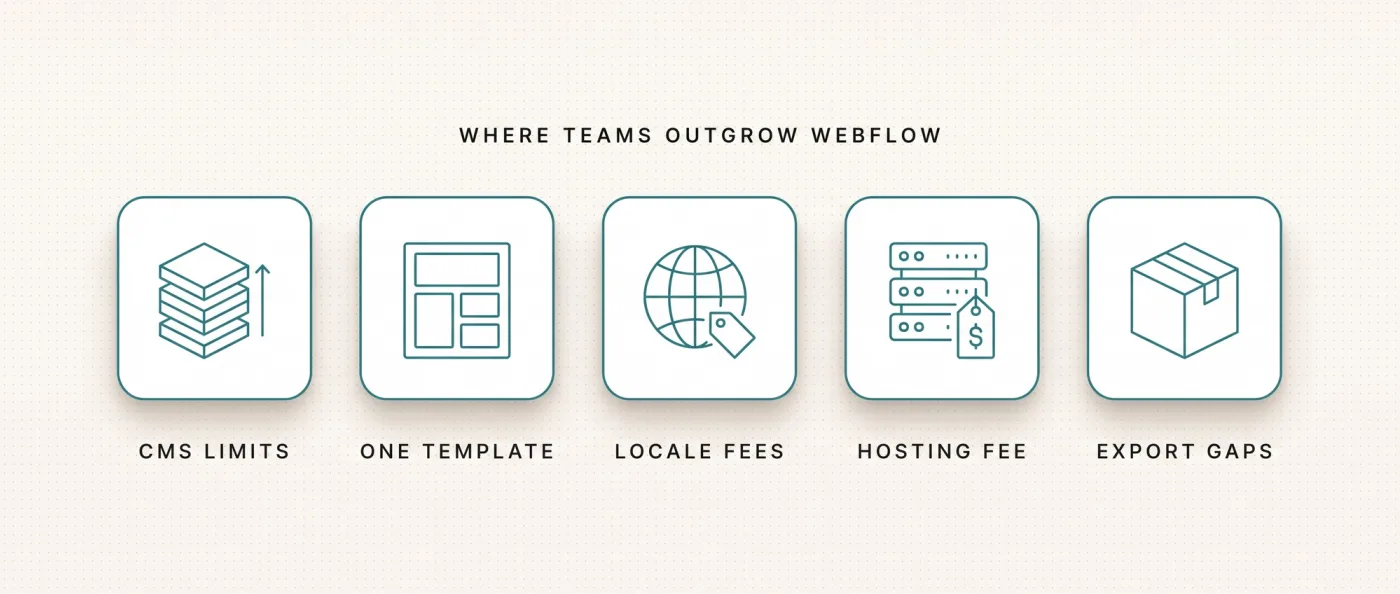
- CMS limits. Premium covers 20,000 items and 40 collections, the Team plan raises collections to 100. Each page allows 40 collection lists, 10 of them nested, and a list shows 100 items before pagination.
- One template per collection. If you want two layouts for the same content type, short product pages and long reference stories, you need two collections and maintain the structure twice.
- Languages bill monthly. 9 $ per language on the Essential add-on up to three languages, 29 $ per language on Advanced up to ten. At five languages that is a line item returning every month.
- A fee per website. Every additional website pays its own plan. Run group brands, landing page domains and a careers website separately and you pay three or four times.
- Export without content. You get HTML, CSS and JavaScript, but not the CMS items and not the interactions. The export is a starting point, not a moving box.
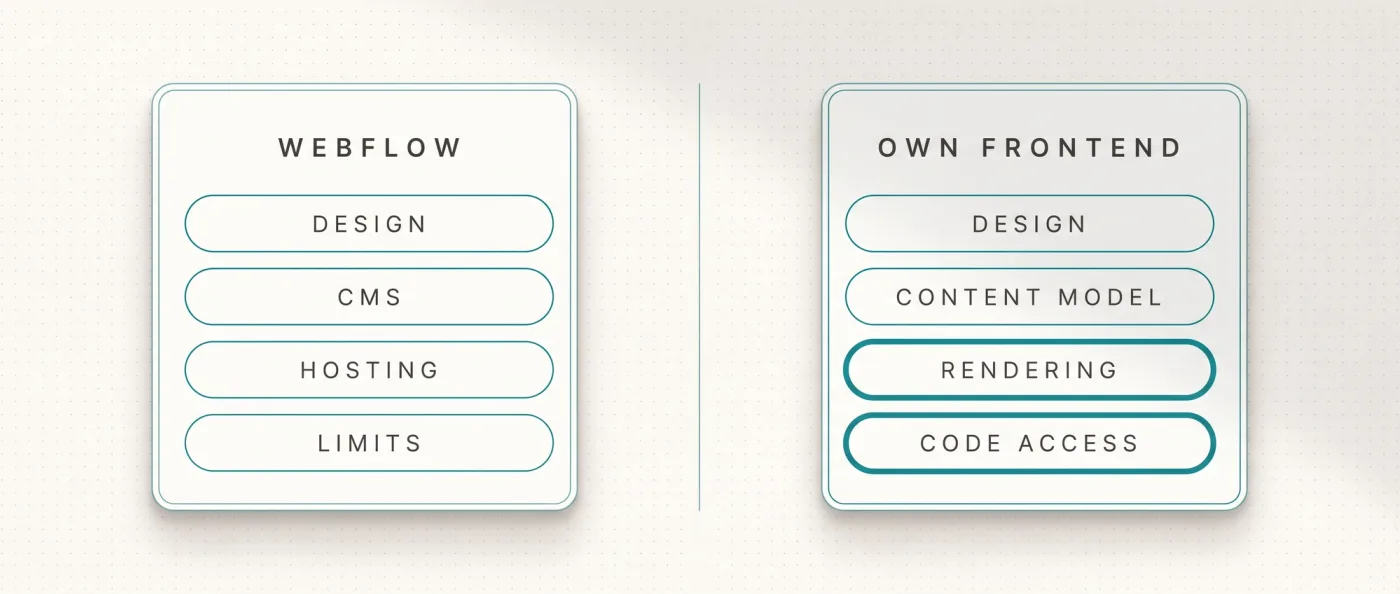
- No code access to delivery. Rendering, caching, schema markup, sitemap logic and internal linking stay platform features. You use what is provided and cannot rebuild any of it.
Page weight follows from that. We measured on 13 September 2026: leanwave.com, which we build statically with Astro, loads roughly 39 KB of JavaScript in three files on its home page. One of our Webflow client websites loads roughly 740 KB in thirteen files at the same point. Astro ships 0 KB of JavaScript for static content by default, scripts load only for interactive parts, the so-called islands. What that means for load time and scoring is in our piece on Core Web Vitals.
The second hard limit is programmatic pages, page sets generated from records: locations, use cases, material combinations. With a structured content database you control the content model, templates, rendering, schema, sitemap and internal linking as one chain, and AI agents can create and check content through the API and an MCP server. This only holds with real substance on every page. Otherwise Google devalues them as doorway pages, pages that exist only to cover a keyword. We lived through that on our old website, which is why in generative engine optimization we work on substance first and volume second.
The alternatives one by one
Four directions come up once Webflow stops carrying the load. We check three of them briefly and honestly, the fourth is our recommendation.
Framer: same class, different focus
Framer is strong on design and on speed from draft to publish, and it is a clean choice for websites that live off their presence. It is not a tier above Webflow though, it is the same class with a different emphasis. If you are leaving over CMS structure, per-language cost or missing access to delivery, you will meet those same topics in Framer. The detailed differences are in Webflow versus Framer.
Website builders: a step back for serious B2B
Wix, Squarespace, Jimdo and IONOS solve none of the problems that push people off Webflow. The foundation is rented, the feature range depends on plugins, performance has a ceiling, the fee applies per website, and you never reach the technical base. Wix, for example, bills Light at 17 $, Core at 29 $, Business at 36 $ and Business Elite at 159 $ per month per website. Moving there from Webflow trades design control for less control.
WordPress: we name it, we do not recommend it
WordPress is the obvious idea, because the software is free and everyone knows someone who works with it. We do not work with it, and we do not offer headless WordPress either. Going headless costs the full relaunch effort and still leaves the WordPress installation standing with its updates, plugin dependencies and attack surface. That leaves you maintaining two systems where you had one. The single exception: business logic hangs off the installation that cannot be replaced quickly, such as WooCommerce, a membership system or an ERP interface. Then headless is a transition with an end date. The detailed comparison sits in Webflow versus WordPress, the full list of options in our WordPress alternatives article.
Sanity with a custom front end: our recommendation
That leaves the route we recommend for B2B companies running content as a system: Sanity as a structured content database plus a front end in Astro or Next.js, hosted on Vercel. Sanity Free covers 20 seats, 10,000 documents, 100 GB of assets and 100 GB of bandwidth per month, and includes Presentation Mode and Visual Editing, the preview where editors click and edit inside the finished website. Growth is 15 $ per seat per month with 25,000 documents. We ran the direct duel with Webflow in Webflow versus Next.js.
Webflow and a custom front end side by side
The table sets Webflow against the route through Sanity with a front end in Astro or Next.js. Framer and the website builders sit closer to the Webflow column on most of these criteria, which is why they do not get their own column.
| Criterion | Webflow | Astro or Next.js with Sanity |
|---|---|---|
| CMS capacity | 20,000 items, 40 collections on Premium, 100 on Team | Sanity Free 10,000 documents, Growth 25,000 from 15 $ per seat |
| Templates | One template is tied to one collection | Templates free in code, several layouts per content type |
| Languages | Add-on, 9 $ per language per month up to three, 29 $ up to ten | No surcharge per language, hreflang and translated URL segments in code |
| Recurring fee | Per website, Premium 25 $ per month, workspace from 19 $ | No base fee per project, Vercel Pro 20 $ per month per developer seat |
| JavaScript shipped | Measured on a client website, roughly 740 KB in thirteen files | Measured on leanwave.com, roughly 39 KB in three files |
| Rendering and caching | Platform feature with no code access | Controlled in code, static or rendered per request |
| Schema and sitemap | Through the provided platform features | Generated in code, including FAQ markup and custom sitemap logic |
| Programmatic pages | Bound to collection limits and one template per collection | Generated freely, viable only with real substance per page |
| Export and exit | HTML, CSS and JavaScript, without CMS content or interactions | Content as a file export from Sanity, front end code in your own repository |
| Roles needed day to day | Editing without a developer | Editing without a developer, technical changes with a developer |
One point belongs here in fairness: the right column does not work without developer access. You trade monthly platform fees for a team or a web development agency that ships changes to templates, rendering and schema. For copy changes you still need nobody, that is what Sanity is for.
When Webflow, when a custom front end
The decision hangs on three numbers and one resourcing question: page count, number of languages, planned programmatic page sets, and whether developer time is available. Read both lists and count where more points land.
Choose Webflow if
Webflow fits when the website is a marketing instrument rather than the surface of a content system. These four points argue for it.
- The website stays at up to 30 pages, one or two languages, with no programmatic page sets.
- Nobody in house can approve code, and an agency with a development team is not budgeted long term.
- Animations and interactions carry a large part of the brand experience and should be built in the interface.
- 25 $ per month per website comes out cheaper in your maths than the one-off effort of a rebuild.
Choose Astro or Next.js with Sanity if
The switch pays off when content has structure and is meant to grow. These four points argue for it.
- You run three or more languages, need hreflang, the markup that tells search engines which language versions belong together, and want translated URL segments.
- You are planning page sets generated from data, locations or use cases for instance, with real substance on every page.
- You need access to rendering, caching, schema and sitemap logic, because that is where your SEO and GEO levers sit.
- You run several websites or brands and do not want to pay and maintain each one separately.
How we do it: Yarowa
Yarowa is an international B2B client with a five-language website, originally built in Webflow. We ported the Webflow export one to one to Astro and hosted it on Vercel: 5 languages, 21 page templates, 163 sections. The design stayed exactly as it was, nobody had to get used to a new look. The rebuild on Sanity with Presentation Mode is planned, which will remove the last dependency on the old editing environment.
What that looks like in daily use shows on LeanWave (Otto ID Solutions): static Astro, Sanity, Tailwind, Vercel, bilingual with English on the root and German under /de, translated URL segments (/solutions becomes /de/loesungen) and reciprocal hreflang including x-default. 64 documents, 86 image assets, a rebuild triggered by webhook on every change, an automatic signal that rebuilds the website after each edit. Our own website runs on Next.js with Sanity and Vercel, with 49 knowledge articles, 10 service pages and 17 city pages out of one database. Honestly: its Wix predecessor picked up almost no rankings, the new version went live in June 2026 and is building them now.
What the switch takes and costs
Leaving Webflow is plannable, but it is work. Do not expect an import button, expect four steps that can run in parallel.
- Pull CMS content out as CSV per collection or through the Webflow API, the platform's programming interface.
- Transform the data and import it into Sanity as NDJSON, a format with one record per line.
- Download the assets and upload them again, cleaning up file names and alt text while you are at it.
- Rebuild the design from Figma or from the export as components, and rebuild interactions with GSAP or CSS.
SEO protection runs alongside: a crawl before the switch, a ranking snapshot, a one to one redirect map for every old URL, a launch checklist, submission to Search Console and Bing, then two weeks of monitoring with a 404 report and a ranking comparison. The full sequence is written up step by step in migrating Webflow to Next.js, and the traps during the move in website relaunch without SEO loss.
For a marketing website with 10-30 pages the timeline is typically 3-6 weeks to go-live, with monitoring on top. We bill a migration as a relaunch project, and our relaunch packages start at 8,000 € net. Hold that against your running cost: with five languages on the Advanced add-on, a Premium plan and a workspace, the platform side adds up month after month, while a custom front end sits at 0-20 $ of hosting. How we set up projects like this is on our website relaunch agency page.
Frequently asked questions
Which Webflow alternatives are worth considering for a B2B company?
At up to 30 pages and two languages Webflow itself remains the sensible answer. From three languages, several websites or programmatic page sets onward we recommend Sanity with a front end in Astro or Next.js. Sanity Free covers 10,000 documents and 20 seats, and hosting typically lands at 0-20 $ per month.
What does Webflow actually cost per month?
Premium is 25 $ per month per website with 20,000 CMS items and 40 collections, plus a workspace from 19 $, with Growth at 49 $. Languages are an add-on at 9 $ per language per month up to three languages or 29 $ per language up to ten. Every additional website pays its own plan.
Can I simply export my Webflow website?
The export delivers HTML, CSS and JavaScript, but neither the CMS content nor the interactions. Content comes out as CSV per collection or through the Webflow API, and animations get rebuilt with GSAP or CSS. For Yarowa we ported the export one to one to Astro: 5 languages, 21 page templates, 163 sections, design unchanged.
Is Framer a real alternative to Webflow?
Framer is a good choice for design-led websites and quick from draft to publish. It sits in the same class as Webflow though, not above it. If you are switching over CMS structure, per-language cost or missing access to rendering and caching, you will meet those topics again in Framer and gain nothing.
Why do you not recommend WordPress as the way out?
We do not work with WordPress and we do not offer headless WordPress. Going headless costs the full relaunch effort and still leaves the installation standing with updates, plugin dependencies and attack surface, so you run two systems instead of one. The exception is business logic such as WooCommerce that cannot be replaced quickly.
How long does moving off Webflow take?
For a marketing website with 10-30 pages we typically plan 3-6 weeks to go-live, followed by two weeks of monitoring with a 404 report and a ranking comparison. It is billed as a relaunch project and our packages start at 8,000 € net. The one to one redirect map for every old URL decides whether rankings survive the move.
Next step
Send us your Webflow URL and the number of languages you are planning, and we will tell you whether switching adds up for you.