







Jamstack Explained: What Still Holds in 2026
Jamstack means prerendered HTML, delivery from a CDN and content pulled through an interface. What still holds in 2026, and where it falls short.

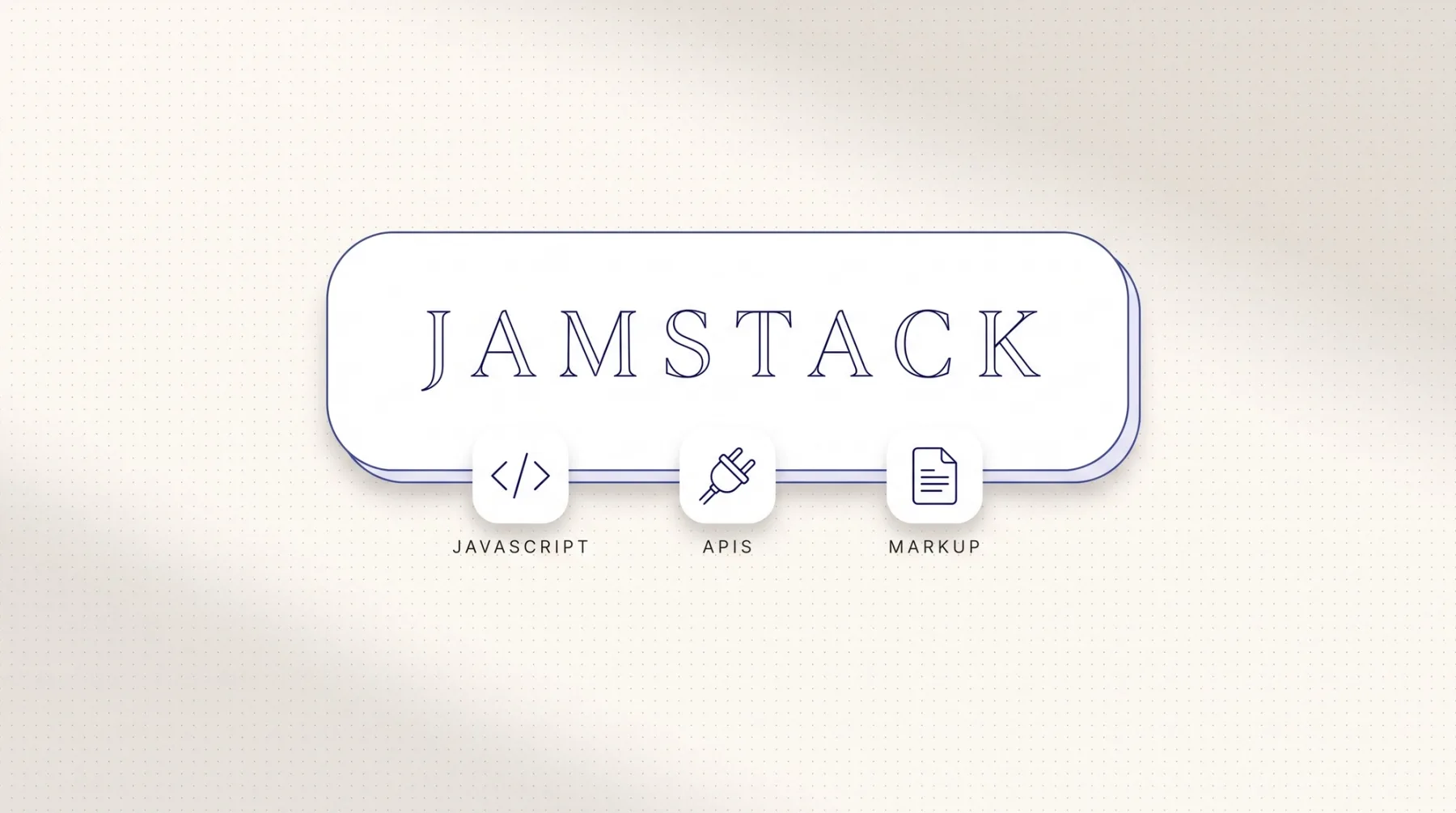
Jamstack describes a way of building websites: pages are rendered to HTML ahead of time, delivered through a CDN, a network of servers that keeps finished files close to the visitor, and they pull content and features through APIs, the interfaces other systems expose. The name stands for JavaScript, APIs and markup. The label shows up less often today because modern frameworks mix static rendering, server rendering and later regeneration of single pages inside one project. The principles behind it still carry our B2B work. This article covers the origin, the present, where the pure model breaks, and the choice between Webflow and a frontend of your own.
The short answer
Jamstack describes websites that are rendered to HTML ahead of time, delivered through a CDN and supplied with content and features through APIs. CDN stands for content delivery network, a set of servers that keeps finished files close to the visitor. API means interface, the channel another system uses to hand over data. The name itself comes from JavaScript, APIs and markup.
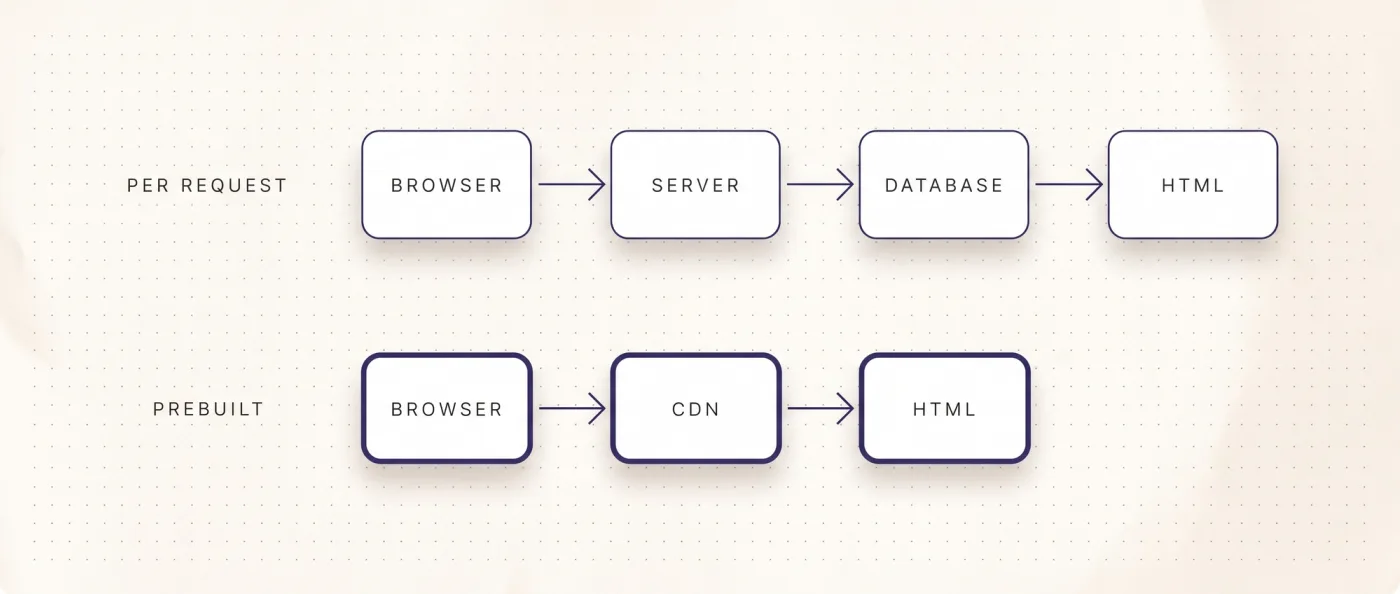
The term has aged, the principle has not. Frameworks now mix static rendering, server rendering and later regeneration of single pages inside one project. That erases the clean split between static and dynamic the label was built on. When people say Jamstack in 2026, they usually mean three things: delivery through a CDN instead of rendering on every request, content from a content system through an interface instead of a database sitting behind the web server, and a build and deploy chain instead of live editing on the server.
That is how we build. Astro for content that can be rendered ahead of time, Next.js once login, app logic or per-request data enter the picture, Sanity as the content source, Vercel for build and delivery. This is not a matter of belief. It is a decision about who controls rendering, delivery and the maintenance work that follows.
What Jamstack originally meant
The term appeared when static generators became popular again. A static generator, SSG for short, builds every page to HTML once, ahead of time, and puts the result on a delivery network. Opening a page then triggers nothing beyond the transfer of finished files. No PHP process, no database query, no waiting on the web server.
The three letters describe a division of labour. Markup is the prerendered HTML. APIs deliver everything that has to be dynamic: form submissions, search, product data, content from the editorial system. JavaScript ties both together in the browser, where it is actually needed. This was the counter-move to the classic model, where a server assembles every page from a database on every request and editors work directly inside that running system.
The practical gain was never the name. It came down to four things: load time that stays flat regardless of traffic, because only files move. A small attack surface, because no editorial system is publicly reachable. A clean split between content and presentation, because the content system only hands over data. And traceability, because every change passes through a build. Those four still hold, whatever the concept is called this year.
One thing matters for context: Jamstack was never a product and never a vendor. You cannot licence it or subscribe to it. It describes how the pieces fit together, which is why it covers wildly different implementations. Two websites can both follow the principle and still be built in completely different ways, with different frameworks, different content systems and different hosting providers. If an offer sells you Jamstack as a deliverable, ask which concrete parts are meant.
Why the label shows up less often
The line between static and server-rendered has blurred. One project renders the blog ahead of time, rebuilds the pricing page on every request and fills a personalised element only after the page has already reached the visitor. A label with two states no longer describes that.
Astro shows this well. By default it ships zero client-side JavaScript and renders components to HTML and CSS. Interactivity is requested on purpose. Client islands are components carrying a client:* directive: they load their JavaScript separately, only that part becomes active in the browser, the rest stays static HTML. Server islands are components carrying server:defer: they render dynamic or personalised parts independently afterwards, while the main page goes out immediately. Which of these fits your project is covered in detail in our piece on the Astro framework.
Next.js arrives at the same place from the other side. It grew out of server-side rendering, SSR for short, which means assembling the page on the server for each request, and it can still build individual pages ahead of time and refresh them later. Both roads meet in the middle. What fits your project depends less on the label than on how much has to be decided per request. The head-to-head sits in Astro vs Next.js.
For a decision maker that translates into one rule: do not ask whether an offer is Jamstack. Ask what actually happens when a page is opened, and who is able to change it.
What survives the label
Four building blocks remain, and they are the reason we build this way. First, delivery through a CDN instead of rendering per request. The visitor receives a finished file from a nearby data centre, not the result of a database query. That feeds straight into load time and into the numbers Google measures as Core Web Vitals.
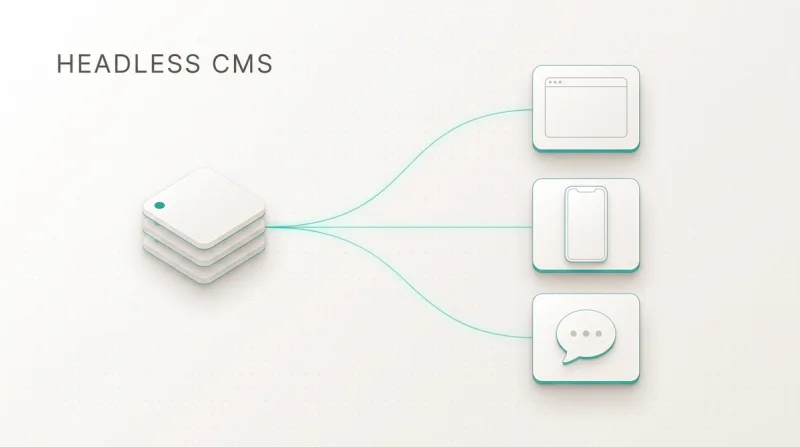
Second, content from an interface instead of a database behind the web server. A headless CMS, an editorial system without its own output layer, hands content to any frontend as structured data. What that means day to day is in our introduction to headless CMS, and the product detail sits in the article on Sanity.
Third, a build and deploy chain instead of live editing on the server. At LeanWave, every change in Sanity fires a webhook, an automated call that triggers a rebuild of the website. Nobody edits a running production system, and every version can be reproduced.
Fourth, the small attack surface. There is no publicly reachable login form on your own web server, no plugin chain to keep current, no database to harden. One more point matters that did not exist when the term was coined: when you control rendering, schema markup, sitemap and internal linking in code, you hold every lever Google and AI crawlers read. Our article on technical SEO lists them.
Rendering per request versus the Jamstack principle
The table below sets the classic model, where a server assembles each page from a database, against the prerendered model. It describes where the difference shows up in daily work rather than declaring a winner.
| Criterion | Rendering per request | Jamstack principle |
|---|---|---|
| Delivery | server builds the page on every call | finished HTML from the CDN |
| Content source | database behind the web server | content system through an interface |
| Publishing | a change hits the running system at once | build and deploy, triggered by webhook in our setup |
| JavaScript as shipped | decided by theme and plugins | zero by default in Astro, scripts only for islands |
| Attack surface | server, database, extensions, login form | the delivered files, credentials sit with the provider |
| Traffic spikes | server scales along, database becomes the bottleneck | files sit in the network, load barely changes delivery |
| Multiple languages | through extensions, often priced per language | solved in the content model and routing, no charge per language |
| Programmatic pages | bound to the templates of the system | generated freely from data, real substance per page still required |
| Platform fee | hosting plus licences for extensions | Sanity Free from $0, Vercel Pro $20 per month and seat |
| Login and personalisation | built in, the model exists for it | added through server rendering or server islands |
The last row is the honest one. It leads straight into the next section.
The fee row deserves a note, because proposals tend to bury it. Webflow Premium costs $25 per month with 20,000 CMS items and 40 collections, and localisation is an add-on at $9 per language and month on top. Wix bills per website, from $17 for Light up to $159 for Business Elite. An Astro or Next.js website on Sanity Free typically runs at $0-20 of hosting a month, so close to no recurring platform fees. In exchange you carry the development yourself, and without a development team in house or beside you this route does not work.
Where the pure model breaks
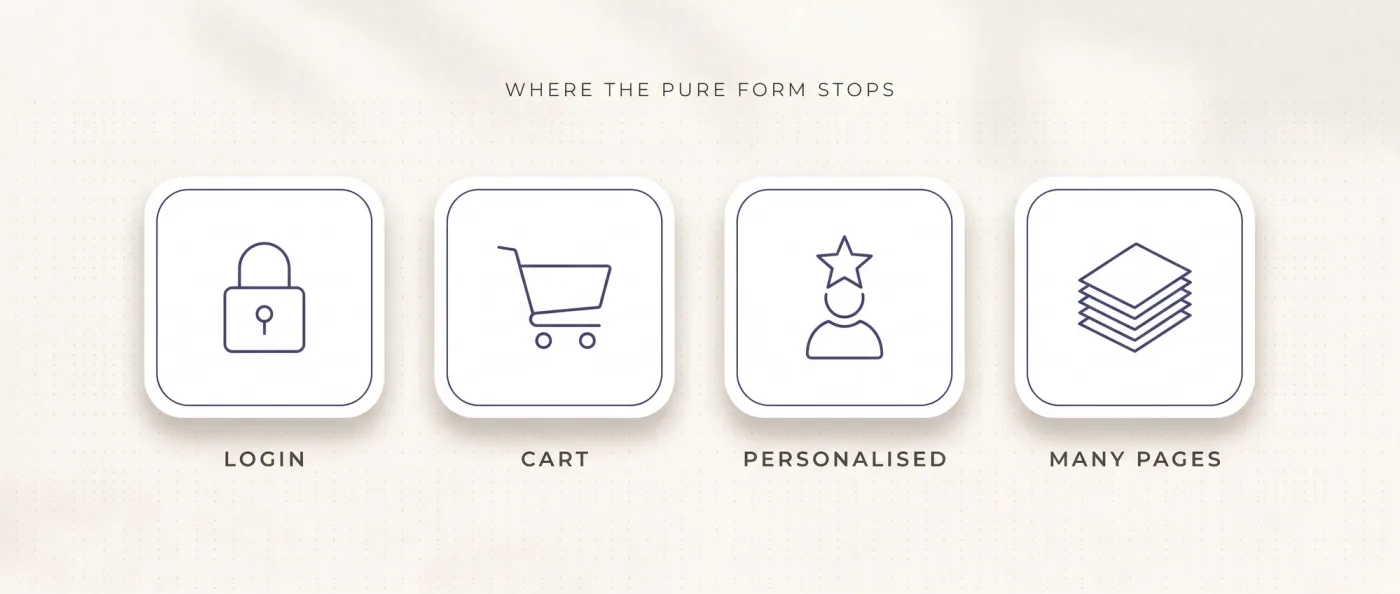
Four cases burst the prerendered model, and you should know them before anyone sells you a purely static website.
Login and protected areas. As soon as a visitor signs in and sees different content depending on the account, the page cannot be built ahead of time for everyone. That is the point where we move from Astro to Next.js, because server-side logic and session handling are part of its standard scope.
Carts and checkout. Prices, availability and payment are decided at the moment of the request. The product catalogue can stay prerendered, while cart and checkout run server-side or through services behind an interface.
Personalised content. If every visitor should see a different home page, a prerendered page is the wrong foundation. Server islands are the middle road here: the page goes out immediately and the personalised block renders independently afterwards.
Very large page counts with frequent changes. When tens of thousands of pages change several times a day, rebuilding everything on each edit stops being practical. Then you render the affected pages on request or refresh them selectively. And regardless of the technology: programmatically generated pages need real substance each, otherwise Google treats them as doorway pages, pages that exist only to cover a search term. We ran into that on our own old website.
None of these cases sends you back to a website builder. Landing here means you need more control over rendering, not less. For the detailed comparison of both worlds, see Webflow vs Next.js.
When Webflow is enough, when you build your own frontend
The decision hangs on scope, languages and how many pages should come out of data. We are a certified Webflow partner and maintain existing clients on it, so the line here is drawn plainly rather than to push a sale.
Choose Webflow if
Webflow is genuinely strong on design, editor and speed to a first version. In these cases it is the right call, and our Webflow agency builds exactly that:
- Your website stays around 30 pages, one or two languages, no programmatic pages planned.
- The marketing team should create and rearrange pages without a developer.
- You accept the hosting fee as the price for a system that keeps running without you.
- Localisation covers few languages and the add-on cost of $9 per language and month fits the budget.
Choose Astro or Next.js with Sanity if
Once content becomes a system, the maths shifts. That is when our web development agency builds a frontend of your own:
- You plan more than two languages or translated URL segments, without paying per language and month.
- Pages should come out of data, with their own substance each, instead of one template per collection.
- You want rendering, caching, schema markup, sitemap and internal linking under your control in code.
- Login, app logic or per-request data sit on the roadmap, which settles the choice on Next.js.
How we do it
LeanWave shows the model in its clean form. The website of Otto ID Solutions for RFID in textile services runs statically on Astro, Sanity, Tailwind and Vercel. Two languages, English on the root, German under /de, with translated URL segments, so /solutions becomes /de/loesungen. The hreflang markup, the signal telling Google which language version belongs to which page, is set reciprocally and includes x-default. 64 documents, 86 image assets, a rebuild fired by webhook on every change, editors working in Sanity Presentation Mode with in-context preview. The home page loads about 39 KB of JavaScript in three files, measured on 13 September 2026.
Yarowa shows the intermediate step. This five-language B2B presence was built in Webflow. We ported the export one to one into Astro and hosted it on Vercel: 5 languages, 21 page templates, 163 sections, design untouched. Moving the content into Sanity with Presentation Mode is planned. The step solves delivery and platform fees first, editing follows.
Our own website moved from Wix to Next.js, Sanity and Vercel in 2026: 49 knowledge articles, 10 service pages, 17 city pages, all from one Sanity database, two languages with hreflang, server rendering, llms.txt, IndexNow and FAQPage schema. The uncomfortable half belongs in the picture too: the old Wix website was close to invisible in search, the new one has been live since June 2026 and is working its way up.
If you come from an existing system, the switch is a relaunch project with a crawl beforehand, a ranking snapshot and a one-to-one redirect map for every old URL. Typically 3-6 weeks to go-live at 10-30 pages, followed by two weeks of monitoring with a 404 report. Our relaunch packages start at 8,000 € net. The full sequence is in CMS migration, the status codes in detail in 301 redirects, and if you are still sitting on a website builder, the comparison of Squarespace alternatives helps you place it. The move itself is handled by our relaunch agency.
Frequently asked questions
What is Jamstack?
Jamstack is a way of building websites out of three parts: prerendered HTML, delivery through a CDN and content pulled through interfaces. The name stands for JavaScript, APIs and markup. Instead of assembling a page from a database on every request, the page sits finished in the delivery network. Changes run through a build, not through edits on a live server.
Is Jamstack still relevant in 2026?
The label is used less often, the build approach is not. Modern frameworks mix static rendering, server rendering and later regeneration inside one project, so a term with two states no longer fits. Four things survive: a CDN instead of rendering per request, content through an interface, a build chain, a small attack surface. That is how we build.
What does a website on Jamstack principles cost?
Running platform cost is low: Sanity Free covers 20 seats, 10,000 documents and 100 GB of assets, and Vercel Pro costs $20 per month and developer seat. Operating cost typically lands at $0-20 a month, with no charge per language. The effort sits in the build: our relaunch packages start at 8,000 € net.
Do you need a headless CMS for Jamstack?
In practice yes, as soon as several people maintain content. Headless means the editorial system hands over structured data only and does not decide how the page looks. We use Sanity because content is modelled as a database there and Presentation Mode gives an in-context preview. At LeanWave that comes to 64 documents and 86 image assets.
Does Jamstack work with login and a shopping cart?
Not in the purely prerendered model. Sign-in, cart and personalised content are decided at request time. Astro solves part of this with server islands via server:defer, where a block renders independently afterwards. Once sessions and app logic enter, we build with Next.js. The product catalogue can still stay prerendered.
Is a Jamstack website good for SEO and AI answers?
It hands you every lever Google and AI crawlers read: rendering, load time, schema markup, sitemap, hreflang and internal linking all live in code. On our own website llms.txt, IndexNow and FAQPage schema sit on top. The advantage comes from using those levers. Without content of substance, nothing happens.
Next step
If you want to know whether your project should run prerendered or server-side, we will go through your content and your roadmap with you.